

Retail POS Software: Features, Benefits & How to Choose the Right POS System
Running a retail business involves much more than simply selling products and collecting payments. Retailers need to manage products, prices, inventory, customers, purchases, sales, invoices,…
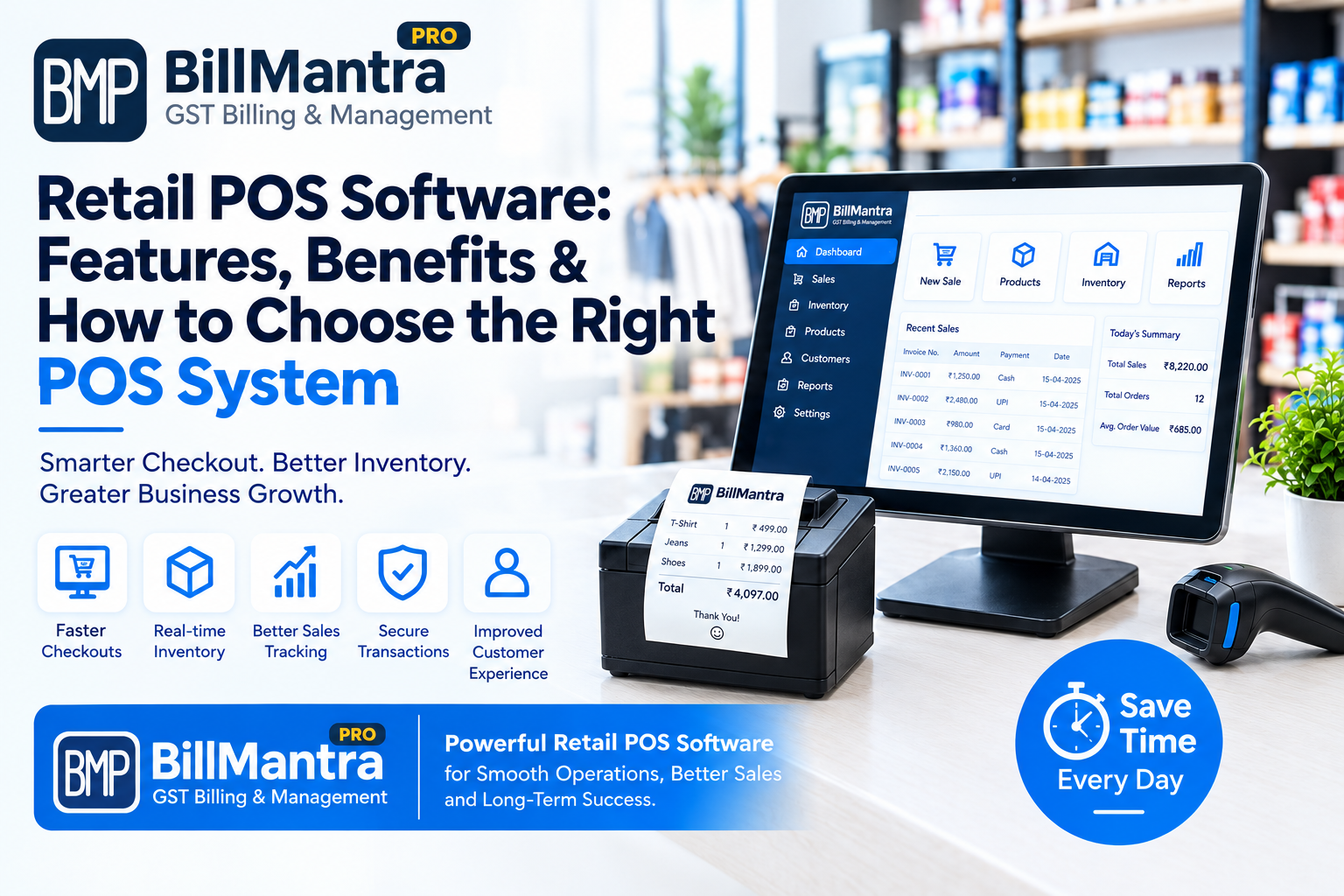
Running a retail business involves much more than simply selling products and collecting payments. Retailers need to manage products, prices, inventory, customers, purchases, sales, invoices, returns, payments, and business reports on a regular basis.
As a retail store grows, handling all these activities manually can become time-consuming. Many businesses initially use notebooks or Excel spreadsheets, but these methods may become difficult to manage when transaction volumes and product catalogs increase.
This is where Retail POS Software can help.
A Point of Sale (POS) system is designed to manage the sales process at the retail counter while also connecting important business activities such as inventory, products, customers, payments, and reporting.
However, not every POS system is the same. Different retail businesses have different requirements. A grocery store may need fast billing and inventory tracking, while a clothing store may need product variants such as size and color. An electronics retailer may require detailed product information and customer transaction records.
In this guide, we will explain what retail POS software is, its important features, benefits, how it works, how it compares with traditional billing methods, and how to choose the right POS system for your retail business.
What Is Retail POS Software?
Retail POS software is a digital system that helps retailers manage sales transactions and related business operations.
POS stands for Point of Sale, which is the place where a customer completes a purchase.
A modern retail POS system can do much more than generate an invoice.
Depending on the software, it may help retailers manage:
- Sales billing
- Product information
- Inventory
- Customers
- Suppliers
- Purchases
- Discounts
- Payments
- Returns
- GST invoices
- Sales reports
- Inventory reports
- Customer transaction history
- Staff access
- Business analytics
Instead of maintaining separate records for every business activity, retailers can manage several operations through one centralized platform.
For example:
Product → Billing → Payment → Invoice → Inventory Update → Sales Report
This connected workflow can make daily retail operations easier to organize.
How Does a Retail POS System Work?
A POS system generally works by connecting products, prices, sales, payments, and inventory.
A basic retail transaction may work like this:
- The cashier selects or scans a product.
- The product price is added to the bill.
- The customer quantity is entered.
- Discounts are applied if applicable.
- Taxes are calculated according to the configured settings.
- The final invoice amount is generated.
- The customer makes the payment.
- The transaction is recorded.
- Inventory is updated according to the transaction.
- The sale becomes available in the relevant reports.
This means a single sale can update several business records.
Without an integrated system, the retailer may need to record the sale in one place, update inventory separately, and prepare reports manually.
Key Features of Retail POS Software
The features available in a POS system depend on the software provider and plan.
However, several features are commonly useful for retail businesses.
1. Fast Retail Billing
Fast billing is one of the main purposes of a POS system.
A retail POS interface can allow cashiers to search for products, select quantities, apply discounts, and generate invoices from one screen.
A structured billing process can be particularly useful during busy store hours.
Typical Billing Functions
A POS system may provide:
- Product search
- Product selection
- Quantity entry
- Discount management
- Tax calculation
- Invoice generation
- Payment recording
- Receipt printing
- Invoice history
The exact features depend on the software.
2. Product Management
Retail businesses often sell hundreds or thousands of products.
Managing product information properly is therefore important.
A POS system can allow retailers to maintain information such as:
- Product name
- SKU
- Product code
- Category
- Brand
- Purchase price
- Selling price
- Tax information
- Unit
- Stock quantity
Product Categories
Products can often be organized into categories.
For example:
- Grocery
- Beverages
- Personal Care
- Electronics
- Clothing
- Footwear
- Cosmetics
- Home Appliances
Organized product categories can make product searches and reporting easier.
3. Inventory Management
Inventory management is one of the most important features of modern retail POS software.
Retailers need to know how much stock is available and how products are moving.
A POS system can connect sales and inventory records.
For example:
Product Purchased → Stock Increases
Product Sold → Stock Decreases
Product Returned → Stock Adjusted
This can help retailers maintain more organized inventory records.
Inventory Information
Depending on the software, retailers may be able to monitor:
- Current stock
- Opening stock
- Purchased quantity
- Sold quantity
- Available stock
- Stock movement
- Low-stock products
- Product-wise inventory
- Inventory reports
4. Low Stock Alerts
Running out of a popular product can result in missed sales opportunities.
A POS system with inventory management features may provide low-stock alerts.
For example:
Minimum Stock Level = 10 units
If available stock falls below that level, the system can identify the product for reordering, depending on its functionality.
This can help retailers monitor inventory more systematically.
5. GST Billing and Tax Management
For many Indian retail businesses, GST billing is an important requirement.
A POS system may support GST-related invoice information such as:
- GSTIN
- Invoice number
- Invoice date
- Customer details
- Product details
- HSN/SAC where applicable
- Taxable value
- CGST
- SGST
- IGST
- Total invoice value
Retailers should configure tax information correctly and verify their GST requirements according to their specific business situation.
GST Billing Benefits
A structured GST billing workflow can help retailers:
- Create invoices consistently
- Maintain invoice records
- Organize tax-related information
- Track sales transactions
- Generate relevant reports where supported
The exact GST features vary between POS systems.
6. Customer Management
Customer management can be useful for retailers with repeat customers.
A POS system may allow businesses to maintain:
- Customer name
- Mobile number
- Address
- Purchase history
- Previous invoices
- Outstanding payments
When customer information is connected with sales transactions, retailers can access previous transaction records more easily.
Customer Purchase History
For example, a retailer may want to check:
- Previous purchases
- Previous invoices
- Total transaction history
- Outstanding amount
- Product purchase details
Having this information organized can make customer management easier.
7. Supplier Management
Retail stores need suppliers to maintain their inventory.
A POS system may allow retailers to maintain supplier information such as:
- Supplier name
- Contact details
- Products supplied
- Purchase history
- Purchase invoices
- Payment records
Centralized supplier information can make purchase management more organized.
8. Purchase Management
Retail businesses regularly purchase products from suppliers.
A POS system with purchase management functionality can help retailers record:
- Purchase date
- Supplier
- Product
- Quantity
- Purchase price
- Tax
- Invoice number
- Total purchase amount
When purchase records are connected with inventory, stock levels can be updated according to the recorded transaction.
This creates a useful workflow:
Purchase → Inventory → Sales → Reports
9. Sales Returns
Product returns are common in many retail businesses.
Customers may return products because of:
- Product defects
- Wrong product
- Damaged item
- Size issues
- Change of requirement
- Other applicable reasons
A POS system can provide a structured way to record sales returns.
Depending on the software, a return may update the relevant sales record and inventory.
Retailers should select a system that supports the return workflow required by their business.
10. Purchase Returns
Retailers may also return products to suppliers.
For example, products may be returned because they are:
- Damaged
- Defective
- Incorrectly supplied
- Expired
- Not matching the purchase order
A POS system with purchase return functionality can help record these transactions and make inventory adjustments where applicable.
11. Barcode Scanning
Barcode support can make billing faster for businesses that sell products with barcodes.
Instead of manually searching for a product, a cashier can scan the barcode using compatible hardware.
The system can then identify the product and add it to the bill.
Barcode POS Benefits
Barcode scanning can help with:
- Faster product identification
- Reduced manual entry
- Faster billing
- Product accuracy
- Inventory tracking
The exact barcode hardware compatibility depends on the POS software.
12. Multiple Payment Methods
Customers may use different payment methods.
A POS system can help retailers record payments such as:
- Cash
- Debit card
- Credit card
- UPI
- Bank transfer
- Other supported payment methods
Recording payment methods can also help retailers understand how customers are paying.
The available payment integrations depend on the software and payment provider.
13. Discounts and Offers
Retail businesses often provide discounts.
Examples include:
- Percentage discounts
- Fixed amount discounts
- Product-level discounts
- Customer-specific discounts
- Promotional offers
A POS system can provide structured discount functionality.
However, retailers should check whether the system supports the exact discount rules they need.
14. Sales Reports
Sales reports help retailers understand business activity.
A POS system may provide reports such as:
- Daily sales
- Weekly sales
- Monthly sales
- Product-wise sales
- Category-wise sales
- Customer-wise sales
- Payment-wise sales
- Sales return reports
These reports can help business owners review sales performance and identify operational patterns.
15. Inventory Reports
Inventory reports provide information about stock.
Depending on the system, retailers may be able to view:
- Current stock
- Low-stock products
- Product movement
- Purchase quantity
- Sales quantity
- Stock adjustments
- Inventory value
Inventory reports can help retailers make purchasing and stock management decisions based on recorded business data.
16. Staff and User Management
Many retail stores have multiple employees.
For example:
- Owner
- Store manager
- Cashier
- Sales staff
- Inventory staff
- Accountant
A POS system may allow the business to create different user accounts and permissions.
For example:
| User | Possible Access |
|---|---|
| Owner | Full access |
| Manager | Sales and reports |
| Cashier | Billing |
| Inventory Staff | Stock management |
| Accountant | Business records |
The exact access controls vary by POS software.
Benefits of Retail POS Software
A POS system can provide several benefits when it is properly configured and used.
1. Faster Billing
A structured billing interface can reduce repetitive manual work.
Cashiers can search products, enter quantities, apply applicable discounts, and generate invoices through one workflow.
This can be useful during busy store hours.
2. Better Inventory Visibility
When sales and inventory are connected, retailers can monitor stock movement more easily.
Instead of maintaining separate sales and inventory records, the system can connect the two processes.
This can make stock information easier to review.
3. Reduced Manual Calculations
POS software can handle routine calculations based on configured product prices, quantities, discounts, and taxes.
This can reduce the need for manual calculations during every transaction.
4. Centralized Business Records
Retailers can manage several business records through one system.
These may include:
- Sales
- Products
- Inventory
- Purchases
- Customers
- Suppliers
- Payments
- Reports
Centralized information can make business management more organized.
5. Easier Reporting
Instead of creating every report manually in Excel, retailers may be able to access predefined reports.
This can save time when reviewing daily or monthly operations.
6. Better Customer Records
A POS system can connect customers with their sales transactions.
This makes it easier to access purchase history and previous invoices where the feature is supported.
7. Support for Business Growth
As a business grows, the number of products, transactions, customers, and employees can increase.
A suitable POS system can provide structured workflows for managing these activities.
However, retailers should select software that can support their expected scale and requirements.
Retail POS Software vs Traditional Billing
Traditional retail billing can involve:
- Manual invoices
- Calculators
- Notebooks
- Excel spreadsheets
- Separate stock records
- Manual sales reports
This approach may work for a very small operation.
However, it can become difficult when transaction volumes increase.
A POS system can bring several of these activities together.
| Activity | Traditional Method | POS System |
|---|---|---|
| Billing | Manual/template | Digital |
| Product selection | Manual | Search/barcode |
| Tax calculation | Manual/formula | System-based |
| Inventory | Separate records | Connected |
| Customer records | Notebook/Excel | Centralized |
| Purchase records | Separate sheet | Integrated where supported |
| Reports | Manual | Predefined |
| Returns | Manual | Dedicated workflow |
| User access | Limited | Role-based in many systems |
Retail POS Software vs Excel
Excel is a flexible spreadsheet tool, while POS software is designed around retail workflows.
Excel Advantages
- Familiar
- Flexible
- Customizable
- Useful for analysis
- Suitable for basic record keeping
POS Software Advantages
- Retail-focused
- Faster billing workflow
- Integrated inventory
- Product management
- Customer management
- Purchase management
- Predefined reports
- User management
- Barcode support in many systems
The right option depends on the size and requirements of the retail business.
Who Needs Retail POS Software?
A POS system can be useful for many types of retail businesses.
Grocery Stores
Grocery stores often handle a large number of products and frequent transactions.
Important features may include:
- Fast billing
- Barcode scanning
- Inventory management
- Product categories
- Stock alerts
- Sales reports
Clothing Stores
Clothing retailers often manage product variants.
These may include:
- Size
- Color
- Brand
- Style
- Category
A suitable POS system can help organize these products and their inventory.
Electronics Stores
Electronics retailers may need detailed product information and customer transaction records.
Useful features can include:
- Product management
- Inventory tracking
- Customer records
- Purchase records
- Invoice history
- Sales reports
Footwear Stores
Footwear stores commonly manage different sizes, designs, brands, and product categories.
A POS system can help organize these products and track their sales and stock.
Cosmetics Stores
Cosmetics stores may have a large number of brands and product categories.
A centralized product and inventory system can help retailers organize their catalog.
How to Choose the Right Retail POS System
Choosing a POS system should be based on actual business requirements rather than simply selecting the software with the largest number of features.
Here are important factors to consider.
1. Understand Your Business Requirements
Before comparing software, identify what your store actually needs.
Ask:
- How many products do we sell?
- How many bills do we generate daily?
- How many employees will use the system?
- Do we need inventory management?
- Do we need barcode scanning?
- Do we need GST billing?
- Do we need customer management?
- Do we need purchase management?
- What reports are important?
- Do we have plans to expand?
This creates a clear checklist for comparing POS systems.
2. Check Billing Features
The billing process should be simple enough for employees to use efficiently.
Look for:
- Product search
- Barcode scanning
- Quantity management
- Discounts
- Tax calculation
- Multiple payment methods
- Invoice printing
- Digital invoices
- Sales history
The system should match the actual billing workflow of your store.
3. Check Inventory Features
Inventory management is one of the most important areas to evaluate.
Check whether the POS system provides:
- Stock tracking
- Product management
- Stock adjustments
- Low-stock information
- Purchase tracking
- Sales tracking
- Stock movement
- Inventory reports
If inventory is a major part of your business, this feature should receive careful attention.
4. Check GST Functionality
Indian retailers should check whether the software supports the GST billing requirements applicable to their business.
Look for relevant features such as:
- GST invoices
- GSTIN
- HSN/SAC
- CGST
- SGST
- IGST
- Tax reports
Always verify that the software's GST functionality matches your specific requirements.
5. Check User Management
If multiple employees will use the system, user permissions can be important.
For example:
A cashier may only need billing access.
A manager may need access to reports.
The owner may require complete access.
Role-based permissions can help businesses control access to different functions.
6. Check Reporting Features
Good reports can help retailers understand their operations.
Look for:
- Sales reports
- Product reports
- Inventory reports
- Purchase reports
- Customer reports
- Payment reports
- Return reports
Before selecting software, check whether these reports are available and easy to understand.
7. Check Hardware Compatibility
A retail POS system may be used with hardware such as:
- Barcode scanners
- Receipt printers
- Cash drawers
- POS terminals
- Computers
- Tablets
Check whether the software supports the hardware you already have or plan to purchase.
8. Check Data Security
Retail systems store important business information.
Before choosing a POS system, understand:
- Where data is stored
- How data is protected
- How backups are handled
- Who can access information
- Whether data can be exported
- What happens if the subscription ends
Data security should be considered before implementing any business software.
9. Check Customer Support
POS software becomes part of daily retail operations.
If a billing issue occurs during business hours, timely support can be useful.
Check:
- Support channels
- Support availability
- Setup assistance
- Training
- Documentation
- Response process
The available support depends on the software provider.
10. Compare Pricing
POS pricing can vary significantly.
Some providers may offer:
- Monthly plans
- Annual plans
- One-time licenses
- Per-user pricing
- Feature-based plans
- Hardware packages
Do not compare only the basic subscription price.
Also consider:
- Features
- Number of users
- Support
- Hardware
- Data storage
- Updates
- Additional charges
Questions to Ask Before Buying POS Software
Before selecting a POS system, retailers can ask the following questions:
- Does it support my type of retail business?
- Does it provide inventory management?
- Does it support GST billing?
- Can it manage multiple users?
- Does it support barcode scanning?
- Can it manage purchase records?
- Can it manage sales returns?
- Does it provide sales reports?
- Does it support multiple payment methods?
- Can I export my business data?
- How are backups handled?
- What customer support is available?
- Is employee training provided?
- What hardware does it support?
- Are there additional charges?
- Can the software support future business growth?
Answering these questions can help retailers compare different POS solutions more systematically.
Common Mistakes When Choosing a Retail POS System
Choosing POS software only because it looks attractive or has a low price can create problems later.
Choosing Too Many Unnecessary Features
More features do not always mean a better fit.
Select features based on actual business requirements.
Ignoring Inventory Management
Billing is important, but inventory is equally important for many retail businesses.
Not Checking Hardware Compatibility
If you plan to use barcode scanners or receipt printers, confirm compatibility before purchasing hardware.
Not Testing the Software
Whenever possible, test the billing workflow before implementation.
Ignoring Data Export
Businesses should understand whether their data can be exported if they change software in the future.
Not Checking Support
Technical problems can affect billing operations.
Understand what support options are available before subscribing.
Not Training Employees
Even good software may cause problems if employees do not know how to use it correctly.
Proper training can make implementation easier.
How to Implement Retail POS Software in Your Store
Moving from manual billing or Excel to POS software should be planned carefully.
Step 1: Prepare Your Product Data
Collect:
- Product names
- SKUs
- Product codes
- Categories
- Prices
- Tax information
- Opening stock
Clean duplicate or outdated information before importing it.
Step 2: Add Customer and Supplier Data
If required, prepare customer and supplier records.
Check:
- Names
- Contact information
- Addresses
- Outstanding balances
- Previous transaction information
Step 3: Configure Billing Settings
Set up:
- Business details
- Invoice format
- Tax settings
- Payment methods
- Discounts
- Receipt settings
Step 4: Connect Hardware
If you use hardware such as barcode scanners or receipt printers, connect and test them.
Step 5: Create User Accounts
Create accounts for employees according to their responsibilities.
For example:
- Owner
- Manager
- Cashier
- Inventory staff
Assign appropriate permissions.
Step 6: Test Sample Transactions
Before going live, create sample:
- Sales
- Purchases
- Returns
- Discounts
- Payments
Check whether inventory and reports are updating correctly.
Step 7: Train Employees
Employees should learn how to:
- Search products
- Create bills
- Process payments
- Apply discounts
- Process returns
- Check stock
- Generate reports
Step 8: Start Daily Operations
After testing and training, begin using the POS system for regular retail operations.
Monitor the system during the first few days and correct any configuration issues.
Is Retail POS Software Worth It for Small Businesses?
The answer depends on the retailer's requirements.
A very small shop with a limited number of products and low transaction volume may be able to manage basic records using Excel or another simple method.
However, a retailer may consider POS software when:
- Billing volume increases
- Product catalog becomes larger
- Inventory becomes difficult to track
- Multiple employees need access
- Customers require faster billing
- Reports take too much time
- Purchase management becomes complex
- Returns become frequent
- The business plans to expand
A POS system can provide a more structured approach to these activities.
Retail POS Software for Growing Businesses
As a retail business grows, its operational requirements can change.
A growing business may need:
- More products
- More employees
- More transactions
- Better inventory control
- More detailed reports
- Multiple payment options
- Customer management
- Supplier management
- Better data organization
A suitable retail POS system can help bring these functions together.
However, retailers should select software that can support their current requirements while also accommodating reasonable future growth.
BillMantra for Retail Billing and Business Management
Choosing the right software is an important decision for any retailer.
BillMantra provides a digital solution for businesses looking to organize their retail billing and business management activities.
A centralized approach can help retailers manage important areas such as:
- Retail billing
- Products
- Inventory
- Customers
- Purchases
- Sales
- Invoices
- Business records
Instead of depending on separate spreadsheets for every process, retailers can explore a dedicated digital workflow.
For businesses looking for retail billing software, BillMantra can be considered as part of the process of moving toward more organized retail management.
Frequently Asked Questions
What is retail POS software?
Retail POS software is a digital system used to manage sales transactions at a retail store. Modern POS systems can also provide features for inventory, products, customers, purchases, payments, returns, and reports.
What is the difference between POS software and billing software?
Billing software primarily focuses on creating invoices and recording sales. A modern POS system can include billing along with inventory, product management, customer management, purchases, payments, returns, and reporting.
Is POS software useful for small retail shops?
Yes, depending on the shop's requirements. Small retailers can benefit from POS software when they need faster billing, inventory tracking, customer records, reports, or multiple-user access.
Does retail POS software manage inventory?
Many POS systems provide integrated inventory management. Sales and purchases can be connected with stock records, depending on the software.
Can POS software generate GST invoices?
Many POS systems designed for the Indian market provide GST billing features. Retailers should check whether the software supports the GST requirements applicable to their business.
Can POS software manage customers?
Many retail POS systems include customer management features such as customer profiles, contact information, purchase history, and invoice records.
Can POS software manage suppliers?
Many systems provide supplier management features that allow retailers to maintain supplier details and purchase records.
Does POS software support barcode scanning?
Many retail POS systems support barcode scanners. Retailers should verify hardware compatibility before purchasing or connecting a scanner.
Can POS software manage multiple employees?
Many POS systems support multiple users and role-based permissions. The available user management features depend on the software.
Can POS software track sales reports?
Yes. Many POS systems provide reports such as daily sales, monthly sales, product-wise sales, payment-wise sales, and other business reports.
Can POS software manage sales returns?
Many POS systems provide sales return functionality. The exact process and inventory adjustment options depend on the software.
Can POS software manage purchases?
Many retail POS platforms include purchase management features for recording supplier purchases, product quantities, prices, and related information.
Is POS software better than Excel?
Both have different uses. Excel is flexible and useful for basic records and analysis, while POS software is designed specifically for retail workflows. The appropriate choice depends on the retailer's requirements.
How much does retail POS software cost?
Pricing varies by provider, features, users, hardware, and subscription plan. Retailers should compare the total cost and features rather than looking only at the starting price.
What should I look for in retail POS software?
Important factors include billing, inventory management, GST functionality, product management, customer management, purchase management, reporting, user permissions, hardware compatibility, data security, support, pricing, and scalability.
Conclusion
Retail POS software can provide a structured way to manage sales and day-to-day retail operations.
While traditional billing methods and Excel can work for basic requirements, growing businesses may need a more connected system for billing, inventory, products, customers, purchases, payments, returns, and reporting.
A suitable POS system can help retailers organize these processes in one place and reduce repetitive manual work.
However, choosing the right POS system requires careful evaluation.
Before selecting software, consider:
- Business size
- Product catalog
- Daily transaction volume
- Inventory requirements
- GST requirements
- Number of employees
- Payment methods
- Hardware requirements
- Reporting needs
- Data security
- Customer support
- Pricing
- Future growth
There is no single POS system that is suitable for every retailer.
The right solution is the one that matches your current workflow and can support your business requirements as they develop.
If you are looking for a structured way to manage retail billing, inventory, products, customers, purchases, and business records, explore BillMantra and evaluate how its retail management features can fit your business workflow.
Simplify Retail Billing and POS Management with BillMantra
Managing retail operations through multiple spreadsheets can become difficult as your business grows.
With BillMantra, retailers can explore a centralized digital approach to billing and retail management.
From daily sales and invoices to products, inventory, customers, purchases, and reports, a dedicated retail management solution can help bring important business activities into a more organized workflow.
Explore BillMantra for your retail business and take a structured approach to modern retail billing and POS management.
Try BillMantra free
GST invoices, inventory, payments, reports — all in one app. No credit card.
Get started →