

Multi-Warehouse Inventory Management: Complete SME Success Guide
Managing inventory becomes increasingly complex when a business operates from more than one warehouse. Stock may be distributed across different cities, branches, storage facilities, or fulfillment…
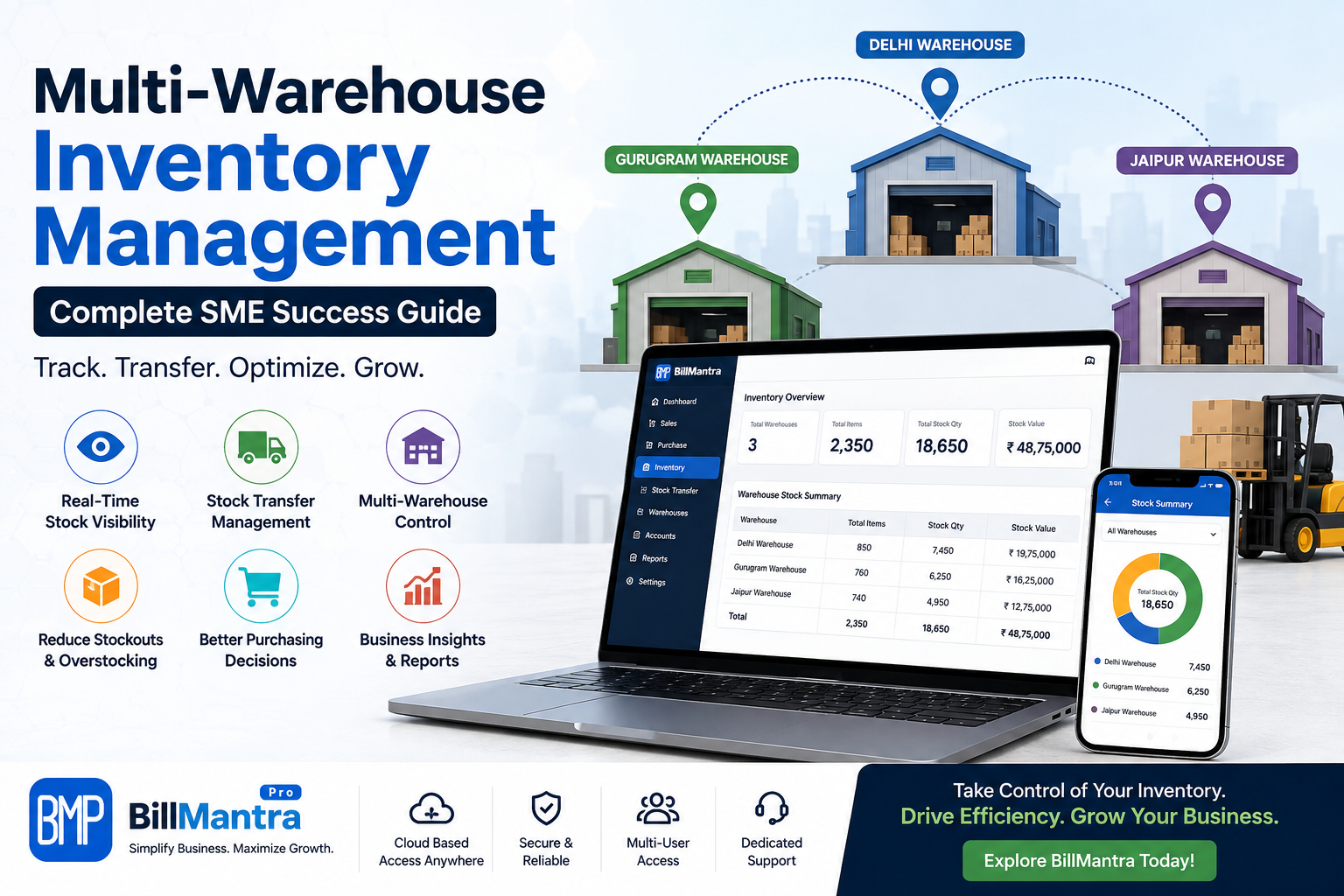
Managing inventory becomes increasingly complex when a business operates from more than one warehouse. Stock may be distributed across different cities, branches, storage facilities, or fulfillment locations, making it difficult to know exactly what is available, where it is stored, and when it needs to be moved.
For growing SMEs, Multi Warehouse Inventory Management can provide a centralized way to monitor stock across multiple locations while improving purchasing, order fulfillment, stock transfers, and business reporting.
Businesses often compare traditional spreadsheets, standalone inventory software, ERP systems, and cloud-based inventory platforms before choosing a solution. The right choice depends on the number of warehouses, product volume, sales channels, operational complexity, and future growth plans.
A modern inventory management system should do more than show stock quantities. It should help businesses understand warehouse-wise inventory, record stock movements, manage transfers, monitor purchases and sales, track batches or expiry dates where required, and provide accurate reports.
BillMantra is a cloud-based business management platform designed for Indian SMEs, retailers, wholesalers, distributors, manufacturers, and other businesses. It combines inventory management with billing, accounting, purchasing, payments, GST compliance, reporting, and branch management.
In this complete guide, we will explain what Multi Warehouse Inventory Management means, why SMEs need it, how different solutions compare, which features matter most, common challenges, and how BillMantra can help businesses manage inventory across multiple locations more efficiently.
Table of Contents
- What Is Multi Warehouse Inventory Management?
- Why SMEs Need Multi Warehouse Inventory Management
- How Multi-Warehouse Inventory Management Works
- Key Features to Look For
- Benefits of Multi Warehouse Inventory Management
- Common Multi-Warehouse Inventory Challenges
- Multi-Warehouse Inventory Management Comparison
- Cloud-Based vs Traditional Inventory Management
- Multi-Warehouse Inventory Management for Different Businesses
- How BillMantra Helps Manage Multiple Warehouses
- Practical Multi-Warehouse Business Example
- How to Choose the Best Multi-Warehouse Inventory Software
- Common Mistakes to Avoid
- Multi-Warehouse Inventory Management Checklist
- Frequently Asked Questions
- Conclusion
- Call to Action
What Is Multi Warehouse Inventory Management?
Multi Warehouse Inventory Management is the process of tracking, controlling, and managing inventory across two or more warehouses or storage locations from a connected system.
Instead of maintaining separate spreadsheets for every warehouse, businesses can use centralized inventory software to monitor stock across locations.
For example, a distributor may operate warehouses in Delhi, Gurugram, Jaipur, and Lucknow.
Without centralized inventory management, the business may have to check different files or contact warehouse employees to determine where products are available.
With a multi-warehouse system, the business can view inventory by location and manage stock movements more systematically.
What Can Multi-Warehouse Inventory Software Track?
A complete system may help businesses monitor:
- Warehouse-wise stock
- Available inventory
- Reserved stock
- Incoming stock
- Outgoing stock
- Stock transfers
- Purchase receipts
- Sales-related inventory
- Damaged stock
- Batch information
- Expiry information
- Product quantities
- Warehouse performance
This centralized approach can improve inventory visibility and make day-to-day operations easier to manage.
Why SMEs Need Multi Warehouse Inventory Management
As an SME grows, inventory often becomes distributed across multiple locations.
A business may add a second warehouse because its existing storage facility is full. Later, it may add regional warehouses to reduce delivery time.
At this point, basic inventory tracking may no longer be enough.
1. Inventory Becomes Distributed
When stock is stored in multiple locations, business owners need to know exactly where products are available.
A centralized system provides warehouse-level visibility.
2. Stock Transfers Become More Frequent
Businesses often move products from one warehouse to another.
Without proper records, these transfers can cause stock discrepancies.
A multi-warehouse system can record stock leaving one location and arriving at another.
3. Purchasing Becomes More Complex
Businesses need to determine which warehouse requires additional inventory.
Warehouse-wise stock reports can help purchasing teams make more informed decisions.
4. Customer Orders Need Faster Fulfillment
If customers are located in different regions, businesses may want to fulfill orders from the nearest warehouse.
Knowing where inventory is available can help businesses make better fulfillment decisions.
5. Business Owners Need Centralized Reporting
Owners should not have to collect separate reports from every warehouse manually.
A centralized system can provide consolidated business information while still allowing warehouse-wise analysis.
How Multi-Warehouse Inventory Management Works
The basic workflow is straightforward.
Step 1: Create Warehouses
Businesses create individual warehouse locations within the inventory system.
Each location can have its own stock records.
Step 2: Add Products
Products are added to the centralized catalogue.
Important product information can include:
- Product name
- SKU
- Barcode
- Category
- Unit
- Purchase price
- Selling price
- Tax information
- Batch information where applicable
Step 3: Record Purchases
When inventory is purchased, the business records the purchase and assigns the received stock to the appropriate warehouse.
Step 4: Record Sales
When products are sold, the relevant inventory is reduced based on the transaction.
Step 5: Transfer Stock
If Warehouse A has excess stock while Warehouse B needs inventory, the business can create a stock transfer.
Step 6: Monitor Warehouse Stock
Managers can review stock levels by location and identify products that require replenishment.
Step 7: Analyze Reports
Warehouse-wise and consolidated reports can help management understand inventory performance.
Key Features to Look For in Multi Warehouse Inventory Management Software
Not every inventory solution provides the same capabilities.
Businesses should compare features carefully before selecting software.
1. Multi-Warehouse Support
The software should allow businesses to create and manage multiple warehouse locations.
This is the foundation of a multi-warehouse system.
2. Real-Time Stock Tracking
Businesses should be able to view current stock levels by warehouse.
This can reduce dependence on manual stock verification.
3. Stock Transfer Management
A good system should make it easy to transfer inventory between locations.
The system should maintain a record of:
- Source warehouse
- Destination warehouse
- Products
- Quantities
- Transfer date
- Transfer status
4. Batch Tracking
Businesses dealing with products that require batch-level control can benefit from batch tracking.
This is particularly useful for industries where product batches need to be identified during sales, purchases, or inventory checks.
5. Expiry Management
Businesses selling products with expiry dates need visibility into inventory approaching expiry.
Expiry management can help businesses identify products that require attention.
6. Barcode Management
Barcode support can improve warehouse operations.
Employees can scan products rather than manually entering product names or codes.
7. Purchase Integration
Inventory management should connect with purchasing.
When new goods are received, inventory should be updated appropriately.
8. Sales Integration
Sales transactions should be connected with inventory.
When products are sold, the corresponding stock should be reflected in inventory records.
9. Warehouse-Wise Reports
Businesses should be able to analyze inventory by location.
Useful reports include:
- Warehouse stock
- Stock movement
- Product-wise stock
- Purchase reports
- Sales reports
- Transfer reports
- Low-stock reports
10. Branch Management
Businesses operating warehouses and branches may need centralized management of multiple locations.
A connected platform can make it easier to monitor operations across the organization.
Benefits of Multi Warehouse Inventory Management
Better Inventory Visibility
The biggest benefit is knowing where inventory is located.
Instead of seeing only total stock, businesses can review warehouse-wise quantities.
Fewer Stock Discrepancies
Centralized records can reduce errors caused by maintaining separate spreadsheets.
Faster Stock Transfers
Employees can record transfers systematically instead of relying on informal communication.
Better Purchasing Decisions
Warehouse-level stock information helps businesses identify where replenishment is required.
Improved Order Fulfillment
Businesses can determine which warehouse has the required products before processing an order.
Reduced Overstocking
Better visibility can help businesses avoid purchasing excessive quantities when stock already exists at another location.
Reduced Stockouts
Warehouse-wise monitoring can help businesses identify low-stock products earlier.
Better Management Reporting
Business owners can review both consolidated and location-specific inventory information.
Common Multi-Warehouse Inventory Challenges
Challenge 1: Using Multiple Spreadsheets
Many SMEs maintain one spreadsheet for each warehouse.
This can create duplicate data and make consolidation difficult.
Challenge 2: Lack of Real-Time Visibility
If warehouse data is updated late, management may be working with outdated information.
Challenge 3: Unrecorded Stock Transfers
Products may physically move between warehouses without the movement being properly recorded.
Challenge 4: Overstocking
One warehouse may have excess inventory while another warehouse is facing a shortage.
Without centralized visibility, management may purchase additional stock unnecessarily.
Challenge 5: Stockouts
A product may be available in another warehouse but appear unavailable to the team handling a customer order.
Challenge 6: Difficult Reconciliation
Reconciling physical stock with digital records becomes harder as the number of locations increases.
Challenge 7: Limited Reporting
Basic systems may show total inventory but fail to provide detailed warehouse-wise information.
Multi-Warehouse Inventory Management Comparison
Businesses generally have several options for managing inventory.
| Method | Small Inventory | Multiple Warehouses | Real-Time Visibility | Stock Transfers | Scalability |
|---|---|---|---|---|---|
| Manual Records | Suitable | Difficult | Low | Manual | Low |
| Spreadsheets | Suitable | Moderate | Limited | Manual | Moderate |
| Basic Inventory Software | Good | Limited to Moderate | Good | May vary | Moderate |
| ERP Systems | Good | Strong | Strong | Strong | High |
| Cloud Business Management Software | Good | Strong | Strong | Strong | High |
The best option depends on business size and complexity.
A small business with one location may not need an enterprise ERP.
However, a growing SME operating several warehouses can benefit from integrated cloud-based inventory management.
Cloud-Based vs Traditional Inventory Management
Cloud technology has changed how SMEs manage business data.
Traditional Inventory Software
Traditional desktop systems may depend heavily on a particular computer or local infrastructure.
They can work well for businesses with simple operations but may become less convenient when multiple locations need centralized access.
Cloud-Based Inventory Management
Cloud-based software can provide centralized access to business information through supported devices and internet connectivity.
This can be particularly useful for businesses with:
- Multiple warehouses
- Multiple branches
- Remote managers
- Distributed teams
- Growing operations
| Feature | Traditional Software | Cloud-Based Software |
|---|---|---|
| Centralized Access | Limited | Yes |
| Multiple Locations | May require additional setup | Designed for centralized management |
| Remote Access | Limited | More flexible |
| Updates | Often manual | Provider-managed |
| Scalability | Varies | Generally flexible |
| Collaboration | Limited | Easier |
| Data Visibility | Depends on setup | Centralized |
Multi-Warehouse Inventory Management for Different Businesses
Retail Businesses
Retail chains may maintain central warehouses and individual store locations.
They need to know:
- Which products are available
- Which stores require stock
- Which products are selling quickly
- Where stock should be transferred
Multi-warehouse inventory management can provide better visibility across locations.
Wholesalers
Wholesalers may hold large quantities of products and supply multiple customers.
They need strong control over:
- Stock
- Purchasing
- Customer orders
- Warehouse transfers
- Receivables
Distributors
Distributors often operate regional warehouses to serve customers more efficiently.
A centralized system can help them manage regional inventory and stock transfers.
Manufacturers
Manufacturers may maintain raw materials, finished goods, and multiple storage locations.
Inventory software can help track material availability and finished stock.
E-Commerce Businesses
E-commerce businesses may use multiple fulfillment locations.
Warehouse-level inventory visibility can help determine where orders should be fulfilled.
How BillMantra Helps With Multi Warehouse Inventory Management
BillMantra is a cloud-based business management platform designed for Indian SMEs, retailers, wholesalers, distributors, manufacturers, and service businesses.
Its inventory management capabilities are connected with billing, purchasing, accounting, payments, and reporting.
Multi-Location Inventory
BillMantra supports multi-location inventory management, allowing businesses to manage inventory across different locations.
This is useful for businesses operating more than one warehouse or branch.
Real-Time Stock Tracking
Businesses can maintain better visibility into available stock.
This can help managers understand inventory levels without depending entirely on manual records.
Stock Transfers
When inventory needs to move from one location to another, stock transfer functionality can help businesses maintain organized records of the movement.
Batch Tracking
Businesses that require batch-level inventory control can use batch tracking to organize stock records.
Expiry Management
For products with expiry dates, expiry management can help businesses monitor inventory that needs attention.
Branch-Wise Profit and Loss
For businesses operating multiple locations, branch-level reporting can provide additional insight into business performance.
Barcode Solutions
BillMantra also supports barcode-related workflows, including barcode design, barcode printing, thermal printer support, and A4 label printing.
This can be useful for businesses handling large product catalogues.
Practical Multi-Warehouse Business Example
Consider a wholesale business that operates three warehouses:
- Delhi
- Gurugram
- Jaipur
The business sells 2,000+ products to retailers across North India.
Before Centralized Inventory Management
The business maintains separate spreadsheets for each warehouse.
When a customer asks for a product, the sales team has to contact warehouse employees to confirm availability.
This creates delays.
The purchasing team also struggles to determine whether additional stock is needed.
After Implementing Multi-Warehouse Inventory Management
The business can view inventory by warehouse.
For example:
| Product | Delhi | Gurugram | Jaipur | Total |
|---|---|---|---|---|
| Product A | 250 | 120 | 80 | 450 |
| Product B | 100 | 300 | 150 | 550 |
| Product C | 75 | 60 | 250 | 385 |
Now the sales team can quickly understand where inventory is available.
If Gurugram has a shortage while Delhi has excess inventory, the business can consider a stock transfer instead of placing an unnecessary purchase order.
This can improve inventory utilization and purchasing decisions.
How to Choose the Best Multi Warehouse Inventory Software
Before choosing a solution, evaluate your current and future requirements.
Consider the Number of Warehouses
A business with two warehouses may have different requirements from a company operating twenty locations.
Choose software that can support your expected growth.
Check Inventory Visibility
Make sure you can view stock by warehouse.
Test Stock Transfers
Check how easily employees can transfer stock between locations.
Review Reporting
Ask whether the software provides warehouse-wise and consolidated reports.
Check Billing Integration
Inventory should ideally connect with sales and billing.
Check Purchase Integration
Purchases should update inventory without unnecessary duplicate data entry.
Check Barcode Support
If your warehouse handles many products, barcode functionality can improve efficiency.
Check Batch and Expiry Features
If your industry requires batch or expiry tracking, make sure these features are included.
Consider Cloud Access
For distributed teams, cloud-based access can make centralized management easier.
Check Scalability
Choose software that can grow with your business.
Common Mistakes to Avoid
Managing Every Warehouse Separately
Separate systems can make consolidated reporting difficult.
Not Recording Transfers
Every stock movement should be properly recorded.
Ignoring Slow-Moving Inventory
Businesses should monitor products that remain in stock for long periods.
Purchasing Without Checking Existing Stock
Before placing new orders, businesses should check inventory across all locations.
Using Software Without Reporting
Inventory software should provide actionable information, not just stock quantities.
Choosing Software That Cannot Scale
A system that works for two warehouses may become restrictive when the business expands.
Multi-Warehouse Inventory Management Checklist
Before choosing software, ask:
- Does it support multiple warehouses?
- Can I view warehouse-wise stock?
- Can I transfer stock between warehouses?
- Does it provide real-time inventory tracking?
- Does it support barcode management?
- Does it support batch tracking?
- Does it support expiry management?
- Can purchases update inventory?
- Can sales update inventory?
- Does it provide warehouse-wise reports?
- Does it support multiple branches?
- Can it manage stock transfers?
- Does it provide consolidated reports?
- Is it cloud-based?
- Can the system scale with my business?
- Does it integrate billing and inventory?
- Does it support accounting?
- Does it provide customer support?
If the answer to most of these questions is yes, the software may be a strong fit for your business.
Frequently Asked Questions
1. What is Multi Warehouse Inventory Management?
Multi Warehouse Inventory Management is the process of managing and tracking inventory across multiple warehouses or storage locations through a centralized system.
2. Why do SMEs need multi-warehouse inventory software?
SMEs need it to improve stock visibility, manage transfers, reduce inventory discrepancies, monitor warehouse-level stock, and make better purchasing and fulfillment decisions.
3. Can small businesses use multi-warehouse inventory software?
Yes. Even a small business can benefit when it operates more than one warehouse or storage location.
4. What is the difference between inventory management and multi-warehouse inventory management?
Basic inventory management may track total stock, while Multi Warehouse Inventory Management provides visibility into where that stock is located across different warehouses.
5. Can BillMantra manage multiple warehouses?
Yes. BillMantra provides multi-location inventory and warehouse management features for businesses managing inventory across different locations.
6. Does BillMantra support stock transfers?
Yes. BillMantra includes stock transfer functionality to help businesses manage movement of inventory between locations.
7. Does BillMantra support batch tracking?
Yes. BillMantra provides batch tracking as part of its inventory management capabilities.
8. Can retailers use multi-warehouse inventory management?
Yes. Retail businesses with multiple stores, warehouses, or fulfillment locations can use multi-location inventory management to improve stock visibility and transfers.
9. Is cloud-based inventory management better for multiple warehouses?
Cloud-based inventory management can make centralized access and multi-location visibility easier, particularly for businesses with distributed teams.
10. What features should I look for in multi-warehouse inventory software?
Look for multi-location support, real-time stock tracking, stock transfers, barcode management, batch tracking, expiry management, purchasing integration, sales integration, and warehouse-wise reporting.
11. Can wholesalers use BillMantra for inventory management?
Yes. BillMantra is designed for Indian wholesalers, distributors, retailers, manufacturers, and SMEs and provides inventory, billing, purchasing, accounting, and reporting capabilities.
12. How does multi-warehouse software reduce stockouts?
By providing warehouse-level inventory visibility, businesses can identify available stock across locations and determine whether inventory can be transferred before placing a new purchase order.
Conclusion
As SMEs expand, managing inventory across multiple warehouses can become one of the biggest operational challenges.
A business may have enough total inventory but still experience stockouts because the available products are stored at the wrong location. At the same time, another warehouse may hold excess or slow-moving inventory.
This is why Multi Warehouse Inventory Management is important for growing businesses.
A centralized inventory system can help businesses understand where products are located, monitor stock levels, record transfers, manage purchases, connect inventory with sales, and generate useful warehouse-wise reports.
For retailers, wholesalers, distributors, manufacturers, and e-commerce businesses, these capabilities can improve inventory visibility and support better operational decisions.
However, choosing the right software requires careful comparison.
Businesses should evaluate multi-warehouse support, real-time stock tracking, stock transfers, barcode functionality, batch and expiry management, reporting, billing integration, purchasing, accounting, scalability, and customer support.
BillMantra provides a cloud-based platform that combines inventory management with billing, accounting, purchasing, payments, GST compliance, barcode solutions, and business reporting.
Its multi-location inventory capabilities can help Indian SMEs manage stock across different warehouses and branches while maintaining centralized business visibility.
The goal of multi-warehouse inventory management is not simply to count products.
It is to make inventory more visible, organized, and useful for business decision-making.
With the right system in place, SMEs can improve stock utilization, reduce unnecessary purchases, manage transfers more efficiently, and create a stronger foundation for business growth.
Manage Multiple Warehouses Smarter with BillMantra
Managing inventory across multiple locations does not have to mean maintaining separate spreadsheets and manually combining warehouse reports.
BillMantra helps businesses bring inventory, billing, accounting, purchasing, payments, GST, and reporting together in one cloud-based platform.
With features such as multi-warehouse inventory management, real-time stock tracking, stock transfers, batch tracking, expiry management, barcode solutions, branch management, and business reports, BillMantra can help growing SMEs gain better control over their inventory.
Whether you are a retailer, wholesaler, distributor, manufacturer, or growing SME, explore how BillMantra can simplify your inventory and business operations.
See how BillMantra can help you manage multiple warehouses and streamline your business operations.
Try BillMantra free
GST invoices, inventory, payments, reports — all in one app. No credit card.
Get started →