

How to Manage Stock and Sales Using Retail Billing Software
Managing stock and sales is one of the most important responsibilities for any retail business. Whether you run a grocery store, clothing shop, electronics store, footwear shop, cosmetics store, or…
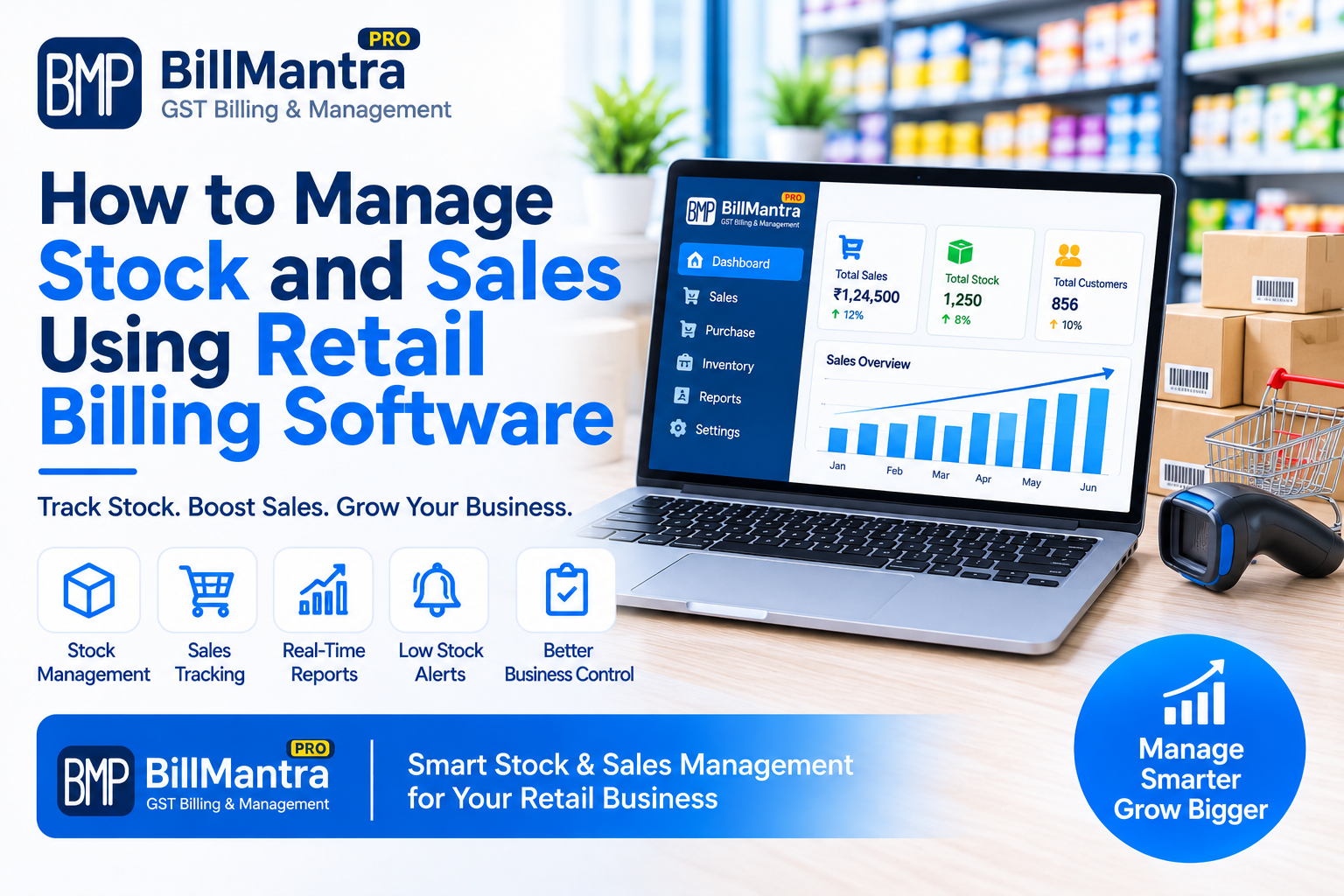
Managing stock and sales is one of the most important responsibilities for any retail business. Whether you run a grocery store, clothing shop, electronics store, footwear shop, cosmetics store, or general retail business, maintaining accurate inventory and sales records helps keep daily operations organized.
Many retailers still depend on notebooks, spreadsheets, or separate billing systems to track products and sales. Although these methods may work for a small business, they can become difficult to maintain when the number of products, customers, and daily transactions increases.
This is where retail billing software can make a difference. A dedicated billing system can connect sales transactions with inventory records, helping retailers monitor available stock, record purchases, generate invoices, and review business reports from one place.
With the right process, retailers can reduce repetitive data entry, identify low-stock products, understand sales trends, and make better purchasing decisions.
In this guide, we will explain how to manage stock and sales using retail billing software, the important features to look for, common mistakes to avoid, and how BillMantra can support a more organized retail management process.
What Is Retail Billing Software?
Retail billing software is a digital tool designed to help retail businesses create bills, record sales, manage products, and maintain business transactions.
Depending on its features, the software may also support inventory tracking, purchase management, customer records, supplier information, payment tracking, and sales reporting.
Instead of maintaining separate records for every business activity, retailers can use a centralized system to manage related information.
For example, a typical retail workflow may look like this:
Purchase Products → Add Stock → Generate Sales Bills → Update Inventory → Review Sales Reports
When these activities are connected, retailers can find it easier to monitor stock movement and understand daily business performance.
Key Features of Retail Billing Software
The features available depend on the software and subscription plan, but common capabilities include:
- Sales billing: Generate invoices for customer purchases.
- Inventory management: Maintain product quantities and stock records.
- Product management: Store product names, prices, categories, and codes.
- Purchase management: Record products purchased from suppliers.
- Stock monitoring: Review available inventory and identify low-stock items.
- Sales reports: Analyze sales across different periods.
- Customer management: Maintain customer details and transaction records.
- Payment tracking: Record payments received through supported methods.
- GST billing: Prepare GST invoices when supported and configured appropriately.
- Return management: Record sales returns and related stock adjustments when available.
These features can help retailers organize their daily work and maintain more consistent business records.
Why Is Stock and Sales Management Important for Retail Shops?
Stock and sales are closely connected. Every product sold affects inventory, while every purchase changes the quantity of goods available for sale.
If these records are not maintained correctly, retailers may face several problems.
1. Prevent Stock Shortages
When a popular product runs out of stock, customers may need to purchase it elsewhere. Regular inventory monitoring helps retailers identify products that need replenishment.
2. Avoid Overstocking
Buying more products than necessary can tie up business funds and increase storage requirements. Reviewing sales trends and current stock can help retailers make more informed purchasing decisions.
3. Maintain Accurate Sales Records
Recording every transaction helps business owners understand how much they sell and which products generate demand.
4. Reduce Manual Errors
Separate spreadsheets and handwritten records may lead to duplicate entries, incorrect calculations, or forgotten stock adjustments. A connected billing workflow can reduce some of these risks.
5. Improve Business Planning
Reliable sales and inventory records help retailers decide which products to reorder, which items need attention, and how purchasing requirements may change over time.
How to Manage Stock and Sales Using Retail Billing Software
Managing stock and sales becomes easier when retailers follow a consistent process. The following steps explain how to organize the workflow using suitable retail billing software.
Step 1: Add All Products to the Software
The first step is to create an organized product database.
Every product should have the information required for billing and inventory management. Accurate product records make it easier to search for items, apply the correct price, and track stock movement.
What Product Details Should You Maintain?
Depending on your business, product information may include:
- Product name
- Product code or SKU
- Barcode, if applicable
- Product category
- Brand
- Purchase price
- Selling price
- Applicable tax information
- Unit of measurement
- Opening stock quantity
- Supplier details
For example, a clothing store may organize products by brand, size, and color, while a grocery shop may categorize items by product type and packaging size.
Why Is Product Categorization Important?
Product categories help retailers organize their inventory and analyze sales more efficiently.
A grocery store may create categories such as beverages, packaged foods, dairy products, and household essentials. An electronics store may use categories such as mobile phones, accessories, appliances, and computer equipment.
Tip: Before entering products, remove duplicate entries and check that product names, codes, and prices are accurate.
Step 2: Enter Opening Stock Correctly
After adding products, record the quantity available at the beginning of the inventory tracking process.
This is known as opening stock.
For example, a retailer may have 100 units of a product available when starting to use the software. Entering the correct opening quantity provides a starting point for tracking future purchases and sales.
Example of Opening Stock
| Product | Opening Stock | Purchase Quantity | Sales Quantity | Expected Closing Stock |
|---|---|---|---|---|
| Product A | 100 | 50 | 30 | 120 |
| Product B | 80 | 20 | 25 | 75 |
| Product C | 150 | 30 | 40 | 140 |
The basic calculation is:
Closing Stock = Opening Stock + Purchases - Sales
This calculation assumes there are no other stock movements. In actual retail operations, returns, damaged goods, transfers, and stock adjustments may also affect the final quantity.
Before relying on the inventory report, compare the opening quantities with the physical stock available in the shop.
Step 3: Record Every Purchase
Retailers regularly purchase products from wholesalers, distributors, and other suppliers.
Every purchase should be recorded accurately because purchased products generally increase the available inventory.
Information to Record During Purchases
Maintain relevant details such as:
- Supplier name
- Purchase date
- Supplier invoice number
- Product name
- Quantity purchased
- Purchase price
- Applicable taxes
- Total purchase amount
- Payment status
When a purchase is entered into a system that supports purchase-linked inventory, the corresponding stock can be updated according to the software's workflow.
Why Is Purchase Management Important?
Without proper purchase records, retailers may not know how much stock they have received or how much they owe suppliers.
Organized purchase records help connect incoming inventory with existing stock and sales activity.
Example: If a retailer has 40 units of a product and purchases another 60 units, the stock should reflect 100 units before accounting for any additional movements.
Always verify whether your software updates stock automatically or requires a separate confirmation or adjustment.
Step 4: Generate Sales Bills for Every Transaction
Every sale should be recorded through the billing system rather than being left out of the sales records.
When a customer purchases a product, the cashier can select the product, enter the quantity, apply the appropriate discount, and generate the invoice.
The exact steps depend on the software.
What Should a Retail Sales Bill Include?
A bill may contain:
- Business name and details
- Invoice number
- Invoice date
- Product names
- Quantities
- Unit prices
- Discounts, where applicable
- Applicable taxes
- Total amount
- Payment information
GST invoices must include the information required for the relevant transaction and applicable rules.
How Does Billing Connect with Inventory?
When a product is sold through a system with integrated inventory, the software can reduce the available quantity based on the recorded transaction.
For example:
- Opening stock: 100 units
- Units sold: 15
- Remaining stock: 85 units
This connection reduces the need to update a separate inventory sheet after every sale.
For this process to work correctly, the product details and stock records must be configured accurately.
Step 5: Monitor Current Stock Levels
Knowing how much inventory is available helps retailers make better day-to-day decisions.
A stock report can help answer questions such as:
- Which products are currently available?
- Which products are selling quickly?
- Which items have low stock?
- Which products have remained unsold?
- Which products need physical verification?
Use Stock Reports Regularly
Depending on the software, stock reports may show current quantities, product details, purchase records, and stock movement.
Review these reports regularly instead of waiting until a product runs out.
For a busy store, daily checks of important products may be useful. Businesses with fewer transactions may use a different schedule according to their needs.
Keep Physical and Recorded Stock Aligned
Even when software updates inventory automatically, physical stock may differ because of damage, theft, misplaced goods, incorrect entries, or unrecorded transactions.
Conduct periodic stock counts and compare the results with the software records.
If a difference appears, investigate the reason before making a stock adjustment.
Step 6: Set Minimum Stock Levels
A minimum stock level is the quantity below which a product may need replenishment.
For example, a retailer may decide to reorder a frequently sold product whenever its available quantity falls below 10 units.
The appropriate level depends on demand, supplier delivery time, purchasing budget, and storage capacity.
Example of Minimum Stock Levels
| Product | Current Stock | Minimum Stock Level | Suggested Action |
|---|---|---|---|
| Product A | 5 | 10 | Review for reorder |
| Product B | 35 | 15 | Monitor stock |
| Product C | 8 | 8 | Check replenishment needs |
| Product D | 50 | 20 | Stock currently above minimum |
These figures are examples, not universal recommendations.
How Can Low-Stock Alerts Help?
Some inventory management software for retail shops provides low-stock alerts or reorder notifications.
These features can help retailers identify products that need attention before stock runs out.
If alerts are available, configure minimum quantities according to actual sales patterns rather than using the same number for every product.
Step 7: Analyze Daily and Monthly Sales Reports
Sales reports help retailers understand what is happening in their business.
Instead of relying on memory or rough estimates, owners can review recorded transactions to identify patterns.
Important Sales Reports for Retailers
Depending on the software, useful reports may include:
- Daily sales report
- Weekly sales report
- Monthly sales report
- Product-wise sales report
- Category-wise sales report
- Payment collection report
- Sales return report
- Discount report
- Tax-related reports
How to Use Sales Reports
Start by reviewing total sales for a selected period. Then examine which products sold the most and which products had lower demand.
Compare different periods to identify changes in sales activity.
For example, a stationery store may experience higher demand before the school year begins, while a clothing store may see changes during seasonal promotions.
Sales reports can help retailers prepare for these patterns, but sales revenue alone does not show profit. To understand profitability, retailers also need accurate cost information and other relevant expenses.
Step 8: Identify Fast-Moving and Slow-Moving Products
Not all products sell at the same speed.
Some products may sell several times a day, while others may remain on the shelf for weeks or months.
Understanding this difference helps retailers manage stock more effectively.
Fast-Moving Products
Fast-moving products are items that sell frequently or move through inventory quickly.
Retailers may need to monitor these products closely and reorder them according to demand and supplier lead times.
Slow-Moving Products
Slow-moving products sell less frequently over a selected period.
Holding too much stock of these items can tie up working capital and occupy valuable storage space.
Retailers can review sales history before deciding whether to reduce future purchases, adjust product placement, or run a suitable promotion.
Important: A product should not be classified as slow-moving based on a single day's sales. Consider the product category, season, normal demand, and review period.
Step 9: Record Sales Returns and Stock Adjustments
Customers may return products because of defects, incorrect items, damage, or other reasons.
Retailers must record these returns properly so that sales and inventory records remain consistent.
How to Manage Sales Returns
A suitable process may include:
- Locate the original transaction, where possible.
- Verify the returned product and quantity.
- Record the return using the appropriate workflow.
- Determine whether the item can be returned to saleable stock.
- Update inventory according to the product's condition.
- Record any refund or other adjustment required.
Not every returned product should automatically be added back to available stock. Damaged or unsellable products may need to be recorded separately.
Why Are Stock Adjustments Necessary?
Stock adjustments may be required for damaged goods, expired products, stock-count differences, or other inventory changes.
Use the correct adjustment process and maintain a record of the reason. This makes it easier to understand why recorded stock changed.
Step 10: Maintain Supplier and Purchase Records
Supplier management is another important part of inventory control.
Retailers need to know where products come from, how much they cost, and when they need to reorder.
Maintain accurate supplier details and purchase history whenever these features are available.
Benefits of Organized Supplier Records
- Easier access to supplier information
- Better visibility into purchase history
- Improved purchase planning
- Easier tracking of pending payments
- Better comparison of purchase costs
When planning a reorder, consider current stock, expected demand, supplier lead time, minimum order quantities, and available funds.
Step 11: Track Payments and Outstanding Amounts
Recording sales is only one part of retail management. Businesses also need to understand whether payments have been received and whether any amounts remain outstanding.
Depending on the software, retailers may be able to record cash, card, digital, or other supported payment methods.
For credit transactions, maintain accurate customer balances and payment records.
Why Is Payment Tracking Important?
Payment tracking can help retailers:
- Reconcile daily collections
- Review outstanding customer balances
- Monitor supplier payments
- Identify discrepancies
- Maintain organized transaction records
Always compare software records with actual cash, bank, and payment-provider records as appropriate.
Step 12: Review Stock and Sales Together
Stock reports and sales reports are most useful when reviewed together.
For example, a product with high sales and low stock may need replenishment. A product with low sales and high stock may require a different purchasing approach.
Consider these common situations:
| Sales Pattern | Stock Position | Possible Action |
|---|---|---|
| High sales | Low stock | Review reorder requirements |
| High sales | Sufficient stock | Monitor demand and replenishment |
| Low sales | High stock | Review future purchasing |
| Low sales | Low stock | Check whether continued stocking is necessary |
| Seasonal demand | Variable stock | Plan purchases around the season |
These are starting points for analysis, not automatic rules. Decisions should also account for profit margins, customer demand, supplier lead times, and business priorities.
Benefits of Using Retail Billing Software for Stock and Sales Management
A suitable retail billing software solution can improve the organization of daily retail activities.
1. Centralized Business Records
Products, sales, purchases, and inventory can be maintained in one system when the required features are available.
2. Less Repetitive Data Entry
Connected workflows can reduce the need to enter the same information into several different spreadsheets.
3. Faster Billing
A dedicated billing interface can help employees process transactions more efficiently.
4. Better Inventory Visibility
Stock reports can help retailers review available quantities and identify items requiring attention.
5. More Organized Sales Analysis
Predefined reports can make it easier to review sales performance across different periods.
6. Improved Purchase Planning
Combining sales history with stock information can support better-informed purchasing decisions.
7. More Consistent Records
Recording transactions through a standard process can help reduce missed entries and improve record consistency.
The actual benefits depend on the features of the software, the quality of the data, and how consistently employees use the system.
Common Stock and Sales Management Mistakes to Avoid
Even with billing software, retailers need clear procedures and accurate records.
1. Not Recording Every Sale
If a sale is completed outside the normal billing process, the inventory records may not reflect the actual stock.
Solution: Establish a consistent process for recording every transaction.
2. Entering Incorrect Product Details
Duplicate product names, incorrect prices, or inaccurate product codes can cause confusion during billing.
Solution: Review product data before using it for regular transactions.
3. Ignoring Physical Stock Counts
Software records may differ from the quantity actually available in the shop.
Solution: Conduct periodic stock counts and investigate discrepancies.
4. Ordering Too Much Inventory
Buying products without reviewing demand can tie up funds and increase storage costs.
Solution: Consider sales history, current stock, supplier lead times, and seasonal demand.
5. Forgetting to Record Returns
Unrecorded returns can create differences between physical stock and recorded quantities.
Solution: Use the appropriate return workflow and verify the inventory adjustment.
6. Not Reviewing Reports
Collecting data without analyzing it limits its usefulness.
Solution: Schedule regular reviews of sales, stock, and purchasing reports.
7. Giving Every Employee the Same Access
Unnecessary access can increase the risk of accidental changes or unauthorized activity.
Solution: Where supported, configure user permissions according to employee responsibilities.
How to Choose the Right Retail Billing Software
Not every billing system offers the same capabilities. Before selecting a solution, compare its features with your actual business requirements.
Billing Features
Check whether the software supports your invoice format, product selection process, discounts, payment methods, and required tax information.
Inventory Management
Look for product tracking, stock adjustments, purchase entries, sales-linked stock updates, and inventory reports.
Reporting Capabilities
Review the available sales, purchase, inventory, payment, and return reports.
Ease of Use
Choose a system that your employees can learn and use consistently during daily operations.
Data Security and Backup
Understand how business data is stored, protected, backed up, and exported.
User Management
If multiple employees use the system, check whether individual accounts and role-based permissions are supported.
Pricing and Support
Compare subscription costs, setup charges, included features, customer support, and any additional equipment required.
The best option is the one that fits your operational needs and budget without adding unnecessary complexity.
How BillMantra Can Help Organize Retail Billing and Stock Management
Retailers looking to move away from disconnected records can explore BillMantra as a digital billing and business management solution.
A structured billing workflow can help businesses maintain their sales transactions and organize important product and business records. The features available in a particular plan should be checked to ensure they match the retailer's requirements.
Before adopting any billing system, retailers should identify their main challenges, such as manual billing, stock mismatches, scattered purchase records, or time-consuming sales reports.
They can then evaluate whether BillMantra provides the relevant features needed to address those challenges.
Who Can Benefit from a More Organized Retail System?
A suitable retail billing solution may be useful for businesses such as:
- Grocery stores
- General stores
- Clothing shops
- Footwear retailers
- Electronics shops
- Cosmetics stores
- Hardware shops
- Other small and growing retail businesses
The appropriate setup will depend on the product range, transaction volume, inventory complexity, and reporting needs of each business.
Frequently Asked Questions
1. How do I manage stock and sales using retail billing software?
Start by adding products and opening stock, then record purchases and sales consistently. Review inventory reports, monitor low-stock products, record returns and adjustments, and analyze sales reports regularly.
2. Can retail billing software automatically update stock after a sale?
Many retail billing systems can reduce stock when a sale is recorded. However, the feature depends on the software and its configuration. Verify that inventory tracking is enabled and correctly connected to billing.
3. How can I avoid stock shortages in my retail shop?
Monitor current inventory, review sales history, consider supplier delivery times, and establish suitable minimum stock levels. If your software supports low-stock alerts, configure them for products that need close monitoring.
4. Can billing software help identify fast-moving products?
Many systems provide product-wise sales reports that can help identify frequently sold items. Review the reports over a suitable period and consider seasonal demand before making purchasing decisions.
5. Is retail billing software suitable for small shops?
It can be useful for small shops that want to organize billing, sales, and inventory records. Whether it is necessary depends on transaction volume, product range, current processes, and budget.
6. Can I manage purchases and sales in one system?
Many retail billing platforms support both purchase entries and sales transactions. When these functions are connected to inventory, retailers can maintain a more consistent view of stock movement.
7. How often should I check my inventory?
The ideal frequency depends on your business. Fast-moving or high-value products may need frequent checks, while other items can be counted according to a scheduled stock-taking process. Periodically compare physical stock with software records.
8. Can retail billing software manage GST invoices?
Many billing systems provide GST invoicing features. Check that the software supports your business requirements and that tax settings and invoice details are configured correctly under applicable rules.
9. What is the difference between billing software and inventory management software?
Billing software focuses on creating invoices and recording sales, while inventory software focuses on tracking products and stock movement. Many retail management systems combine both functions in one platform.
10. Can I use Excel with retail billing software?
Yes. Retailers can use Excel for additional calculations, custom analysis, budgeting, and specialized reports while using billing software for day-to-day transactions. Avoid maintaining conflicting stock records across separate systems.
11. Does billing software guarantee accurate inventory?
No system can guarantee accuracy without correct data and consistent processes. Billing software can help automate stock updates, but retailers must still record purchases, sales, returns, and adjustments properly and conduct physical stock checks.
12. How can BillMantra support my retail business?
You can evaluate BillMantra's available billing and business management features against your requirements for sales records, inventory, purchases, and reporting. Confirm the functionality and plan details before choosing a solution.
Conclusion
Managing stock and sales effectively is essential for running a well-organized retail business. When product quantities, purchases, sales, returns, and payments are recorded correctly, retailers can make better decisions about replenishment and daily operations.
Using retail billing software can help connect billing with inventory, maintain organized transaction records, and provide reports for reviewing business performance. Features such as stock monitoring, product-wise sales reports, purchase records, and low-stock alerts can be especially useful when they match the retailer's needs.
However, software alone is not enough. Retailers should maintain accurate product data, record every transaction, review reports regularly, and compare recorded inventory with physical stock.
If you want to organize your billing and inventory workflow, explore BillMantra and evaluate its available features for your retail business.
Ready to organize your retail stock and sales? Explore BillMantra and find a billing and business management solution that fits your store's needs.
Try BillMantra free
GST invoices, inventory, payments, reports — all in one app. No credit card.
Get started →