

How OCR Invoice Scanning Saves Hours for Indian Businesses Daily
Managing invoices is one of the most repetitive tasks for Indian businesses. Every day, businesses receive purchase invoices, supplier bills, expense receipts, GST invoices, and other financial…
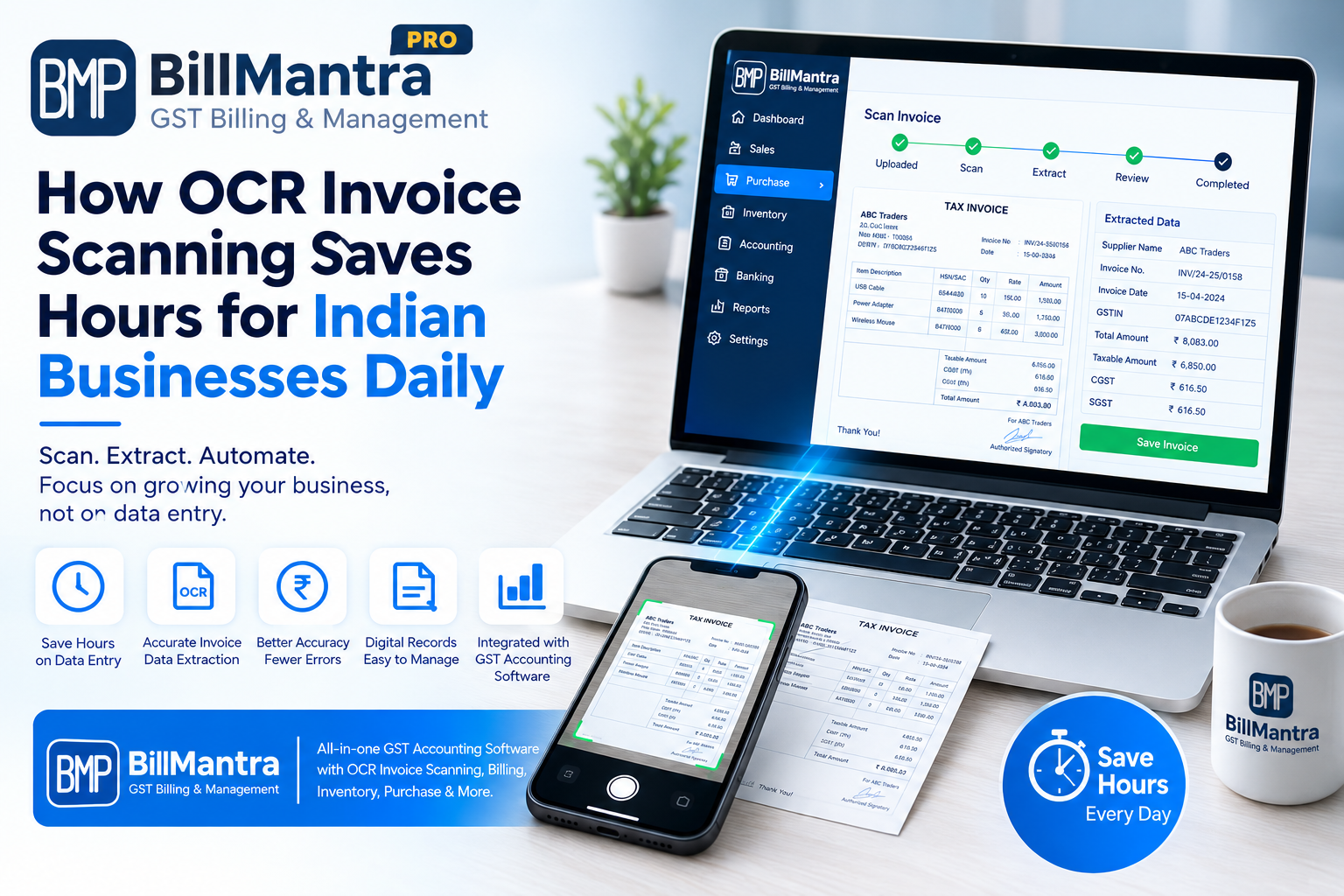
Managing invoices is one of the most repetitive tasks for Indian businesses. Every day, businesses receive purchase invoices, supplier bills, expense receipts, GST invoices, and other financial documents that need to be recorded accurately.
For many small and medium-sized businesses, employees still enter invoice information manually into spreadsheets or accounting software. This process takes time and can lead to typing mistakes, duplicate entries, incorrect amounts, and delays in updating financial records.
This is where OCR Invoice Scanning can make a major difference.
OCR, or Optical Character Recognition, is a technology that can read information from digital or scanned documents and convert it into structured, usable data. When OCR is integrated with GST Accounting Software, businesses can reduce repetitive data entry and make invoice processing faster and more organized.
For Indian SMEs, retailers, wholesalers, distributors, manufacturers, and service businesses, this can mean significant time savings every day.
BillMantra combines accounting, GST billing, inventory management, purchasing, payments, and OCR-based bill scanning in one business management platform. Its OCR functionality is designed to help businesses scan supplier invoices and receipts instead of entering every detail manually.
In this guide, we will explain how OCR invoice scanning works, how it compares with manual data entry, what benefits businesses can expect, and why choosing an integrated GST Accounting Software solution such as BillMantra can help simplify daily financial operations.
Table of Contents
- What Is OCR Invoice Scanning?
- How OCR Invoice Scanning Works
- Why Manual Invoice Entry Takes So Much Time
- How OCR Saves Hours for Indian Businesses
- OCR Invoice Scanning vs Manual Data Entry
- Key Benefits of OCR Invoice Scanning
- How OCR Supports GST Accounting
- OCR Invoice Scanning for Different Businesses
- BillMantra OCR Invoice Scanning
- How BillMantra Helps Automate Invoice Processing
- OCR, Inventory, and Purchase Management
- OCR and GST Accounting Software
- Practical Business Example
- What to Look for in OCR Accounting Software
- Common Mistakes to Avoid
- Comparison: Manual Accounting vs OCR-Based Accounting
- Frequently Asked Questions
- Conclusion
- Call to Action
What Is OCR Invoice Scanning?
OCR Invoice Scanning uses Optical Character Recognition technology to read text and information from invoices, receipts, and other business documents.
Instead of manually typing information from a supplier invoice, a business can scan or upload the document.
The OCR system can identify relevant information from the document and convert it into digital data.
Depending on the software, this information may include:
- Supplier name
- Invoice number
- Invoice date
- Product or service details
- Quantity
- Taxable amount
- GST amount
- Total invoice value
- GSTIN
- HSN or SAC information
- Tax rates
- Payment details
The exact information extracted depends on the document quality and the capabilities of the software.
When OCR is connected with **GST Accounting Software, extracted invoice information can be used as part of the accounting and purchase workflow.
This reduces repetitive manual entry and allows employees to focus on more valuable business activities.
How OCR Invoice Scanning Works
OCR invoice scanning generally follows a simple process.
Step 1: Upload or Scan the Invoice
The business scans a physical invoice or uploads a digital invoice.
The document may be received through email, WhatsApp, a supplier portal, or as a physical paper invoice.
Step 2: OCR Reads the Document
The OCR technology analyzes the document and identifies readable text and numbers.
It can recognize information such as invoice numbers, dates, GSTINs, product descriptions, quantities, and amounts.
Step 3: Information Is Converted Into Digital Data
The extracted information is converted into structured data that software can process.
This eliminates the need to manually type every field.
Step 4: Review the Information
Businesses should review extracted information before finalizing important accounting or tax records.
OCR can significantly reduce manual work, but document quality and formatting can affect extraction accuracy.
Step 5: Save the Transaction
After verification, the information can be added to the relevant purchase, expense, or accounting workflow.
This creates a more organized digital record.
Why Manual Invoice Entry Takes So Much Time
Many businesses underestimate how much time their employees spend entering invoices.
Consider a wholesaler receiving 50 supplier invoices every week.
Each invoice may contain:
- Supplier details
- Invoice number
- Date
- Multiple products
- Quantities
- Prices
- GST rates
- Tax amounts
- Total value
Entering all this information manually can take several minutes per invoice.
The workload becomes even larger when a business receives hundreds of invoices every month.
Repetitive Data Entry
Employees have to repeatedly type information that already exists on the invoice.
This is one of the biggest inefficiencies in manual accounting workflows.
Data Verification
After entering the information, employees often need to compare the software record with the original invoice.
This adds another layer of work.
Higher Risk of Human Error
Typing mistakes can occur in:
- Invoice numbers
- GSTIN
- Product names
- Quantities
- Tax rates
- Amounts
Even a small error can require additional time to identify and correct.
Delayed Accounting
When invoice entry takes too long, purchase and accounting records may not be updated immediately.
This can affect the availability of up-to-date business information.
How OCR Saves Hours for Indian Businesses
The biggest advantage of OCR is that it reduces repetitive data entry.
Instead of manually entering information from every invoice, businesses can scan documents and allow the software to extract relevant information.
Faster Purchase Entry
Purchase invoices can be processed more quickly because employees do not have to type every field manually.
Less Repetitive Work
Employees can spend less time copying information from documents into accounting systems.
Faster Record Updates
When invoices are processed more efficiently, businesses can maintain more current purchase and accounting records.
Easier Document Management
Digital invoice records are easier to organize and search than large collections of physical paperwork.
Better Employee Productivity
Employees can spend more time on activities such as:
- Supplier management
- Customer service
- Stock planning
- Payment follow-ups
- Business analysis
- Sales support
The actual time saved depends on invoice volume, document quality, workflow, and the level of automation available in the software.
OCR Invoice Scanning vs Manual Data Entry
| Feature | Manual Data Entry | OCR Invoice Scanning |
|---|---|---|
| Invoice Entry | Manual | Automated extraction |
| Typing Required | High | Lower |
| Processing Speed | Slower | Faster |
| Repetitive Work | High | Reduced |
| Data Verification | Manual | Review after extraction |
| Error Risk | Higher | Can be reduced |
| Digital Records | Depends on workflow | Easier to organize |
| Scalability | Requires more manual effort | Better suited to higher invoice volumes |
| Employee Productivity | More time spent on entry | More time for productive tasks |
OCR does not necessarily eliminate human review.
Instead, its biggest value is reducing the amount of information employees have to enter manually.
Key Benefits of OCR Invoice Scanning
- Saves Time
The most obvious benefit is reduced invoice data-entry time.
Businesses processing a large number of invoices can potentially save significant employee hours.
- Reduces Repetitive Work
Employees do not need to manually copy every piece of information from an invoice.
- Helps Reduce Data Entry Errors
Automated extraction can reduce common typing mistakes.
However, businesses should still verify important information before finalizing accounting records.
- Improves Workflow Efficiency
Invoice processing becomes more structured and easier to manage.
- Supports Digital Record Keeping
Businesses can maintain digital invoice records instead of depending entirely on paper documents.
- Helps Growing Businesses Scale
As invoice volumes increase, manual data entry becomes increasingly difficult.
OCR can help businesses manage larger document volumes without increasing repetitive administrative work at the same rate.
- Connects Invoices With Business Operations
When OCR is part of integrated accounting software, invoice information can become connected with purchases, inventory, payments, and accounting.
How OCR Supports GST Accounting
For Indian businesses, invoices are closely connected with GST and accounting.
A purchase invoice may contain important information such as:
- Supplier GSTIN
- Invoice number
- Invoice date
- HSN or SAC
- Taxable value
- GST rate
- CGST
- SGST
- IGST
- Total invoice value
Manually entering these details for every invoice can take considerable time.
When OCR is integrated with GST Accounting Software, businesses can streamline the process of capturing invoice information.
Better GST Record Organization
Digital invoice data can make it easier to maintain organized transaction records.
Faster Purchase Processing
Supplier invoices can be processed more efficiently.
Easier Accounting Workflows
Extracted invoice information can be reviewed and connected with purchase and accounting records.
Reduced Duplicate Entry
Businesses can avoid repeatedly entering the same information across separate systems.
OCR Invoice Scanning for Different Businesses
OCR is useful across several industries because almost every business receives invoices and receipts.
OCR for Retail Businesses
Retailers receive invoices from multiple suppliers every month.
A grocery store may receive invoices for:
- Food products
- Beverages
- Household items
- Personal care products
- Packaging materials
Manually entering every purchase invoice can take considerable time.
OCR can help retailers capture supplier invoice information more efficiently.
OCR for Wholesalers
Wholesalers often deal with high transaction volumes.
They may receive hundreds of supplier invoices and manage large product catalogues.
OCR can help reduce the administrative burden associated with purchase entry.
OCR for Distributors
Distributors need to manage purchasing, inventory, supplier accounts, and accounting simultaneously.
OCR can help speed up purchase invoice processing and reduce repetitive data entry.
OCR for Manufacturers
Manufacturers receive invoices for:
- Raw materials
- Packaging
- Machinery
- Maintenance
- Services
- Utilities
OCR can help digitize supplier invoice information and support organized purchase records.
OCR for Service Businesses
Service businesses also receive expense invoices and receipts.
Examples include:
- Office rent
- Software subscriptions
- Advertising expenses
- Travel expenses
- Professional services
- Utilities
OCR can help capture information from these documents more efficiently.
BillMantra OCR Invoice Scanning
BillMantra provides OCR technology as part of its cloud-based business management platform.
The platform includes automatic bill scanning, supplier invoice reading, and receipt scanning.
This allows businesses to reduce the need for manual entry when processing invoices and receipts.
Instead of maintaining separate systems for billing, accounting, inventory, and invoice processing, businesses can manage these activities within one platform.
BillMantra OCR Features
- Automatic bill scanning
- Supplier invoice reading
- Receipt scanning
- Digital invoice processing
- Purchase management
- GST accounting
- Inventory management
- Expense management
- Business reporting
This integrated approach is especially useful for SMEs that want to reduce repetitive administrative tasks.
How BillMantra Helps Automate Invoice Processing
The workflow can be simple.
Step 1: Receive the Invoice
A supplier sends an invoice to the business.
The invoice may be digital or scanned from a physical document.
Step 2: Scan the Invoice
The business uploads or scans the invoice using the available OCR workflow.
Step 3: Extract Invoice Information
OCR reads relevant information from the document.
The system can identify invoice details such as supplier information and financial values.
Step 4: Review the Data
The business user reviews the extracted information.
This step is important because document quality and invoice formats can affect OCR results.
Step 5: Add to the Business Workflow
After verification, the information can be used in the relevant purchase, accounting, inventory, or expense workflow.
This creates a more connected process than manually entering information into multiple systems.
OCR, Inventory, and Purchase Management
OCR becomes even more valuable when connected with inventory management.
Consider a distributor receiving a supplier invoice containing 30 different products.
With a manual process, the employee may need to:
- Read the invoice.
- Enter supplier details.
- Enter invoice details.
- Enter product information.
- Enter quantities.
- Enter prices.
- Enter GST information.
- Update purchase records.
- Update inventory.
An integrated workflow can reduce much of this repetitive work.
When purchase information is connected with inventory, businesses can maintain better visibility into stock levels.
Benefits of Integrated Purchase and Inventory Management
- Faster purchase entry
- Better stock visibility
- Reduced duplicate data entry
- Easier supplier management
- More organized purchase records
- Better business reporting
OCR and GST Accounting Software
Choosing GST Accounting Software with OCR capabilities can be useful for businesses that process large numbers of invoices.
Instead of treating accounting, GST, purchases, and invoice scanning as completely separate activities, businesses can connect them through an integrated platform.
What to Look For
When comparing GST Accounting Software, consider:
- GST invoicing
- Purchase management
- OCR invoice scanning
- Inventory management
- Payment tracking
- Accounting
- GST reports
- Expense management
- Supplier management
- Customer management
- Business reports
The goal should be to reduce the number of disconnected systems used by the business.
Practical Business Example
Consider a wholesale business that receives 20 supplier invoices every working day.
Each invoice contains multiple products.
Under a manual process, an employee may need to enter:
- Supplier name
- GSTIN
- Invoice number
- Invoice date
- Product names
- Quantities
- Prices
- GST rates
- Tax amounts
- Total value
The employee then needs to verify the information and update accounting and inventory records.
With OCR-based invoice processing, the employee can scan the invoice and allow the software to extract available information.
The employee can then review the extracted data and complete the transaction.
This can significantly reduce repetitive typing.
The business can redirect the saved time toward supplier coordination, inventory planning, payment follow-ups, and other productive activities.
What to Look for in OCR Accounting Software
Not all OCR solutions provide the same capabilities.
Before selecting software, businesses should compare the following features.
OCR Accuracy
The software should be able to recognize information from commonly used invoice formats.
Human Verification
Users should be able to review extracted information before saving important records.
GST Support
OCR should work as part of a broader GST accounting workflow.
Purchase Integration
Extracted invoice information should ideally connect with purchase management.
Inventory Integration
For product businesses, purchase information should connect with inventory wherever appropriate.
Accounting Integration
The OCR workflow should reduce duplicate accounting entries.
Receipt Scanning
Expense receipts can also be useful documents to scan.
Reporting
The system should provide reports that help business owners monitor operations.
Ease of Use
Employees should be able to learn the workflow without extensive technical knowledge.
Comparison: Manual Accounting vs OCR-Based Accounting
| Business Activity | Manual Process | OCR-Based Integrated Process |
|---|---|---|
| Supplier Invoice Entry | Manual typing | OCR extraction |
| GST Details | Manual entry | Extracted and reviewed |
| Purchase Entry | Manual | More automated |
| Inventory Update | Separate/manual | Can be integrated |
| Expense Receipt Entry | Manual | Receipt scanning |
| Data Verification | Manual comparison | Review extracted data |
| Record Search | Physical/files/software | Digital records |
| Employee Workload | Higher | Reduced repetitive work |
OCR should be viewed as an automation tool rather than a complete replacement for accounting professionals.
Human review remains important, especially for financial and tax records.
Common Mistakes to Avoid When Choosing OCR Software
Choosing OCR Without Accounting Integration
An OCR tool that only extracts text may not solve the larger accounting problem.
Look for OCR integrated with GST Accounting Software.
Ignoring GST Requirements
Make sure the software supports the GST workflows relevant to your business.
Not Checking Invoice Formats
Different suppliers may use different invoice layouts.
Test the software with actual sample invoices before adopting it.
Assuming OCR Is Always 100% Accurate
OCR accuracy depends on document quality, formatting, scanning quality, and other factors.
Important information should be reviewed before final submission or accounting.
Ignoring Security
Invoices can contain sensitive business and financial information.
Check how the software manages data access, storage, backups, and security.
Choosing Software That Cannot Scale
The solution should be able to support your business as invoice volume increases.
Why BillMantra Can Be a Strong Choice for Indian Businesses
Indian businesses need more than a basic invoice scanner.
They need a connected platform that can handle billing, GST, accounting, inventory, purchases, payments, and reporting.
BillMantra brings these functions together.
BillMantra Business Management Features
- GST Invoicing
- Accounting
- Inventory Management
- Purchase Management
- Payment Tracking
- Expense Management
- POS Billing
- Barcode Solutions
- Multi-Branch Management
- Multi-Warehouse Management
- GST Reports
- Business Reports
- OCR Invoice Scanning
- Receipt Scanning
- WhatsApp Integration
- SMS Integration
- Email Integration
This makes BillMantra suitable for businesses that want to reduce the number of disconnected tools used for daily operations.
Benefits of Choosing Integrated GST Accounting Software
One Centralized Platform
Businesses can manage multiple operations from one system.
Less Duplicate Data Entry
Information can flow between connected business modules.
Better Visibility
Owners can view sales, purchases, inventory, payments, expenses, and accounting information more easily.
Faster Decision Making
Up-to-date business information can help owners make better operational decisions.
Easier Business Growth
Integrated software can support growing transaction volumes and increasingly complex workflows.
Frequently Asked Questions
1. What is OCR invoice scanning?
OCR invoice scanning uses Optical Character Recognition technology to read information from invoices and convert it into digital data.
2. How does OCR save time?
OCR reduces the amount of information employees need to type manually from invoices and receipts.
3. Can OCR read GST invoices?
Yes, OCR can extract information from GST invoices, depending on document quality and software capabilities.
Businesses should review extracted information before finalizing accounting or tax records.
4. What is GST Accounting Software?
GST Accounting Software combines accounting functions with GST-related billing, records, calculations, and reporting features.
5. Is OCR useful for small businesses?
Yes. Small businesses that process regular supplier invoices, receipts, and expenses can benefit from reduced repetitive data entry.
6. Can retailers use OCR invoice scanning?
Yes. Retailers can use OCR to process supplier invoices and receipts more efficiently.
7. Can wholesalers use OCR?
Yes. Wholesalers that receive a large number of supplier invoices can use OCR to reduce manual purchase entry.
8. Does BillMantra provide OCR invoice scanning?
Yes. BillMantra provides OCR capabilities including automatic bill scanning, supplier invoice reading, and receipt scanning.
9. Can OCR replace an accountant?
No. OCR is an automation technology that helps reduce data-entry work.
Accounting professionals may still be required for financial review, reconciliation, compliance, tax planning, and other professional responsibilities.
10. Is OCR 100% accurate?
OCR accuracy can vary depending on document quality, formatting, image resolution, and other factors.
Businesses should review important extracted information before finalizing records.
11. Can OCR work with inventory management?
Yes, when OCR is integrated with purchase and inventory systems, extracted invoice information can help streamline purchase and stock workflows.
12. How do I choose the best GST Accounting Software?
Compare GST functionality, accounting, OCR, inventory, purchase management, payment tracking, reporting, security, scalability, ease of use, and customer support.
Conclusion
Invoice processing may appear to be a small administrative task, but for businesses handling dozens or hundreds of invoices every month, manual data entry can consume a significant amount of employee time.
Employees may spend hours reading invoices, typing supplier details, entering product information, calculating or checking GST amounts, and updating accounting records.
OCR Invoice Scanning offers a practical way to reduce this repetitive workload.
By automatically reading information from invoices and receipts, OCR can help businesses process documents faster and reduce the amount of manual typing required.
However, the biggest advantage comes when OCR is combined with an integrated GST Accounting Software platform.
Instead of using one tool for OCR, another for accounting, another for inventory, and another for billing, businesses can manage connected processes from one system.
This is where BillMantra can help.
BillMantra combines OCR invoice scanning with GST billing, accounting, inventory management, purchase management, payment tracking, expense management, reporting, POS billing, and other business management features.
For Indian SMEs, retailers, wholesalers, distributors, manufacturers, and service businesses, this integrated approach can make everyday financial operations more organized and efficient.
OCR is not about removing human involvement completely.
It is about allowing employees to spend less time copying information and more time working on activities that contribute to business growth.
As invoice volumes increase, adopting automation can become an important part of building a more efficient business workflow.
The right GST Accounting Software with OCR Invoice Scanning can help businesses save time, reduce repetitive work, improve record management, and create a more connected accounting and operational process.
Save Time on Invoice Processing with BillMantra
Still entering supplier invoices and receipts manually?
BillMantra helps Indian businesses simplify billing, accounting, inventory, GST management, purchasing, payments, and invoice processing from one cloud-based platform.
With OCR Invoice Scanning, businesses can reduce repetitive invoice entry and make supplier bill processing more efficient.
Whether you run a retail shop, wholesale business, distribution company, manufacturing business, or service organization, BillMantra can help you manage your business operations more efficiently.
See how BillMantra simplifies GST billing, accounting, inventory, OCR invoice scanning, and everyday business operations.
Try BillMantra free
GST invoices, inventory, payments, reports — all in one app. No credit card.
Get started →