

How Billing Software Helps Retail Stores Increase Sales and Manage Customers
Running a retail store involves much more than simply selling products. Retailers need to manage billing, inventory, customers, payments, purchases, product information, returns, and daily sales…
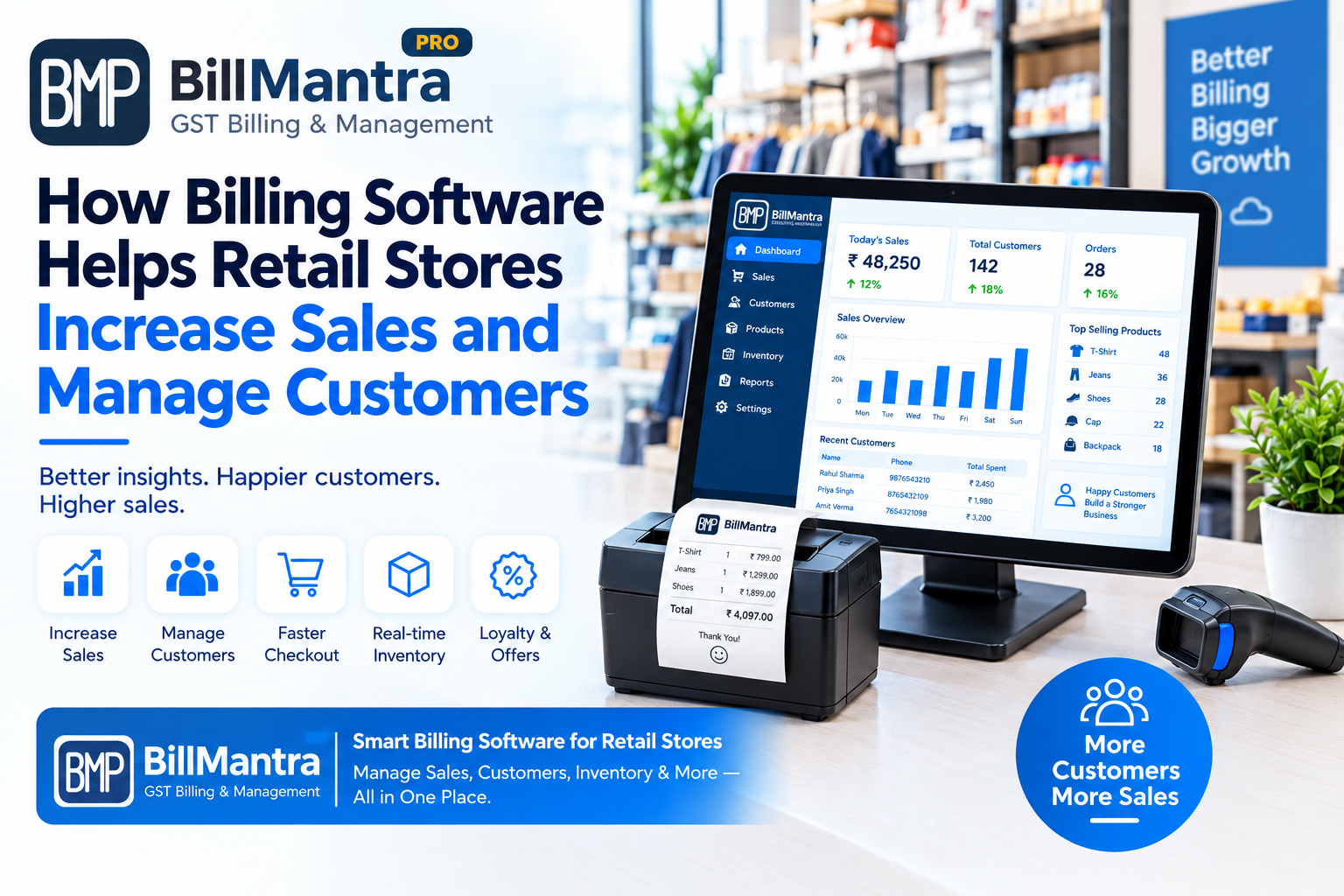
Running a retail store involves much more than simply selling products. Retailers need to manage billing, inventory, customers, payments, purchases, product information, returns, and daily sales records.
As a retail business grows, managing all these activities manually can become difficult. Store owners may start with notebooks or Excel spreadsheets, but increasing transactions and customer numbers can make manual processes time-consuming.
This is where retail billing software can help.
Modern billing software can connect sales transactions with customer records, product information, inventory, payments, and business reports. Instead of maintaining separate records for different activities, retailers can manage important information through one organized system.
But how exactly can billing software help a retail store increase sales?
The software itself does not automatically guarantee higher sales. Instead, it can provide retailers with tools and information that make it easier to understand customers, manage products, improve billing efficiency, track sales, and make informed business decisions.
In this guide, we will explain how billing software helps retail stores increase sales and manage customers, along with the key features retailers should consider when choosing a billing and retail management solution.
What Is Retail Billing Software?
Retail billing software is a digital solution designed to help retailers manage sales transactions and related business operations.
Instead of creating invoices manually or maintaining multiple spreadsheets, retailers can use dedicated software to manage billing and other retail activities.
Depending on the software, features may include:
- Sales billing
- GST invoices
- Product management
- Inventory management
- Customer management
- Supplier management
- Purchase management
- Sales returns
- Purchase returns
- Discounts
- Payment records
- Sales reports
- Inventory reports
- Customer transaction history
- Stock monitoring
The main benefit of a centralized system is that different retail activities can be connected.
For example:
Customer → Product Purchase → Invoice → Payment → Inventory Update → Sales Record
This can give retailers a clearer view of daily business activity.
Why Sales and Customer Management Matter for Retail Stores
Sales and customer management are closely connected.
A retailer may have hundreds of customers, but not every customer buys the same products or visits the store with the same frequency.
Some customers may:
- Purchase regularly
- Buy specific product categories
- Respond to discounts
- Prefer certain brands
- Make large purchases
- Purchase only during certain seasons
- Buy products for business purposes
- Return to the store frequently
If a retailer only records the total daily sales amount, much of this useful information can be missed.
A customer management system can help organize customer information and connect it with sales transactions.
This allows retailers to look beyond simple billing and understand their customer base more clearly.
1. Faster Billing Can Improve the Customer Experience
The billing counter is often the final step of a customer's shopping experience.
If billing takes too long, customers may have to wait unnecessarily.
During busy periods, long queues can become a problem.
Billing with Manual Processes
A manual billing process may involve:
- Finding the product price.
- Calculating quantity.
- Calculating discounts.
- Calculating taxes.
- Writing or preparing the invoice.
- Calculating the final amount.
- Recording the payment.
- Updating inventory separately.
Repeating these steps for every customer can take time.
Billing with Retail Software
A dedicated retail billing software can organize these steps into a structured workflow.
Depending on the software, employees can:
- Search products
- Select products
- Enter quantities
- Apply discounts
- Calculate applicable taxes
- Generate invoices
- Record payments
- Update stock
Faster and more organized billing can help reduce waiting time at the counter.
A smoother checkout process can also make the overall shopping experience more convenient.
2. Customer Information Can Be Organized in One Place
Customer information can become difficult to manage when it is stored in notebooks, separate files, or different Excel sheets.
A retailer may want to maintain information such as:
- Customer name
- Mobile number
- Email address
- Address
- Purchase history
- Previous invoices
- Payment information
- Outstanding amount
A dedicated customer management system can bring this information together.
Customer Records with Billing Software
When a customer makes a purchase, the transaction can be associated with the customer's record.
This can allow the retailer to review:
- Previous purchases
- Invoice history
- Purchase frequency
- Products purchased
- Transaction amounts
- Outstanding payments
The exact information available depends on the software.
3. Understanding Customer Purchase History
Customer purchase history can provide useful information for retailers.
For example, suppose a customer regularly purchases a particular category of products.
The retailer can use the available purchase history to understand the customer's buying pattern.
Customer purchase records may help answer questions such as:
- What products does this customer usually buy?
- How often does the customer purchase?
- What is the approximate purchase value?
- Which categories are popular?
- When did the customer last make a purchase?
This information can support better customer service and business planning.
4. Personalized Customer Service
Good customer service is an important part of retail.
Customers may appreciate when a retailer can quickly find their previous invoice or purchase information.
For example, a customer may return to the store and ask about a previous purchase.
Instead of searching through physical bills or multiple files, an organized billing system may allow the retailer to find the transaction more quickly.
This can help employees provide more efficient service.
Customer data can also help retailers understand purchasing patterns without relying entirely on memory.
5. Identifying Repeat Customers
Repeat customers are an important part of many retail businesses.
A retailer may have customers who visit:
- Daily
- Weekly
- Monthly
- Seasonally
- Occasionally
With customer transaction records, retailers can identify customers who purchase regularly.
This information can help businesses understand customer retention and purchasing behavior.
For example, a retailer may identify customers who have purchased several times during the previous months.
The retailer can then use this information for customer service, loyalty planning, or other business activities.
6. Managing Customer Loyalty
Customer loyalty programs can be used by retailers to encourage repeat purchases.
Depending on the software, a retail billing platform may support or integrate with features such as:
- Customer points
- Loyalty rewards
- Discounts
- Membership records
- Customer categories
- Purchase-based benefits
For example, a retailer may create a customer loyalty program where eligible purchases contribute toward a reward.
The exact loyalty functionality varies by software.
The important part is that customer purchases can be connected with customer records.
This makes it easier to maintain a history of customer activity.
7. Using Sales Data to Understand Customer Preferences
Sales data can help retailers understand what customers are buying.
For example, a clothing store may discover that certain categories sell more frequently than others.
A grocery store may find that particular product groups generate regular sales.
An electronics store may identify products that receive frequent purchases.
Retail billing software can organize sales records into reports that help retailers analyze these patterns.
Depending on the software, retailers may be able to view:
- Product-wise sales
- Category-wise sales
- Customer-wise sales
- Daily sales
- Monthly sales
- Sales by employee
- Sales by payment method
This information can support business decisions.
8. Identifying Best-Selling Products
Knowing which products sell frequently is important for retail inventory planning.
Suppose a store has 1,000 products but only 100 products generate a large portion of regular sales.
The retailer may want to monitor those products more closely.
Retail billing software can help organize product sales data.
Depending on the available reports, retailers may identify:
- Best-selling products
- Slow-moving products
- High-demand categories
- Frequently purchased products
- Products with low sales
This information can help retailers make better purchasing and stock planning decisions.
9. Managing Slow-Moving Products
Not every product sells at the same speed.
Some products may remain in inventory for long periods.
If retailers do not monitor slow-moving inventory, capital can remain tied up in products that are not selling quickly.
Sales reports can help identify these products.
Once slow-moving products are identified, retailers can evaluate possible actions such as:
- Reviewing product pricing
- Creating suitable offers
- Improving product visibility
- Bundling products where appropriate
- Adjusting future purchase quantities
The appropriate strategy depends on the business and product category.
10. Inventory Management Can Support Sales Growth
Sales and inventory are closely connected.
A retailer cannot sell a product if it is unavailable.
Stock shortages can result in missed sales opportunities.
At the same time, excessive inventory can increase storage and working-capital requirements.
A connected inventory management software for retail shops can help retailers monitor stock levels.
Depending on the software, retailers may be able to track:
- Current stock
- Purchase quantities
- Sales quantities
- Stock movement
- Low-stock products
- Product returns
- Stock adjustments
This information can help retailers maintain products that customers actually purchase.
11. Low-Stock Alerts Can Help Avoid Stockouts
Imagine a customer regularly purchases a particular product.
If the product goes out of stock, the customer may purchase it somewhere else.
Low-stock monitoring can help retailers identify products that may need replenishment.
For example:
Current Stock < Minimum Stock Level = Reorder Required
Depending on the software, retailers may receive low-stock information or alerts.
This can make it easier to review inventory before popular products completely run out.
12. Better Product Availability Can Support Sales
Product availability has a direct connection with retail sales.
When customers find the products they need, the store has an opportunity to complete the sale.
A retailer can use sales and inventory reports to identify products that require regular replenishment.
For example:
| Product | Current Stock | Sales Trend | Action |
|---|---|---|---|
| Product A | 10 | High | Review reorder level |
| Product B | 80 | Medium | Monitor |
| Product C | 150 | Low | Review future purchases |
This type of analysis can help retailers connect inventory decisions with actual sales activity.
13. Customer Segmentation
Not all customers have the same purchasing behavior.
Retailers can organize customers into different groups based on available information.
For example:
- New customers
- Repeat customers
- High-value customers
- Occasional customers
- Business customers
- Local customers
The exact segmentation options depend on the software.
Customer segmentation can help retailers understand which groups contribute most to their sales and which customer groups may need different service approaches.
14. Managing Credit Customers
Some retail businesses allow customers to purchase products on credit.
Managing credit manually can become difficult.
Retailers may need to track:
- Customer name
- Invoice number
- Purchase amount
- Amount paid
- Outstanding amount
- Payment date
- Remaining balance
A retail billing software solution with customer payment management can help organize these records.
Instead of maintaining separate notebooks or spreadsheets, retailers may be able to view customer balances through the software.
This can make payment tracking more systematic.
15. Payment Management
Retail businesses may accept different payment methods, including:
- Cash
- UPI
- Debit cards
- Credit cards
- Bank transfers
- Other digital payment methods
Recording payment information with each transaction can help retailers maintain clearer sales records.
Depending on the software, reports may allow retailers to analyze sales by payment method.
For example:
| Payment Method | Sales Amount |
|---|---|
| Cash | ₹25,000 |
| UPI | ₹42,000 |
| Card | ₹18,000 |
| Other | ₹5,000 |
Such reports can help businesses understand how customers are paying.
16. Managing Discounts More Systematically
Discounts can influence customer buying decisions.
However, uncontrolled discounts can reduce margins.
Retailers should therefore maintain proper records of discounts offered.
Billing software can provide structured discount options depending on its features.
For example, retailers may be able to manage:
- Product discounts
- Invoice discounts
- Customer discounts
- Promotional pricing
- Special offers
The exact functionality depends on the software.
Having discounts recorded as part of the transaction can also make sales reports easier to review.
17. Cross-Selling Opportunities
Cross-selling means offering a related product along with the main product.
For example:
- Mobile phone + accessories
- Shoes + socks
- Laptop + mouse
- Shirt + trousers
- Grocery item + related household product
Sales data can help retailers identify products that are frequently purchased together.
Retailers can then consider suitable product combinations or offers.
Billing software can organize transaction information that may help retailers analyze these purchasing patterns.
18. Upselling Opportunities
Upselling involves offering a higher-value or upgraded product when appropriate.
For example, a customer looking for a basic product may also be interested in a premium version.
Retailers can use product information, customer preferences, and sales data to understand purchasing patterns.
However, upselling should be relevant to the customer's requirements rather than simply increasing the invoice value.
A well-organized product database can make it easier for employees to compare products and explain available options.
19. Customer Purchase History Can Improve Recommendations
A retailer who understands a customer's previous purchases may be able to provide more relevant product suggestions.
For example, if a customer regularly purchases products from a particular category, the retailer can inform them when related products become available.
This can be particularly useful for:
- Fashion stores
- Electronics stores
- Cosmetics stores
- Grocery stores
- Specialty retail stores
Customer history can provide context for conversations between retailers and customers.
20. Sales Reports Help Retailers Make Data-Based Decisions
Business decisions should ideally be supported by reliable information.
Retail billing software can bring sales information into reports that are easier to review.
Retailers may analyze:
- Total sales
- Product sales
- Category sales
- Customer sales
- Payment collections
- Purchase values
- Returns
- Inventory movement
Instead of relying entirely on assumptions, retailers can review available data before making decisions about products, stock, pricing, or promotions.
21. Managing Sales Returns
Returns are part of retail operations.
If returns are not recorded properly, both sales and inventory records can become inaccurate.
A dedicated retail management software system may provide a sales return workflow.
Depending on the software, retailers can record:
- Original invoice
- Returned product
- Quantity
- Return amount
- Reason for return
- Stock adjustment
This helps maintain a clearer transaction history.
22. Understanding Return Patterns
Return data can provide useful business information.
For example, a retailer may discover that a particular product has an unusually high number of returns.
This can lead the business to review:
- Product quality
- Product descriptions
- Customer expectations
- Supplier quality
- Packaging
- Product handling
Return reports should be analyzed along with other business information.
23. Customer Communication
Customer communication can become easier when customer information is organized.
Depending on the software and integrations available, retailers may use customer records for legitimate business communication such as:
- Invoice sharing
- Order updates
- Payment reminders
- Service information
- Loyalty updates
Retailers should follow applicable privacy and communication rules when using customer information.
Customer data should not be used for unwanted communication.
24. Better Customer Follow-Up
Customer follow-up can be useful for businesses where customers make repeat purchases.
For example, a retailer may need to follow up regarding:
- Pending payments
- Product availability
- Service requests
- Warranty-related matters
- Previous orders
Having organized customer transaction records can help employees find the relevant information before contacting the customer.
This can make customer service more efficient.
25. Managing Multiple Customers Without Confusion
As a retail business grows, customer records can become difficult to manage manually.
A customer management system can help organize:
- Customer profiles
- Invoices
- Purchases
- Payments
- Outstanding balances
- Transaction history
This can reduce the need to search through multiple notebooks or spreadsheets.
For businesses with a large repeat-customer base, centralized customer records can be especially useful.
26. How Billing Software Can Support Retail Sales Growth
Billing software does not directly create customers or guarantee additional revenue.
Instead, it can support sales growth through better organization and access to business data.
The process can look like this:
Better Billing → Better Customer Experience
Better Customer Records → Better Customer Understanding
Better Sales Reports → Better Business Decisions
Better Inventory Tracking → Better Product Availability
Better Product Analysis → Better Purchasing Decisions
Together, these processes can support more efficient retail operations.
27. Billing Software for Different Types of Retail Stores
Different retail businesses have different requirements.
Grocery Stores
Grocery stores often manage large product catalogs and frequent daily transactions.
Important features may include:
- Fast billing
- Product management
- Inventory tracking
- Stock monitoring
- Customer records
- Sales reports
Clothing Stores
Clothing stores often manage:
- Sizes
- Colors
- Brands
- Categories
- Product variants
A suitable retail system can help organize these products and their sales.
Electronics Stores
Electronics retailers may need detailed product and customer records.
Important areas can include:
- Product management
- Purchase records
- Inventory
- Customer invoices
- Sales reports
Cosmetics Stores
Cosmetics stores can have many brands and product categories.
Organized product and inventory management can help retailers maintain availability and sales records.
Footwear Stores
Footwear retailers may need to manage different sizes, brands, styles, and categories.
A structured product database can help employees find products during billing.
28. How BillMantra Can Help Retail Businesses
BillMantra is designed to help businesses manage retail billing and related business operations through a digital system.
Instead of maintaining separate records for every activity, retailers can use a centralized approach to manage important information.
Depending on the available features, businesses can organize areas such as:
- Retail billing
- Product management
- Inventory
- Customers
- Purchases
- Sales records
- Invoices
- Business reports
The goal is to make everyday retail management more organized and reduce repetitive manual work.
For a growing retail business, having billing, inventory, and customer information connected can make it easier to review business activity.
29. How to Get More Value from Retail Billing Software
Simply installing billing software is not enough.
Retailers should also use the available information properly.
Keep Product Information Updated
Make sure product names, prices, categories, tax information, and stock details are accurate.
Maintain Customer Records
Add relevant customer information when appropriate and keep records updated.
Review Sales Reports Regularly
Review daily, weekly, and monthly sales data to understand business performance.
Monitor Inventory
Identify low-stock and slow-moving products regularly.
Track Returns
Review returned products to identify recurring issues.
Train Employees
Employees should understand the correct billing and inventory workflows.
Review User Access
Give employees access according to their actual responsibilities.
30. Common Mistakes Retailers Should Avoid
Retailers can face problems if software is not configured or used correctly.
Some common mistakes include:
Entering Incorrect Product Information
Wrong prices or product details can affect billing and reports.
Ignoring Inventory Updates
If stock records are not updated correctly, inventory reports may become unreliable.
Creating Duplicate Customers
Duplicate customer records can make customer history difficult to understand.
Not Reviewing Reports
Collecting data without reviewing it limits its usefulness.
Giving Everyone Full Access
User permissions should be managed according to employee responsibilities.
Not Training Employees
Employees should know how to create bills, manage returns, check stock, and handle customer records.
31. Excel vs Retail Billing Software for Sales and Customer Management
| Requirement | Excel | Retail Billing Software |
|---|---|---|
| Sales recording | Yes | Yes |
| Invoice creation | Template-based | Dedicated workflow |
| Customer database | Yes | Yes |
| Purchase history | Manual setup | Usually integrated |
| Customer transaction history | Manual | Usually available |
| Product management | Yes | Yes |
| Inventory management | Formula/manual | Integrated |
| Sales reports | Custom | Predefined |
| Customer reports | Custom | Available in many systems |
| Payment tracking | Manual | Integrated in many systems |
| Returns | Manual setup | Dedicated workflow in many systems |
| Loyalty management | Requires customization | Available in some systems |
| Low-stock monitoring | Formula-based | Available in many systems |
| Multi-user access | Possible | Commonly supported |
| Retail automation | Limited | Higher |
32. Step-by-Step Process for Using Billing Software in a Retail Store
Retailers can follow a simple workflow when implementing billing software.
Step 1: Add Business Information
Enter the required business details and invoice information.
Step 2: Add Products
Create the product catalog with names, prices, categories, and applicable details.
Step 3: Add Customers
Create customer profiles where customer records are required.
Step 4: Add Suppliers
Enter supplier information for purchase management.
Step 5: Add Opening Stock
Enter the current inventory according to the software's setup process.
Step 6: Start Billing
Use the billing module for daily sales transactions.
Step 7: Record Purchases
Enter purchase transactions to maintain inventory records.
Step 8: Monitor Stock
Review inventory levels and low-stock products.
Step 9: Review Reports
Check sales, inventory, customer, purchase, and payment reports regularly.
Step 10: Improve Business Processes
Use the available information to identify areas where billing, inventory, and customer management can be improved.
Frequently Asked Questions
Can billing software really increase retail sales?
Billing software does not guarantee an increase in sales by itself. However, it can support sales growth by improving billing efficiency, customer management, inventory visibility, sales reporting, and access to business data.
How does billing software help manage customers?
Retail billing software can store customer information and connect it with sales transactions. Depending on the software, retailers may be able to view customer profiles, purchase history, invoices, payments, and other transaction information.
Can billing software improve customer service?
It can help employees find invoices, purchase history, product information, and payment records more quickly. This can make certain customer service activities more organized.
Can billing software help identify repeat customers?
Yes, if the software stores customer transaction history. Retailers can review customer purchase records to identify customers who make repeat purchases.
Can billing software help with customer loyalty?
Some retail billing platforms provide loyalty features or integrations. These may include customer points, rewards, memberships, or customer-specific benefits.
Does billing software help increase repeat purchases?
Billing software does not automatically create repeat purchases. However, customer purchase history and organized customer records can help retailers understand buying patterns and plan appropriate customer engagement activities.
Can billing software help manage inventory?
Yes. Many retail billing systems connect sales and purchase transactions with inventory records, allowing retailers to monitor stock levels and product movement.
Can billing software reduce billing time?
A dedicated billing workflow can reduce repetitive manual steps such as calculating totals, searching product information, and preparing invoices. The actual time saved depends on the software and business workflow.
Can billing software track customer purchase history?
Many systems provide customer purchase history by connecting invoices and sales transactions with customer profiles.
Can billing software manage credit customers?
Some retail billing systems provide customer payment and outstanding balance features. The exact functionality depends on the software.
Can retail billing software help identify best-selling products?
Yes. Many systems provide product-wise sales reports that can help retailers identify products with higher sales volumes.
Can billing software help identify slow-moving products?
If the software provides product sales and inventory reports, retailers can use that information to identify products that are selling slowly.
Is billing software useful for small retail shops?
Yes. Small retailers can use billing software to organize sales, products, customers, inventory, and invoices. Whether it is necessary depends on the shop's transaction volume and business requirements.
Can Excel and billing software be used together?
Yes. Retailers can use billing software for daily retail operations and Excel for custom calculations, analysis, planning, or specialized reporting.
What should retailers check before choosing billing software?
Retailers should consider billing features, inventory management, GST functionality, customer management, reports, user permissions, data security, support, pricing, and scalability.
Can billing software manage GST invoices?
Many retail billing platforms provide GST invoice functionality. Retailers should verify that the software supports their specific GST billing requirements and configuration.
How can BillMantra help retail stores?
BillMantra provides a digital solution for retail billing and business management. It can help retailers organize areas such as billing, products, inventory, customers, purchases, and sales records through a centralized system, depending on the available features.
Conclusion
Retail sales depend on several connected activities.
A store needs to have the right products available, provide a convenient checkout experience, maintain accurate customer records, track inventory, manage purchases, and understand sales performance.
Managing all these activities through notebooks or multiple Excel spreadsheets can become increasingly difficult as the business grows.
Retail billing software can provide a more structured approach by connecting billing, sales, inventory, products, customers, purchases, payments, and reports.
For customers, this can mean a more organized billing experience and faster access to transaction information.
For retailers, it can provide better visibility into sales, inventory, customer purchases, and daily business operations.
The software itself does not guarantee higher sales. Instead, it gives retailers tools and information that can support better decision-making and more efficient processes.
By using customer purchase history, monitoring best-selling products, maintaining product availability, reviewing sales reports, managing customer records, and improving billing efficiency, retail businesses can create a more organized foundation for sales growth.
Simplify Retail Billing and Customer Management with BillMantra
Managing sales and customers becomes easier when important business information is available in one organized system.
BillMantra helps retailers move toward a digital approach to billing and retail management by bringing important business activities together.
From retail billing and product management to inventory, customers, purchases, and sales records, a centralized system can reduce repetitive manual work and make daily operations easier to manage.
If you are still using multiple Excel sheets or manual records for your retail business, explore how BillMantra can help you organize your billing, inventory, and customer management processes.
Start managing your retail business with a more organized digital billing solution using BillMantra.
Try BillMantra free
GST invoices, inventory, payments, reports — all in one app. No credit card.
Get started →