

Cloud-Based Billing Software vs Offline Billing Software: Which One Should You Choose?
Choosing the right billing system is an important decision for any retail business. Whether you run a grocery store, clothing shop, electronics store, cosmetics business, hardware shop, or wholesale…
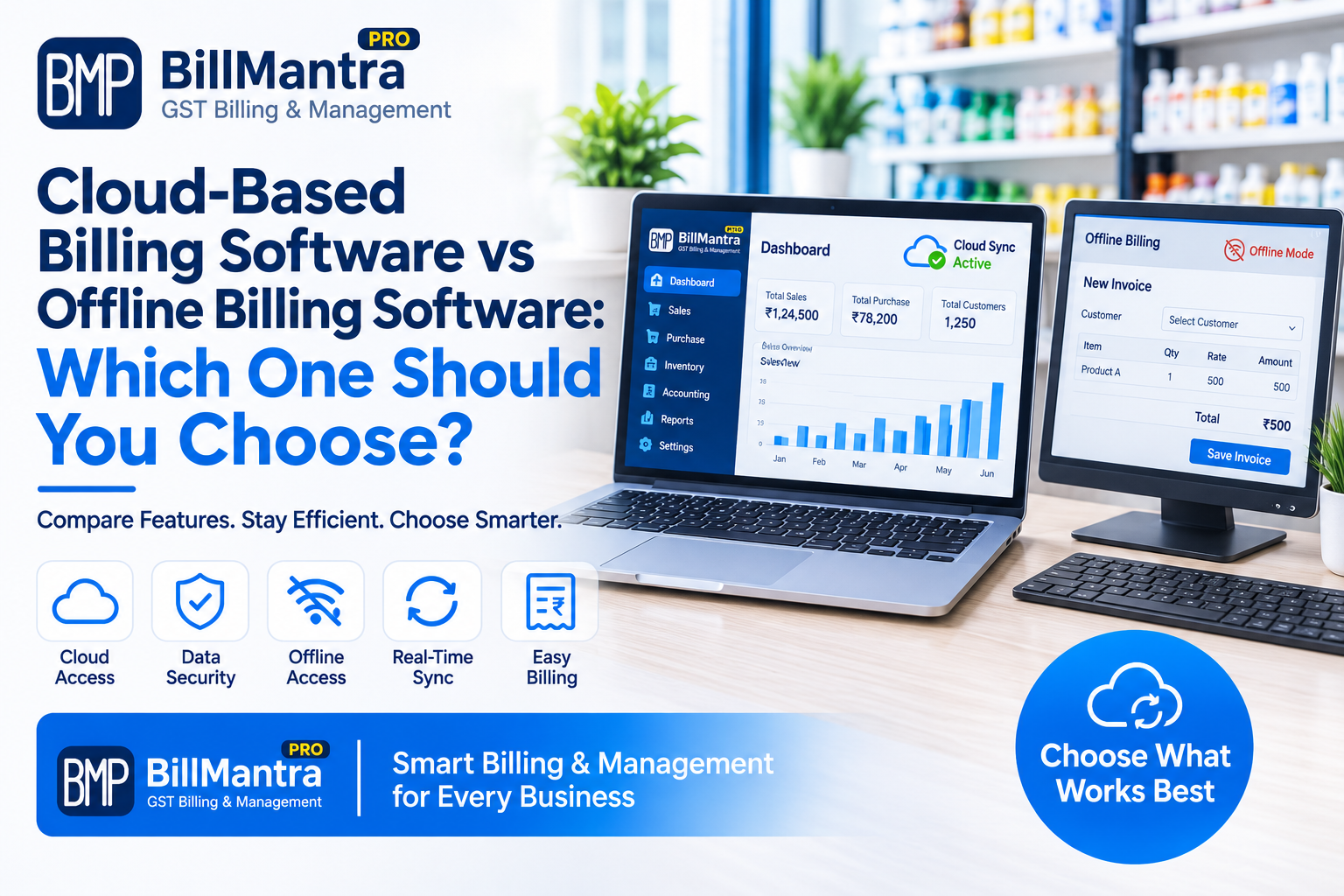
Choosing the right billing system is an important decision for any retail business. Whether you run a grocery store, clothing shop, electronics store, cosmetics business, hardware shop, or wholesale business, billing software can help you manage invoices, sales transactions, product details, and inventory records more efficiently.
Today, businesses can choose between cloud-based billing software and offline billing software. Both options help retailers manage billing operations, but they work differently and offer different advantages.
Cloud-based billing software generally stores and processes business information through internet-connected services. It can allow authorized users to access business data from different locations, depending on the software and subscription plan.
Offline billing software typically operates on a local computer or system and can support billing without a continuous internet connection. However, features such as cloud backup, remote access, and online synchronization may not be available unless they are provided separately.
So, which option is better for your business?
The answer depends on your internet connectivity, business size, data access requirements, budget, security expectations, and daily billing needs.
In this guide, we will compare cloud-based billing software vs offline billing software in detail, covering features, advantages, limitations, inventory management, data security, pricing, accessibility, and business suitability. We will also explain what retailers should consider before choosing a billing solution for their business.
What Is Cloud-Based Billing Software?
Cloud-based billing software is a billing solution that uses internet-connected infrastructure to store, process, or synchronize business information.
Instead of keeping all business data exclusively on one local computer, the software may store data on remote servers managed by the software provider or its hosting partner.
Authorized users can access the system through a supported browser, application, or device, depending on the product.
Common features of cloud-based billing software may include:
- Invoice generation
- Sales tracking
- Product management
- Inventory management
- Customer records
- Supplier management
- Purchase management
- GST invoicing
- Sales reports
- Stock reports
- Multiple-user access
- Data synchronization
- Remote access
- Online backup options
The exact features depend on the software provider and subscription plan.
How Does Cloud-Based Billing Software Work?
A typical cloud-based billing process involves the following steps:
- The business creates an account and configures its billing system.
- Product details, prices, tax settings, and other business information are added.
- Employees generate invoices through the supported application or browser.
- Transactions are stored or synchronized through the system's infrastructure.
- Authorized users can access available records and reports according to their permissions.
For example, a retail shop owner may be able to review sales reports from another location while an employee manages billing at the store.
This can be useful for business owners who need access to business information outside the shop.
However, remote access depends on internet availability, provider uptime, account permissions, and the features supported by the chosen software.
What Is Offline Billing Software?
Offline billing software is designed to perform billing operations locally on a computer or another supported device without requiring a continuous internet connection for its core functions.
It is often suitable for businesses that want to maintain billing operations on a particular computer or within a local setup.
Depending on the software, offline billing features may include:
- Invoice generation
- Product database
- Sales records
- Inventory tracking
- Customer details
- Purchase entries
- GST invoice creation
- Local sales reports
- Invoice printing
- Barcode support
Some offline systems also offer optional internet-based features, such as remote support, online activation, cloud backup, or data synchronization. Therefore, offline does not always mean that every feature works without internet access.
How Does Offline Billing Software Work?
A typical offline billing workflow looks like this:
- The software is installed on a compatible computer or device.
- The retailer adds product details and configures billing settings.
- Employees generate invoices through the local application.
- Sales and inventory records are saved according to the software's storage system.
- The business owner reviews records and reports on the supported device or local network.
For example, a small retail shop in an area with unreliable internet connectivity may prefer a billing system that allows employees to generate invoices locally.
However, the business must maintain proper data backups and verify whether its software requires internet access for activation, updates, licensing, or particular functions.
Cloud-Based Billing Software vs Offline Billing Software: Quick Comparison
The following table highlights the main differences between cloud-based and offline billing systems.
| Feature | Cloud-Based Billing Software | Offline Billing Software |
|---|---|---|
| Internet requirement | Generally required for full cloud access | Usually not required for core local billing |
| Data storage | Cloud infrastructure, depending on the product | Local computer or local system |
| Remote access | Commonly available | Usually limited unless additional features are available |
| Billing without internet | Depends on offline mode and synchronization features | Generally possible for core functions |
| Data backup | May offer automated cloud backups | Often requires manual or configured local backups |
| Multiple locations | Often easier to support | May require additional networking or synchronization |
| Multiple users | Depends on plan and permissions | Depends on local network and software capabilities |
| Software updates | Often provider-managed | May require manual updates or an update service |
| Initial setup | Usually account and configuration based | May require installation and local configuration |
| Hardware dependency | Depends on the platform and supported devices | Often depends on the installed computer or local setup |
| Data access | Through supported connected devices | Usually through the installed system or local network |
| Internet outage | Can affect access to cloud features | Usually has less impact on local billing |
| Data recovery | Depends on provider backups and recovery policies | Depends on local backups and recovery arrangements |
| Pricing | Often subscription-based | May use a one-time license or recurring fees |
| Best suited for | Businesses needing connected access | Businesses prioritizing local operation |
Neither option is automatically better for every retailer. The right choice depends on how the business operates and which features are essential.
1. Internet Connectivity and Billing Operations
Internet connectivity is one of the most important differences between cloud-based and offline billing software.
Retailers should consider whether their shop has a reliable internet connection and whether billing must continue during network interruptions.
Cloud-Based Billing Software
Cloud-based billing software generally relies on internet connectivity to communicate with its servers and synchronize information.
When the connection is stable, authorized users can access supported features and business records conveniently.
However, an internet outage may affect billing, reporting, or access to records if the software does not support offline operation.
Before choosing a cloud solution, retailers should check:
- Whether billing works during internet outages
- Whether an offline mode is available
- How transactions synchronize after reconnection
- Whether unsynchronized transactions can be reviewed
- What happens if the provider experiences downtime
These questions are especially important for shops that cannot afford long interruptions at the billing counter.
Offline Billing Software
Offline billing software can be useful when internet connectivity is unreliable.
If its core features operate locally, employees can continue generating invoices and maintaining local records during an internet outage.
However, local operation does not automatically guarantee protection against computer failure, power interruptions, or hardware problems.
Businesses should also check whether features such as updates, activation, online payments, or tax-related integrations require an internet connection.
2. Data Storage and Accessibility
The way business data is stored affects how easily retailers can access and maintain their records.
Cloud-Based Data Storage
Cloud-based systems store or synchronize data through internet-connected infrastructure.
Depending on the software, this can allow authorized users to access sales records, inventory information, and reports from supported devices.
For example, a shop owner may review available reports from home while employees continue working at the store.
This is useful for retailers who need to monitor business activities without being physically present at the shop.
However, access depends on the service being available, the user's permissions, the internet connection, and the provider's policies.
Offline Data Storage
Offline billing software generally stores business information on the local computer or a local storage system.
This can give the retailer direct control over the device where records are maintained.
However, accessing these records from another location may require additional networking, remote access tools, or a separate synchronization feature.
If the computer fails and no recent backup exists, recovering records may be difficult.
Retailers should establish a reliable backup routine regardless of which storage method they choose.
3. Inventory Management
Inventory management is essential for retailers because stock information affects purchasing decisions, sales, and customer satisfaction.
A retailer needs to know which products are available, which products are selling quickly, and which items need replenishment.
Inventory Management with Cloud-Based Software
Cloud-based billing software may connect sales transactions with inventory records.
Depending on the system, retailers can access features such as:
- Current stock information
- Product-wise stock reports
- Purchase records
- Sales history
- Stock movement
- Low-stock notifications
- Multi-location inventory visibility
For businesses operating from multiple locations, centralized inventory information can make it easier to review stock across supported stores.
However, multi-location functionality is not included in every cloud-based product and may require a specific subscription plan.
Inventory Management with Offline Software
Offline billing software can also manage inventory effectively.
It may record product quantities, update stock after sales, and maintain purchase records on the local system.
For a single shop operating from one computer, this may be sufficient.
Challenges can arise when the business needs to synchronize stock across multiple branches or provide real-time access to employees working from different locations.
Retailers should evaluate the actual inventory features rather than assuming that cloud software always offers better stock control.
4. Billing Speed and Invoice Generation
Fast billing is important for shops that process many customer transactions each day.
The billing system should make it easy to select products, enter quantities, calculate totals, and generate invoices.
Billing with Cloud-Based Software
Cloud-based billing software can provide a structured interface for invoice generation.
Depending on the application, employees may be able to search for products, apply discounts, calculate applicable taxes, and save transaction records through an integrated workflow.
However, billing speed can be affected by internet quality, server response time, device performance, and the design of the application.
If the software has a reliable offline mode, some billing operations may continue during network interruptions.
Billing with Offline Software
Offline billing software can process core transactions locally without relying on a continuous internet connection.
This can be useful in stores where network interruptions are frequent.
Billing performance still depends on the computer, software design, product database, printer, barcode scanner, and other connected equipment.
When comparing solutions, retailers should test the actual billing process instead of choosing solely on the basis of whether the software is cloud-based or offline.
5. Data Backup and Recovery
Retail businesses generate valuable information every day, including invoices, customer records, product details, purchases, and inventory transactions.
Losing these records can create serious operational difficulties.
Backup in Cloud-Based Billing Software
Many cloud-based providers offer backup and recovery features, but the exact arrangements vary.
Before choosing a platform, check:
- Whether backups are automatic
- How frequently backups are created
- How long backups are retained
- Whether deleted records can be recovered
- Whether the provider offers data exports
- What recovery support is available
Cloud storage should not be treated as a guarantee that data can never be lost.
Retailers should understand the provider's backup policy and maintain independent exports when appropriate.
Backup in Offline Billing Software
Offline software often stores records locally, so businesses need a clear backup strategy.
Possible backup methods include:
- External hard drives
- USB storage devices
- Network storage
- Secure off-site storage
- Optional cloud backup services
Backups should be created regularly and tested to confirm that the records can actually be restored.
Keeping every backup on the same computer is risky because a hardware failure, theft, or malware incident may affect both the original records and the backup.
6. Data Security and Privacy
Security is important whether business records are stored online or locally.
Retailers may handle customer information, supplier records, prices, invoices, and other business-sensitive data.
Security in Cloud-Based Software
Cloud providers may offer security controls such as encrypted connections, account authentication, access permissions, and managed infrastructure.
However, security features differ between providers.
Retailers should check whether the software supports:
- Strong passwords
- Multi-factor authentication
- User roles and permissions
- Secure data transmission
- Access logs
- Data export
- Account recovery
- Clear privacy policies
Employees should use individual accounts where supported and avoid sharing login credentials.
Security in Offline Software
Offline software reduces the need to expose core billing operations to a continuous internet connection, but it is not automatically secure.
A local computer can still be affected by malware, theft, unauthorized access, damaged storage, or accidental deletion.
Retailers should use device passwords, operating system updates, reputable security software, restricted user permissions, and regular backups.
The best approach is to assess the complete security setup rather than assuming that either cloud storage or local storage is always safer.
7. Cost Comparison
Cost is another important factor when selecting billing software.
Retailers should compare the total cost of ownership rather than considering only the initial price.
Cost of Cloud-Based Billing Software
Cloud-based billing software commonly uses a subscription model, although pricing structures vary.
Possible expenses include:
- Monthly or annual subscription
- Additional user charges
- Premium features
- Data storage or integration fees
- Internet connectivity
- Training and support
- Compatible hardware
The advantage of a subscription model is that businesses may be able to start without purchasing a large software license upfront.
However, recurring fees should be considered over the expected period of use.
Cost of Offline Billing Software
Offline billing software may offer a one-time license, recurring license, or annual maintenance arrangement.
Possible costs include:
- Software license
- Computer or device
- Installation
- Updates
- Maintenance
- Backup storage
- Technical support
- Networking equipment where required
A one-time license does not necessarily mean that all future updates, support, or integrations are free.
Retailers should request a clear breakdown of included services and ongoing charges.
8. Software Updates and Maintenance
Software needs regular maintenance to address bugs, improve functionality, and maintain compatibility with supported systems.
Cloud-Based Software Updates
Cloud-based providers often manage updates centrally.
This can reduce the amount of manual installation work required from the retailer.
However, businesses should check how updates are communicated, whether downtime is expected, and whether important workflow changes require employee training.
Offline Software Updates
Offline software may require users to download and install updates, or it may provide an automatic update mechanism.
Some products require internet access for updates or license verification even though billing works offline.
Retailers should confirm how updates are delivered and whether technical support is included.
9. Remote Access and Multiple Locations
A retailer operating a single shop may have different needs from a business managing several branches.
Cloud-Based Billing Software for Multiple Locations
Cloud-based software can make centralized access easier when the provider supports multiple stores and user permissions.
For example, a business owner may be able to review sales reports from different branches through one account.
Possible benefits include:
- Centralized reporting
- Remote business monitoring
- Shared product information
- Multi-location inventory visibility
- Centralized user management
These features vary by product, so retailers should verify branch management and synchronization capabilities before purchasing.
Offline Software for Multiple Locations
Offline billing software can work well for individual stores, especially when each location operates independently.
However, sharing data between branches may require a local network, a synchronization tool, or another supported integration.
If the business needs centralized reporting across locations, it should verify whether the offline system can provide that functionality reliably.
10. GST Billing and Tax Records
For Indian businesses, billing software may need to support GST invoicing and related record-keeping requirements.
The exact requirements depend on the nature of the business and applicable tax rules.
GST Features in Cloud-Based Software
Depending on the provider, cloud-based billing software may support:
- GST invoice generation
- Tax calculations
- Customer GST details
- HSN/SAC information
- Sales records
- Tax-related reports
- Data export for accounting workflows
Retailers should confirm which features are included and whether any integrations require separate subscriptions.
GST Features in Offline Software
Offline billing software may also support GST invoices and tax calculations.
The retailer should verify that the software supports the required invoice fields, tax configuration, record keeping, and applicable updates.
Do not assume that cloud-based software is automatically more compliant or that offline software cannot support GST requirements.
The important factor is whether the specific product meets the business's actual invoicing and record-management needs.
11. Multi-User Access and Employee Management
Retail shops often have multiple employees handling billing, stock, purchases, and reports.
The billing system should support the business's working arrangements.
Multi-User Access in Cloud Software
Cloud-based systems may allow authorized employees to sign in from different supported devices.
Some solutions provide different permissions for owners, managers, cashiers, and inventory staff.
This can help businesses manage responsibilities and control access to sensitive records.
However, the number of users and permission options may depend on the subscription plan.
Multi-User Access in Offline Software
Offline software can also support multiple users, especially when it is designed to operate across a local network.
However, this capability may require additional configuration or licensing.
Retailers should check whether simultaneous billing, shared inventory records, and user-level permissions are supported.
12. Scalability for Growing Businesses
A billing solution should meet the current needs of a retailer while allowing for reasonable business growth.
Scalability of Cloud-Based Billing Software
Cloud-based platforms may make it easier to provide access to additional users or locations, depending on the provider's architecture and pricing.
A growing business may benefit from centralized records, remote reporting, and connected workflows.
However, retailers should check transaction limits, user limits, storage restrictions, and the cost of upgrading their plan.
Scalability of Offline Billing Software
Offline software can also support growing businesses.
Some systems offer advanced inventory, reporting, networking, and multi-branch features.
However, expansion may require additional hardware, licenses, local networking, or synchronization tools.
The right option depends on the software's actual capacity and the business's planned growth.
13. What Happens During an Internet Outage?
An internet outage can affect cloud-based systems differently from offline systems.
Cloud-Based Software During an Outage
If the software requires a live connection for billing, employees may temporarily lose access to the system.
If an offline mode is available, selected transactions may still be processed locally and synchronized later.
Before relying on offline mode, check whether it supports all the essential functions your shop needs.
Also confirm how the software handles duplicate transactions, stock changes, and conflicts during synchronization.
Offline Software During an Outage
A locally operating billing system can generally continue performing its core functions during an internet outage.
However, online payments, cloud synchronization, remote access, and internet-dependent integrations may stop working.
A power failure or local hardware problem can still interrupt operations.
Businesses should plan for both internet disruptions and local equipment failures.
14. Which Billing Software Is Better for Different Retail Businesses?
The best option depends on the type of store and how it operates.
Small Grocery Store
A small grocery store with one billing counter and unreliable internet may prefer offline billing, provided the required features work locally.
A store that needs remote monitoring, connected inventory, and centralized reporting may prefer cloud-based software.
Clothing Store
Clothing stores often manage sizes, colors, brands, and product variations.
Both cloud-based and offline systems can be suitable, provided the selected software supports the required product and inventory features.
Electronics Store
Electronics retailers may need detailed product records, purchase information, customer details, and invoice history.
The priority should be a reliable system that supports the required product records, billing workflow, and backup arrangements.
Cosmetics Store
Cosmetics retailers may manage a large catalog of brands and products.
A system with convenient product search, stock tracking, and sales reports may be helpful, regardless of whether it operates online or offline.
Wholesale Business
Wholesale businesses may require bulk billing, customer-specific pricing, purchase management, and detailed reports.
Retailers should compare these features carefully and confirm whether the software supports their transaction volume and workflows.
15. Advantages of Cloud-Based Billing Software
Cloud-based billing software can offer several benefits.
1. Remote Access
Authorized users may access supported business records from different locations.
2. Centralized Information
Sales, inventory, and customer information can be maintained through a centralized system.
3. Easier Multi-Location Monitoring
Businesses with several branches may be able to review available reports from one place.
4. Provider-Managed Updates
Many cloud platforms manage software updates centrally.
5. Backup Options
Some providers include automated backup and recovery features.
6. Flexible Access
Depending on the product, users may access the system through compatible browsers or applications.
16. Limitations of Cloud-Based Billing Software
Cloud-based billing software also has limitations.
1. Internet Dependency
Some functions may be unavailable when the internet connection fails.
2. Recurring Costs
Subscription fees can continue for as long as the business uses the service.
3. Provider Dependency
Access and data management may depend on the provider's availability and policies.
4. Privacy Considerations
Businesses need to understand how customer and transaction data is stored and processed.
5. Plan Restrictions
Some products limit users, branches, integrations, or features based on the selected plan.
17. Advantages of Offline Billing Software
Offline billing software can be useful for businesses that prefer local operation.
1. Billing Without Continuous Internet
Core local functions can generally continue during an internet outage.
2. Local Data Storage
Records may be stored on the business's own computer or local system.
3. Suitable for Single-Shop Operations
A local system may meet the requirements of a shop that operates from one location.
4. Potentially Predictable Licensing
Some offline products offer one-time licensing, although support and updates may cost extra.
5. Less Dependence on Cloud Availability
Local billing may continue even when an external cloud service is unavailable.
18. Limitations of Offline Billing Software
Offline billing software has some potential disadvantages.
1. Limited Remote Access
Accessing records from outside the shop may require additional features or configuration.
2. Backup Responsibility
The business may need to manage backups independently.
3. Hardware Dependency
Computer failure can interrupt operations if there is no alternative device or recovery plan.
4. Multi-Branch Complexity
Sharing information between branches may require additional networking or synchronization.
5. Maintenance Requirements
Some products require manual installation of updates or technical assistance.
19. How to Choose the Right Billing Software for Your Business
Before choosing cloud-based or offline billing software, evaluate your actual business requirements.
Step 1: Evaluate Internet Connectivity
Check whether your shop has a stable internet connection and whether billing must continue during outages.
Step 2: Identify Your Billing Requirements
List the invoice types, tax features, discounts, payment methods, and printing requirements your business needs.
Step 3: Review Inventory Features
Check whether the software supports product management, stock tracking, purchases, returns, and stock reports.
Step 4: Consider Remote Access
If you need to monitor the business from home or manage multiple branches, verify the available remote access and synchronization features.
Step 5: Check Backup and Recovery
Understand how records are backed up, how data can be restored, and whether you can export your business information.
Step 6: Compare Total Costs
Compare subscriptions, licenses, hardware, updates, support, and additional user charges.
Step 7: Test the Software
Use a demonstration or trial, if available, to test billing speed, product search, reports, and inventory workflows.
Step 8: Check Customer Support
Confirm how support is provided and whether assistance is available when billing operations are interrupted.
20. Can You Switch from Offline Billing Software to Cloud-Based Software?
Yes. Many businesses can migrate from an offline billing system to a cloud-based solution, but the process depends on the software and the structure of the existing records.
A careful migration can help avoid missing or inaccurate information.
Prepare Your Existing Data
Organize product lists, customer records, supplier details, and inventory information.
Remove duplicate records and correct inconsistent product names or codes.
Export Your Records
Check whether your current software allows you to export data in a supported format, such as CSV or Excel.
Configure the New System
Set up business details, tax settings, invoice preferences, products, customers, and user permissions.
Import and Verify Data
If data import is supported, transfer the records and check that product quantities, prices, customer details, and other important information are accurate.
Test Before Switching Completely
Create sample invoices and verify stock calculations, tax settings, reports, and any required integrations.
Train Employees
Make sure employees understand the new billing workflow before relying on it for all daily transactions.
Keep a secure backup of your old records until the migration has been verified.
Frequently Asked Questions
1. What is the difference between cloud-based and offline billing software?
Cloud-based billing software uses internet-connected infrastructure to store, process, or synchronize business information. Offline billing software generally runs locally and supports core billing operations without a continuous internet connection. The exact differences depend on the individual product.
2. Which is better for a small retail shop?
Either option can work for a small retail shop. Offline software may suit a store with unreliable internet and one main billing system. Cloud-based software may be more useful when the owner needs remote access, connected reporting, or centralized management.
3. Can cloud-based billing software work without internet?
Some cloud-based billing systems offer offline modes, but not all do. Retailers should verify which functions remain available during an outage and how transactions synchronize after the connection returns.
4. Is offline billing software safer than cloud-based software?
Not automatically. Offline software can reduce dependence on internet access, but local computers remain vulnerable to theft, malware, hardware failure, and accidental deletion. Cloud-based systems may provide managed security features, but their quality depends on the provider. Both require appropriate security and backup practices.
5. Is cloud-based billing software more expensive?
Pricing varies by provider. Cloud-based systems often use monthly or annual subscriptions, while offline products may use one-time licenses or recurring fees. Compare the total cost, including updates, support, hardware, and additional users.
6. Can offline billing software manage inventory?
Yes. Many offline billing systems support product management, stock tracking, purchase records, and sales-related stock updates. The available features depend on the software.
7. Can cloud-based billing software manage multiple branches?
Some cloud-based platforms support multiple branches and centralized reporting. However, multi-location inventory, branch management, and user access may require specific plans or features.
8. Does offline billing software support GST invoices?
Many offline billing systems support GST invoice generation. Retailers should verify that the software supports their required invoice fields, tax calculations, and record-keeping workflows.
9. Does cloud-based billing software automatically back up data?
Some providers offer automatic backups, but this is not guaranteed for every product or plan. Check the provider's backup frequency, retention period, recovery process, and data export options.
10. Can I access offline billing records from home?
Usually, offline records are accessible through the computer or local system where they are stored. Remote access may be possible through additional tools or features, but it depends on the software and the business's configuration.
11. Which option is better for businesses with multiple users?
Cloud-based software can make access from different supported devices easier. Offline software can also support multiple users through a local network. Compare user permissions, simultaneous access, licensing, and synchronization before deciding.
12. Can I change from offline software to cloud-based software later?
Yes, provided the new software supports your requirements and the existing data can be exported or migrated. Review data compatibility, backup arrangements, and migration procedures before switching.
13. Is cloud-based billing software suitable for businesses with poor internet connectivity?
It depends on whether the software offers a reliable offline mode. If internet connectivity is frequently interrupted, verify that essential billing functions remain available and that transactions synchronize correctly after reconnection.
14. What should I check before buying billing software?
Check billing features, inventory management, GST support, reporting, backup and recovery, security, pricing, user access, customer support, and compatibility with your hardware. Choose a solution based on actual business requirements rather than a single feature.
15. Can BillMantra help retailers manage billing operations?
BillMantra is a billing and business management solution for retailers to explore when evaluating ways to organize billing and related business records. Before selecting it, review the available features, connectivity requirements, pricing, inventory capabilities, and support to confirm that it meets your business needs.
Conclusion: Cloud-Based Billing Software vs Offline Billing Software
Both cloud-based and offline billing software can help retail businesses organize billing operations. The main difference is how they handle connectivity, data storage, accessibility, updates, and synchronization.
Cloud-based billing software may be the better choice for businesses that need remote access, centralized records, connected reporting, and convenient management across supported locations.
Offline billing software may be more suitable for businesses that prioritize local billing operations and need essential functions to continue without a continuous internet connection.
However, neither option is automatically best for every retailer. A cloud-based system can still depend on reliable connectivity, while an offline system needs effective backups and a plan for hardware failure.
Before making a decision, evaluate your business size, internet reliability, billing volume, inventory requirements, number of users, security expectations, and budget.
The right billing system should make everyday work easier, keep business records organized, and support your retail operations as your business grows.
Explore BillMantra for Your Retail Billing Needs
Managing sales, inventory, purchases, and invoices through disconnected records can make daily retail operations harder to organize.
BillMantra is a billing and business management solution that retailers can evaluate when looking for a more structured approach to billing and business record management.
Before choosing a solution, review the available features and confirm whether they match your requirements for billing, inventory, GST invoicing, reports, data access, and connectivity.
Explore BillMantra and choose a billing workflow that fits the needs of your retail business.
Try BillMantra free
GST invoices, inventory, payments, reports — all in one app. No credit card.
Get started →