

Billing Software vs Excel for Retail Shops: Which Is Better for Managing Sales & Inventory?
Managing sales and inventory is one of the most important parts of running a retail business. Whether you operate a grocery store, clothing shop, electronics store, footwear store, cosmetics shop,…
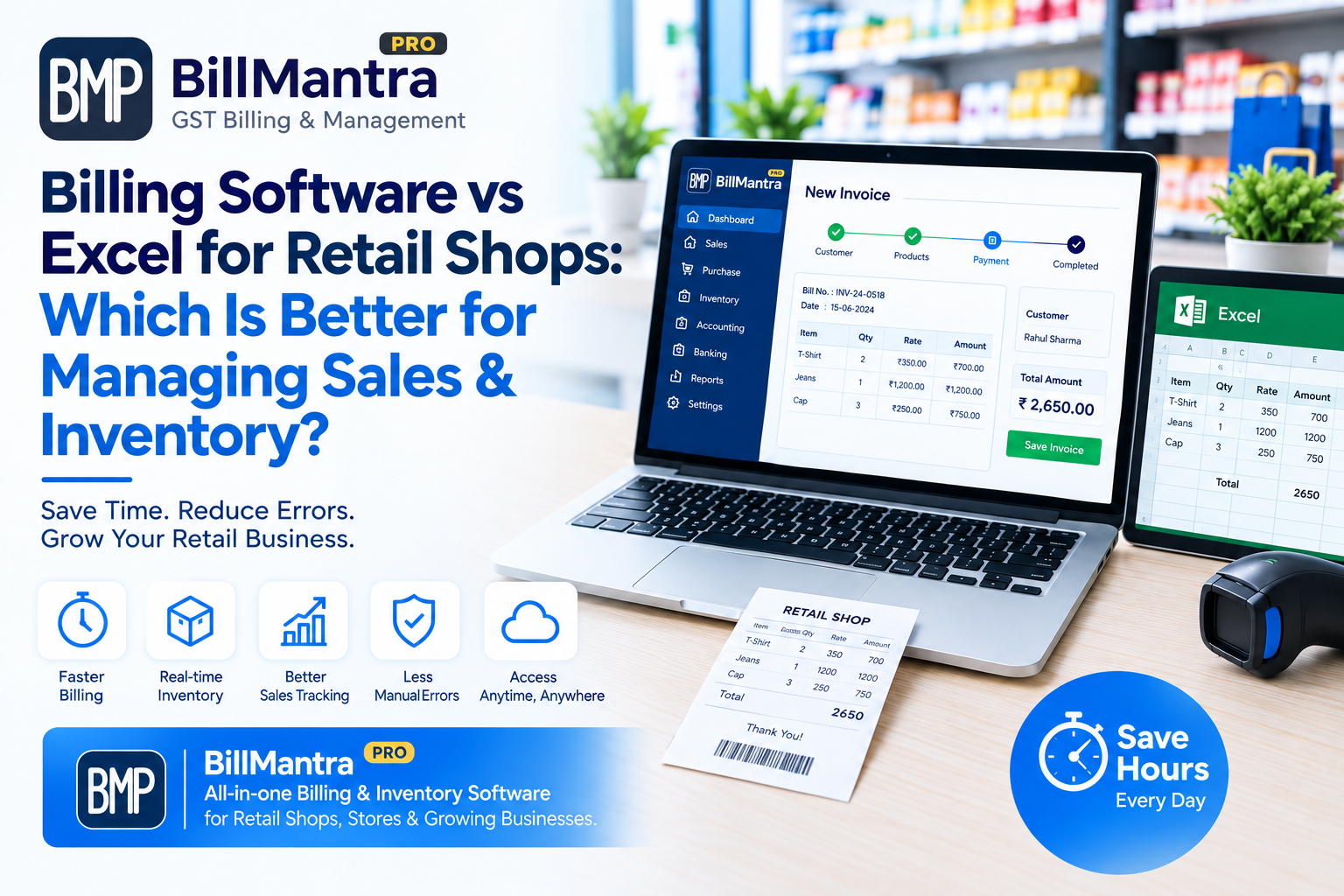
Managing sales and inventory is one of the most important parts of running a retail business. Whether you operate a grocery store, clothing shop, electronics store, footwear store, cosmetics shop, hardware store, or any other retail business, keeping accurate records of products, sales, purchases, and stock is essential.
Many small retailers start with Microsoft Excel for billing and inventory management because it is familiar, flexible, and easy to customize. A simple spreadsheet can help a business owner record daily sales, purchases, stock quantities, customer details, and expenses.
However, as a retail business grows, managing everything through Excel can become increasingly difficult. More products, more customers, more invoices, more employees, and more transactions mean more data to enter, update, check, and organize.
This is where retail billing software can become useful.
A dedicated billing solution can connect sales, inventory, products, customers, purchases, invoices, and reports in one organized system. Instead of maintaining several spreadsheets and manually updating stock after every sale, retailers can use software designed specifically for retail operations.
But is billing software always better than Excel?
Not necessarily.
The right option depends on the size of your business, number of products, daily transaction volume, number of employees, inventory requirements, reporting needs, budget, and future growth plans.
In this guide, we will compare Billing Software vs Excel for Retail Shops and explain how both options differ in billing, inventory management, GST invoicing, sales reports, customer management, accuracy, scalability, security, cost, and daily retail operations.
What Is Retail Billing Software?
Retail billing software is a digital solution designed to help retail businesses manage their billing and day-to-day business operations.
Instead of maintaining separate spreadsheets for sales, inventory, customers, purchases, and suppliers, retailers can manage these records through a centralized system.
Depending on the software, retailers may be able to manage:
- Sales billing
- Product management
- Inventory management
- GST invoices
- Customer records
- Supplier records
- Purchase entries
- Sales returns
- Purchase returns
- Discounts
- Payment records
- Stock adjustments
- Sales reports
- Purchase reports
- Inventory reports
- Customer transaction history
A dedicated system can connect different parts of the retail process.
For example:
Purchase → Inventory → Sale → Invoice → Stock Update → Sales Report
This connected workflow can reduce repetitive data entry and make it easier to monitor daily business activity.
BillMantra is a digital billing and business management solution that can help retailers move from manual or spreadsheet-based processes toward a more organized digital workflow.
What Is Excel-Based Retail Management?
Microsoft Excel is a spreadsheet application that allows businesses to store, calculate, organize, filter, and analyze data.
Retailers can create different Excel sheets for:
- Product lists
- Stock records
- Daily sales
- Purchases
- Customers
- Suppliers
- Expenses
- GST calculations
- Monthly sales
- Payments
- Business analysis
For a small retail shop with a limited number of products and transactions, Excel can be a practical option.
For example, a retailer can create an inventory sheet like this:
| Product | Opening Stock | Purchases | Sales | Closing Stock |
|---|---|---|---|---|
| Product A | 100 | 50 | 30 | 120 |
| Product B | 80 | 20 | 25 | 75 |
| Product C | 150 | 30 | 40 | 140 |
The retailer can use formulas to calculate closing stock.
However, the situation becomes more complicated when the business starts handling hundreds or thousands of products and many transactions every day.
Billing Software vs Excel: Quick Comparison
Before going into detail, here is a quick comparison between Excel and retail billing software.
| Feature | Excel | Retail Billing Software |
|---|---|---|
| Basic sales tracking | Yes | Yes |
| Product management | Yes | Yes |
| Invoice creation | Requires template | Built-in workflow |
| GST billing | Requires setup | Usually supported |
| Inventory tracking | Manual/formula-based | Integrated |
| Stock updates | Manual/formula-based | Often automated |
| Customer management | Manual | Integrated |
| Supplier management | Manual | Integrated |
| Purchase management | Manual | Integrated |
| Sales returns | Manual setup | Usually supported |
| Purchase returns | Manual setup | Usually supported |
| Sales reports | Custom/manual | Predefined |
| Inventory reports | Custom/manual | Predefined |
| Multi-user access | Possible but can be complex | Commonly supported |
| Barcode support | Requires setup | Available in many systems |
| Retail automation | Limited | Higher |
| Scalability | Depends on spreadsheet setup | Designed for retail operations |
| Data maintenance | User-managed | System-managed |
| Retail-specific workflows | Limited | Designed for retail |
1. Billing and Invoice Generation
Billing is one of the most important daily activities in a retail shop.
Whenever a customer purchases products, the retailer needs to record the product, quantity, price, discount, applicable tax, and final amount.
The billing process should ideally be quick and accurate.
Billing with Excel
Excel can be used to create an invoice template.
A basic Excel invoice may include:
- Business name
- Business address
- Customer name
- Customer details
- Product name
- Product code
- Quantity
- Price
- Discount
- Tax
- Total amount
- Payment details
Formulas can be used to calculate totals.
However, the retailer usually needs to enter or select product information manually.
If a store has a large product catalog, employees may need to search through spreadsheets before entering the required information into the invoice.
This can make the billing process repetitive.
Billing with Retail Software
A dedicated retail billing software provides a billing workflow specifically designed for sales transactions.
A typical process can involve:
- Search for the product.
- Select the product.
- Enter the quantity.
- Apply a discount if required.
- Calculate applicable taxes.
- Generate the invoice.
- Record the payment.
- Update inventory.
This creates a connection between billing and inventory.
For businesses with a high number of daily transactions, this structured workflow can help reduce repetitive manual work.
2. Inventory Management
Inventory management is one of the biggest areas where Excel and billing software differ.
A retailer needs to know how much stock is available at any given time.
Important inventory questions include:
- How much stock is currently available?
- Which products are selling quickly?
- Which products are slow-moving?
- Which products need to be reordered?
- How much stock was purchased?
- How much stock was sold?
- Which products were returned?
- Which products were damaged?
- Are physical stock and recorded stock matching?
Inventory Management in Excel
Excel can be used to manage inventory using formulas.
A simple inventory calculation can be:
Opening Stock + Purchases - Sales = Closing Stock
For a small shop, this may be enough.
However, inventory management becomes more complicated when the business has:
- Hundreds of products
- Thousands of products
- Multiple purchases
- Multiple daily sales
- Product returns
- Damaged stock
- Stock adjustments
- Different product variants
- Multiple employees
- Multiple spreadsheets
A single incorrect entry can affect the final stock calculation.
Inventory Management with Billing Software
A dedicated inventory management software for retail shops can connect sales and stock records.
For example:
Purchase Recorded → Stock Increases
Product Sold → Stock Decreases
Sales Return → Stock Adjusted
Purchase Return → Stock Adjusted
Stock Adjustment → Inventory Updated
This creates a more connected inventory workflow.
Depending on the software, retailers may also get features such as:
- Current stock reports
- Product-wise inventory
- Low-stock information
- Stock movement
- Purchase history
- Sales history
- Inventory summaries
For a growing retail business, having sales and inventory connected can make stock management more organized.
3. Accuracy of Sales and Inventory Records
Accuracy is extremely important in retail management.
Imagine that your Excel sheet shows 100 units of a product, but your physical store contains only 75 units.
That difference can affect purchasing decisions and customer orders.
Common Excel Errors
Some common problems in spreadsheet-based retail management include:
- Incorrect product quantities
- Wrong selling prices
- Duplicate entries
- Deleted formulas
- Incorrect formulas
- Copy-paste mistakes
- Forgotten stock updates
- Incorrect tax calculations
- Duplicate customer records
- Using an outdated spreadsheet version
Excel itself is not inaccurate.
The main issue is that the accuracy of an Excel-based retail system depends heavily on how the spreadsheet is created, updated, and maintained.
Accuracy with Billing Software
Dedicated software can automate many routine calculations.
For example, once product information has been configured correctly, the software can use the stored product information while creating an invoice.
This can reduce certain types of manual calculation and data-entry errors.
However, software does not eliminate the need for accurate information.
Product prices, tax settings, stock quantities, customer information, and other business data still need to be entered and maintained correctly.
4. Sales Reports and Business Analysis
Retailers need more than just invoices.
Sales data can help business owners understand their daily and monthly operations.
A retailer may want to know:
- What were today's total sales?
- What were this month's sales?
- Which products sold the most?
- Which products sold the least?
- How many invoices were generated?
- What payment methods were used?
- Which customers made purchases?
- Which products are moving slowly?
Sales Reports in Excel
Excel provides powerful data analysis tools.
Retailers can use:
- Filters
- Formulas
- Pivot tables
- Charts
- Conditional formatting
- Sorting
- Data validation
An experienced Excel user can create detailed sales reports.
However, reports usually need to be created and maintained manually.
The quality of the report also depends on the quality of the underlying data.
Sales Reports in Retail Software
Many retail management software platforms provide predefined reports.
Depending on the software, these may include:
- Daily sales reports
- Monthly sales reports
- Product-wise sales reports
- Customer-wise sales reports
- Purchase reports
- Payment reports
- Inventory reports
- Sales return reports
- Stock movement reports
This can reduce the time required to create regular business reports.
5. GST Billing
For many Indian retailers, GST billing is an important part of business operations.
A GST invoice may contain information such as:
- Business name
- Business address
- GSTIN
- Invoice number
- Invoice date
- Customer details
- Product details
- HSN/SAC where applicable
- Quantity
- Taxable value
- CGST
- SGST
- IGST
- Total invoice amount
GST Billing with Excel
Excel can be used to create GST invoice templates.
Retailers can add fields for GST information and use formulas for tax calculations.
However, the retailer needs to ensure that:
- Tax rates are configured correctly
- Invoice details are accurate
- Formulas work correctly
- Invoice numbers are properly maintained
- Customer GST information is entered correctly where applicable
As transaction volume increases, maintaining these details manually can take more time.
GST Billing with Retail Software
A GST billing software for retail shops can provide a structured workflow for creating invoices and maintaining sales records.
Depending on the software, retailers may be able to manage:
- GST invoices
- Tax calculations
- Customer GST details
- HSN/SAC information
- Invoice history
- Sales reports
- Tax-related reports
Retailers should always verify their GST setup and compliance requirements according to their specific business situation.
6. Product Management
A retail shop may have hundreds or thousands of products.
Product information is used for billing, inventory management, purchasing, and reporting.
A product record can include:
- Product name
- SKU
- Product code
- Category
- Brand
- Purchase price
- Selling price
- Tax rate
- Unit
- Available stock
- Supplier
Product Management in Excel
Excel can store product information in rows and columns.
For example:
| Product Name | Category | Selling Price | Stock |
|---|---|---|---|
| Product A | Grocery | ₹100 | 50 |
| Product B | Grocery | ₹150 | 35 |
| Product C | Household | ₹250 | 20 |
This works well for basic product management.
However, as the product catalog grows, searching, editing, updating prices, and connecting product records with sales can become more difficult.
Product Management in Billing Software
With retail billing software, product information can be maintained in a centralized system.
The same product information can then be connected with:
- Sales
- Purchases
- Inventory
- Customers
- Suppliers
- Reports
This can make product management more organized.
7. Customer Management
Customer records can be valuable for many retail businesses.
A retailer may want to maintain:
- Customer name
- Mobile number
- Email address
- Address
- Purchase history
- Previous invoices
- Outstanding payments
Customer Management in Excel
Excel can be used to create a customer database.
However, as the number of customers increases, finding a customer's complete transaction history may require additional sheets, filters, formulas, or manual searching.
Customer Management with Billing Software
A billing software for retail shops can connect customer information with sales transactions.
This can help retailers access customer records and previous transactions from one centralized system.
For businesses that have repeat customers or credit sales, organized customer records can be especially useful.
8. Purchase and Supplier Management
Retail businesses need regular purchases to keep products available for customers.
Purchase management involves recording:
- Supplier name
- Product name
- Quantity
- Purchase price
- Tax
- Invoice number
- Purchase date
- Total amount
Purchase Management in Excel
A retailer can create a separate purchase sheet in Excel.
For example:
| Date | Supplier | Product | Quantity | Purchase Price |
|---|---|---|---|---|
| 10 Sep 2026 | Supplier A | Product A | 50 | ₹80 |
| 11 Sep 2026 | Supplier B | Product B | 30 | ₹120 |
| 12 Sep 2026 | Supplier A | Product C | 25 | ₹200 |
This can work for smaller operations.
However, purchase data also needs to be reflected in inventory.
If a purchase is recorded but the stock sheet is not updated properly, the recorded inventory may become inaccurate.
Purchase Management with Billing Software
A dedicated retail system can connect purchases with inventory.
When a purchase is recorded, the software can update the corresponding stock according to its configured workflow.
This creates a connected process:
Purchases → Inventory → Sales → Reports
This can make purchase and stock management easier to organize.
9. Sales Returns and Purchase Returns
Returns are common in many retail businesses.
Customers may return products because of:
- Product defects
- Wrong product
- Damaged item
- Size or fit issues
- Change of requirement
- Other applicable reasons
Returns in Excel
Managing returns through Excel generally requires manual entries.
The retailer needs to record the return and adjust the sales and inventory records.
If the adjustment is missed, the stock balance may not match the physical inventory.
Returns in Billing Software
Many retail billing software solutions provide workflows for sales returns and purchase returns.
Depending on the software, retailers can record return transactions and maintain the related records.
This can make the return process more organized and easier to track.
10. Low-Stock Monitoring
Running out of a popular product can result in missed sales opportunities.
At the same time, purchasing too much stock can increase inventory holding costs.
This makes stock monitoring important.
Low-Stock Monitoring in Excel
Excel can be configured with formulas and conditional formatting to identify products below a particular stock level.
For example:
Current Stock < Minimum Stock Level = Low Stock
This can work for smaller product catalogs.
However, the formulas and conditions need to be maintained properly.
Low-Stock Monitoring in Billing Software
Many inventory management software for retail shops solutions provide stock-related features that can help retailers monitor:
- Current stock
- Low stock
- Stock movement
- Product sales
- Purchase history
- Inventory levels
The exact features depend on the software selected.
11. Speed of Daily Billing
Speed matters at a retail counter.
During busy hours, employees may need to process many customers quickly.
Excel Billing Process
With Excel, an employee may need to:
- Find the product.
- Enter product details.
- Enter quantity.
- Calculate the amount.
- Calculate taxes.
- Prepare the invoice.
- Update inventory.
Repeating these steps for many customers can take considerable time.
Billing Software Process
With retail billing software, the billing process can be organized around a dedicated billing interface.
Depending on the software, employees may be able to:
- Search for a product.
- Select the product.
- Enter quantity.
- Apply applicable discount.
- Generate the bill.
- Record payment.
- Update stock.
A structured workflow can be useful for shops that handle many daily transactions.
12. Multi-User Retail Management
Many retail businesses have multiple employees.
For example:
- Owner
- Store manager
- Cashier
- Sales staff
- Inventory staff
- Accountant
Excel and Multiple Users
Excel files can be shared, but managing multiple users can become complicated.
Businesses may need to manage:
- File permissions
- Editing access
- Version history
- Duplicate files
- Data consistency
There can also be a risk of employees working on different copies of the same spreadsheet.
Billing Software and Multiple Users
Many modern retail management software platforms support multiple users and access permissions.
For example:
| User | Possible Access |
|---|---|
| Owner | Full access |
| Manager | Reports and operations |
| Cashier | Billing |
| Inventory Staff | Stock management |
| Accountant | Business records |
The exact user roles and permissions depend on the software.
13. Data Security and Backup
Retail businesses generate important data every day.
This can include:
- Sales records
- Customer details
- Product information
- Purchase records
- Inventory
- Supplier details
- Invoice history
Losing this information can create operational problems.
Data Security with Excel
Excel files can be protected with passwords and backed up manually.
However, businesses need to create and maintain their own backup process.
Possible problems include:
- Accidental deletion
- File corruption
- Device failure
- Lost files
- Multiple versions
- Unauthorized editing
Data Security with Billing Software
Depending on the software and hosting model, a billing platform may provide centralized data storage and backup mechanisms.
Before choosing software, retailers should understand:
- Where data is stored
- How backups work
- Who can access the data
- Whether data can be exported
- How data is protected
- What happens to data if the service is discontinued
Data security should be an important consideration when choosing billing software for retail shops.
14. Cost Comparison: Excel vs Billing Software
Cost is one of the main reasons small retailers initially choose Excel.
However, the total cost of a system should not be measured only by the software price.
Possible Excel Costs
The overall cost of an Excel-based system can include:
- Excel license or subscription
- Spreadsheet creation
- Employee data entry
- Report preparation
- Spreadsheet maintenance
- Error correction
- Backup management
- Employee training
Even if the spreadsheet itself is inexpensive, the time required to maintain it can become significant.
Possible Billing Software Costs
Depending on the provider, billing software may involve:
- Monthly subscription
- Annual subscription
- Setup costs
- Additional users
- Customer support
- Hardware or barcode equipment where required
Retailers should compare the total cost against the features, time savings, and business requirements.
15. Ease of Use
Excel is familiar to many business owners and employees.
A retailer who knows basic Excel can create a simple product or sales sheet.
However, building a complete retail management system requires more knowledge.
For example, users may need to understand:
- Formulas
- Lookup functions
- Pivot tables
- Data validation
- Conditional formatting
- Spreadsheet protection
- Data organization
A dedicated retail billing software is designed around common retail workflows.
Instead of building the entire system from scratch, retailers can work within predefined billing, inventory, customer, purchase, and reporting modules.
16. Scalability for Growing Retail Businesses
A retail business may start with 100 products and eventually grow to 1,000 or more.
Similarly, a shop that initially processes 20 bills per day may later handle hundreds.
Excel Scalability
Excel can store and analyze large amounts of information.
However, the complexity of formulas, sheets, reports, and multiple users can increase as the business grows.
A spreadsheet that worked well for a small shop may become difficult to maintain after significant growth.
Billing Software Scalability
Dedicated retail software is designed around business transactions.
It can provide structured workflows for:
- Products
- Sales
- Purchases
- Inventory
- Customers
- Suppliers
- Reports
For retailers planning to expand, scalability should be an important factor when selecting a business management system.
17. Excel vs Billing Software for Small Retail Shops
A very small shop with:
- Limited products
- Few daily transactions
- One or two employees
- Basic inventory requirements
- Simple reporting needs
may be able to manage basic records with Excel.
However, if the shop starts experiencing:
- Stock mismatches
- Increasing billing time
- More customers
- More products
- More employees
- Complex reporting requirements
then dedicated retail billing software may provide a more structured workflow.
18. Excel vs Billing Software for Grocery Stores
Grocery stores often manage a large number of products and frequent daily transactions.
Products can include:
- Food items
- Beverages
- Household products
- Personal care products
- Packaged goods
- Daily-use products
Because transaction volume can be high, quick billing and accurate inventory management can become important.
A dedicated billing system can connect product information, sales, and stock records.
19. Excel vs Billing Software for Clothing Stores
Clothing stores may need to manage product variations such as:
- Size
- Color
- Brand
- Category
- Style
- Product type
Managing these variations through multiple Excel sheets can become complicated as the catalog grows.
A suitable retail management software can provide a more structured way to organize products and sales, depending on its available features.
20. Excel vs Billing Software for Electronics Stores
Electronics retailers may need to maintain:
- Product names
- Brands
- Models
- Purchase details
- Selling prices
- Customer information
- Invoice records
- Inventory
Because product values can be higher and product details can be more specific, organized records are important.
A centralized billing and inventory system can make it easier to connect product, sales, purchase, and customer records.
21. When Should a Retailer Switch from Excel to Billing Software?
There is no universal product count or transaction limit at which every retailer must switch.
Instead, look at your actual business requirements.
Your Inventory Is Becoming Difficult to Track
If physical stock frequently differs from your spreadsheet, consider whether a connected inventory system would make management easier.
Billing Is Taking Too Much Time
If employees spend significant time entering information manually, a dedicated billing workflow may help.
Your Product Catalog Is Growing
If you have hundreds or thousands of products, maintaining multiple spreadsheets can become increasingly difficult.
You Need Better Reports
If preparing daily or monthly reports takes hours, predefined reports can reduce manual work.
Multiple Employees Need Access
If several employees need access to sales and inventory data, a centralized system may be easier to manage.
You Have Frequent Returns
If sales and purchase returns require repeated manual adjustments, dedicated return workflows can improve organization.
You Want to Expand
If you plan to increase product range, transaction volume, or business locations, scalability becomes more important.
22. Can Retailers Use Excel and Billing Software Together?
Yes.
Retailers do not necessarily need to stop using Excel completely after adopting billing software.
Both tools can serve different purposes.
For example:
Billing Software: Daily billing, inventory, purchases, customers, invoices, and sales records.
Excel: Custom calculations, business analysis, planning, budgeting, and specialized reports.
This approach can provide the structure of dedicated software along with the flexibility of spreadsheets.
Advantages of Excel for Retail Shops
Excel has several advantages that make it useful for small businesses.
1. Familiar Interface
Many business owners and employees already know how to use Excel.
2. Flexible
Users can create their own columns, formulas, reports, and calculations.
3. Customizable
Businesses can design spreadsheets according to their specific requirements.
4. Useful for Data Analysis
Excel provides tools such as pivot tables, charts, formulas, and filters.
5. Suitable for Basic Operations
For a small retailer with limited products and transactions, Excel may be enough for basic record keeping.
Limitations of Excel for Retail Management
Excel also has limitations when used as a complete retail management system.
1. Manual Data Entry
Many processes depend on employees entering and updating information manually.
2. Formula Dependency
Incorrect or deleted formulas can affect calculations and reports.
3. Inventory Complexity
Managing large product catalogs can become difficult.
4. Time-Consuming Reports
Detailed reports often need additional spreadsheet work.
5. Multi-User Challenges
Managing several users and spreadsheet versions can become complicated.
6. Limited Retail Automation
Excel is a general-purpose spreadsheet and is not specifically designed around retail workflows.
Advantages of Retail Billing Software
Dedicated retail billing software can provide several benefits for growing businesses.
1. Faster Billing
A dedicated billing interface can make product selection and invoice generation more efficient.
2. Connected Inventory
Sales and inventory can be connected within the same workflow.
3. Automated Calculations
Routine calculations can be handled according to the software configuration.
4. Ready-Made Reports
Retailers can access predefined sales, purchase, and inventory reports.
5. Centralized Data
Products, customers, purchases, sales, and inventory can be managed through one system.
6. Better Scalability
Dedicated retail systems are designed to support growing business operations.
Things to Check Before Choosing Retail Billing Software
Not every billing software offers the same features.
Before selecting a solution, retailers should consider the following factors.
Billing Features
Check whether the software supports the type of invoices and billing workflow required by your business.
Inventory Features
Look for features related to:
- Stock tracking
- Product management
- Stock adjustments
- Purchase records
- Sales records
- Inventory reports
GST Features
Check whether the software provides the GST billing functionality required for your business.
Reporting
Look for reports related to:
- Sales
- Purchases
- Inventory
- Customers
- Payments
- Returns
User Management
If multiple employees will use the software, check whether different users and permissions can be managed.
Data Security
Understand how business data is stored, backed up, protected, and exported.
Customer Support
Reliable support can be important when billing software is part of daily business operations.
Pricing
Compare pricing based on:
- Number of users
- Features
- Support
- Billing requirements
- Inventory requirements
- Additional services
How to Move from Excel to Retail Billing Software
Switching from Excel to dedicated billing software can be done step by step.
Step 1: Clean Your Excel Data
Before moving data, remove duplicate and outdated records.
Check:
- Product names
- Product codes
- Prices
- Stock quantities
- Customer details
- Supplier information
Step 2: Organize Product Data
Create a clean product list containing:
- Product name
- SKU
- Category
- Selling price
- Purchase price
- Tax information
- Stock quantity
Step 3: Review Customer Data
Remove duplicate customer records and correct outdated information.
Step 4: Configure the Billing Software
Set up:
- Business information
- Invoice details
- Products
- Customers
- Suppliers
- Tax settings
- Payment options
Step 5: Train Employees
Employees should learn how to:
- Create invoices
- Search products
- Record purchases
- Process returns
- Check inventory
- Generate reports
Step 6: Test the System
Create sample invoices and transactions before completely switching over.
Check whether:
- Product information is correct
- Prices are correct
- Tax settings are correct
- Stock updates work correctly
- Reports are generated properly
Step 7: Start Daily Operations
Once the system has been tested, begin using it for regular billing and inventory management.
Common Mistakes to Avoid When Choosing Billing Software
Retailers sometimes select software only because it has a low price.
However, price should not be the only consideration.
Before choosing a solution, evaluate:
- Features
- Ease of use
- Inventory capabilities
- Billing workflow
- GST functionality
- Reports
- Customer management
- User management
- Data security
- Data export
- Customer support
- Scalability
Another common mistake is selecting software with many features that the business does not actually need.
The right solution should match the actual workflow and requirements of the retail business.
Billing Software vs Excel: Detailed Comparison
| Business Requirement | Excel | Retail Billing Software |
|---|---|---|
| Basic sales tracking | Yes | Yes |
| Product database | Yes | Yes |
| Invoice generation | Template required | Dedicated billing workflow |
| GST billing | Manual setup | Usually supported |
| Inventory tracking | Manual/formula-based | Integrated workflow |
| Stock updates | Manual/formula-based | Often automated |
| Customer management | Manual | Integrated |
| Supplier management | Manual | Integrated |
| Purchase management | Manual | Integrated |
| Sales returns | Manual setup | Usually supported |
| Purchase returns | Manual setup | Usually supported |
| Sales reports | Custom | Predefined |
| Inventory reports | Custom | Predefined |
| Customer reports | Custom | Usually available |
| Multi-user access | Possible | Commonly supported |
| Barcode support | Additional setup | Available in many systems |
| Retail automation | Limited | Higher |
| Scalability | Depends on setup | Designed for retail |
| Maintenance | User-managed | Software-managed |
| Retail-specific workflow | Limited | Yes |
Frequently Asked Questions
Is billing software better than Excel for retail shops?
The right choice depends on the requirements of the business. Excel can work well for simple operations with limited products and transactions. Retail billing software becomes more useful when a business needs structured billing, inventory management, customer records, GST invoices, multiple users, and detailed reports.
Can I manage retail inventory with Excel?
Yes. Excel can be used to track products, purchases, sales, and stock quantities. However, maintaining accurate inventory can become more difficult as the number of products and transactions increases.
Is Excel suitable for GST billing?
Excel can be used to create GST invoice templates, but tax calculations, invoice information, and formulas need to be configured and maintained correctly. Dedicated GST billing software can provide a more structured billing workflow.
Does billing software automatically update inventory?
Many retail billing systems are designed to update inventory when sales or purchases are recorded. The exact functionality depends on the software and its configuration.
Can I use Excel after switching to billing software?
Yes. Excel can still be useful for custom calculations, business analysis, planning, budgeting, and specialized reports while billing software manages daily retail operations.
What is the best billing software for a small retail shop?
The right software depends on the shop's product range, transaction volume, inventory requirements, GST needs, number of users, budget, and reporting requirements. Retailers should compare these factors before selecting a platform.
Can retail billing software manage customers?
Many retail billing systems provide customer management features that allow businesses to store customer information and connect it with sales transactions.
Can billing software manage purchases and suppliers?
Many retail management software solutions provide purchase and supplier management features. These can help retailers organize purchase records and supplier transactions.
Is retail billing software expensive?
Pricing varies between software providers and plans. Some solutions use monthly or annual subscriptions, while others use different pricing models. Retailers should compare the features, support, and overall value offered by each solution.
Can billing software reduce billing mistakes?
Automated calculations and structured product selection can reduce certain types of manual errors. However, product prices, tax information, inventory data, and other business information still need to be maintained correctly.
Should a small retail shop switch from Excel to billing software?
A small retailer can continue using Excel if the current system is reliable and easy to maintain. However, if billing, inventory, reporting, or customer management is becoming difficult, dedicated software may provide a more organized workflow.
Is billing software useful for a growing retail business?
Yes. A dedicated retail billing software solution can provide structured workflows for billing, inventory, purchases, customers, and reporting, which can become increasingly useful as the business grows.
Can Excel track sales and inventory at the same time?
Yes. Excel can track sales and inventory through formulas and linked worksheets. However, the retailer needs to maintain those formulas and records accurately. Dedicated software can connect these processes more directly.
What is the difference between billing software and inventory software?
Billing software primarily focuses on creating invoices and recording sales, while inventory software focuses on tracking stock. Many modern retail management software solutions combine billing and inventory management into one system.
Is retail billing software useful for a single shop?
Yes. Even a single retail shop can use billing software to organize invoices, products, inventory, customers, purchases, and reports. Whether it is necessary depends on the shop's transaction volume and management requirements.
Can billing software help with stock management?
Yes. Many retail billing systems connect sales and purchases with inventory records, allowing retailers to monitor stock levels and product movement.
Final Thoughts: Billing Software vs Excel for Retail Shops
Excel remains a useful tool for small businesses, basic record keeping, calculations, custom reports, and data analysis.
However, retail operations can become more complicated as the number of products, customers, suppliers, employees, and daily transactions increases.
The main difference is that Excel is a general-purpose spreadsheet, while retail billing software is designed around retail business workflows.
With Excel, retailers generally need to create and maintain their own system using spreadsheets, formulas, filters, and reports.
With dedicated billing software, many retail processes can be managed through a centralized platform.
For a small shop with limited products and transactions, Excel may continue to be practical.
For a growing retail business that needs faster billing, inventory management, GST invoicing, customer records, purchase management, and business reports, dedicated retail billing software can provide a more structured approach.
The right choice ultimately depends on:
- Business size
- Number of products
- Daily transaction volume
- Inventory complexity
- Number of employees
- Reporting requirements
- Budget
- Future growth plans
Before making a decision, retailers should evaluate their current workflow and identify where manual processes are taking the most time.
Manage Retail Billing and Inventory with BillMantra
If your retail business is still managing sales, inventory, purchases, customers, and invoices through multiple Excel sheets, it may be time to explore a dedicated retail billing software solution.
BillMantra provides a digital billing and business management solution for retailers looking to organize their daily business operations.
With a centralized approach to billing, products, inventory, customers, purchases, and business records, retailers can reduce repetitive manual work and maintain their operations in a more organized way.
Whether you operate a small retail shop or a growing business, the right billing and inventory management system can help simplify everyday processes.
Explore BillMantra for your retail business and move from manual spreadsheet-based management toward a more organized digital billing and inventory workflow.
Try BillMantra free
GST invoices, inventory, payments, reports — all in one app. No credit card.
Get started →