

Best GST Accounting Software for SMEs: Features You Should Compare
Managing accounting, GST compliance, invoices, payments, expenses, and financial records can become challenging as a small or medium sized business grows. SMEs often need to handle multiple business…
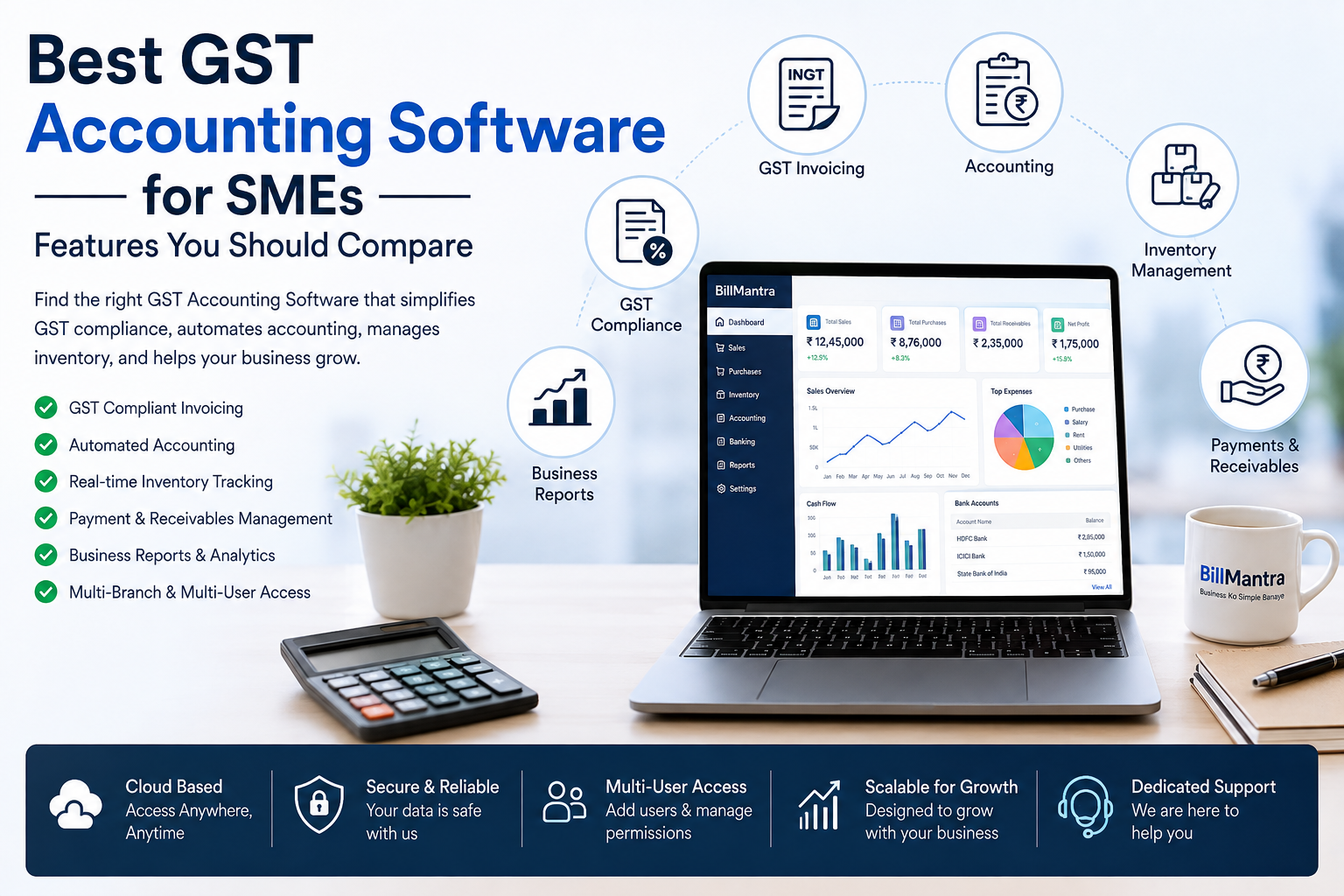
Managing accounting, GST compliance, invoices, payments, expenses, and financial records can become challenging as a small or medium-sized business grows. SMEs often need to handle multiple business activities while maintaining accurate financial information and complying with GST requirements.
This is why choosing the right GST Accounting Software has become increasingly important for Indian businesses in 2026. Modern accounting software can connect GST billing, accounting, inventory, purchases, payments, expenses, and business reporting in one platform.
However, not every GST accounting solution offers the same features. Some tools focus mainly on accounting, while others combine accounting with billing, inventory management, POS, GST reporting, payment tracking, and business operations.
For SMEs, the best solution should not simply record transactions. It should reduce manual work, improve financial visibility, simplify GST-related processes, and support business growth.
BillMantra is a cloud-based accounting, billing, inventory, and GST management platform designed for Indian SMEs, retailers, wholesalers, distributors, manufacturers, and service businesses.
In this guide, we will compare the most important features you should consider when choosing GST Accounting Software, explain what businesses should look for, and show how an integrated solution such as BillMantra can help simplify everyday accounting and business operations.
Table of Contents
- What Is GST Accounting Software?
- Why SMEs Need GST Accounting Software
- GST Accounting Software vs Traditional Accounting
- Key Features to Compare
- GST Compliance Features
- Billing and Invoicing Features
- Inventory Management Features
- Payment and Receivables Management
- Purchase Management
- Expense Management
- Business Reporting and Analytics
- Cloud-Based Accounting Software
- Comparison Table: Features to Look For
- How to Choose the Best GST Accounting Software
- Why BillMantra Is a Strong Choice for SMEs
- BillMantra Features for Different Businesses
- Practical Business Use Case
- Common Mistakes When Choosing GST Accounting Software
- 2026 GST Accounting Software Checklist
- Frequently Asked Questions
- Conclusion
- Call to Action
What Is GST Accounting Software?
GST Accounting Software is business management software that combines accounting functions with GST-related billing, tax calculations, reporting, and financial record management.
Traditional accounting systems may require businesses to manually enter sales invoices, purchase records, expenses, and payments.
An integrated GST accounting platform can connect these transactions automatically.
Depending on the software, businesses may be able to manage:
- GST invoices
- Sales transactions
- Purchase transactions
- Customer ledgers
- Supplier ledgers
- GST calculations
- GST reports
- Expenses
- Payments
- Receivables
- Inventory
- Profit and Loss
- Balance Sheet
- Trial Balance
- Business reports
For SMEs, this integrated approach can reduce duplicate data entry and provide a more complete view of business finances.
Why SMEs Need GST Accounting Software
Small and medium-sized businesses often operate with limited accounting resources.
The owner may manage sales, purchasing, inventory, employees, customer payments, supplier payments, and accounting at the same time.
As transaction volumes increase, manual accounting can become difficult to maintain.
Reduce Manual Work
Entering the same transaction into different spreadsheets or software systems takes time.
Integrated software can connect billing, accounting, inventory, and payments so that information does not have to be repeatedly entered.
Improve Financial Accuracy
Manual calculations and data entry can create mistakes.
Automated accounting and GST calculations can reduce common errors and help businesses maintain more consistent records.
Track Business Performance
Business owners need to know how their business is performing.
They may want to check:
- Daily sales
- Monthly sales
- Purchase costs
- Expenses
- Customer receivables
- Supplier payables
- Inventory value
- Profit and Loss
Accounting software makes this information easier to organize and review.
Simplify GST Management
Businesses dealing with GST need accurate transaction records and appropriate reporting.
A GST-enabled accounting platform can make GST-related processes more organized.
GST Accounting Software vs Traditional Accounting
Traditional accounting methods often depend on spreadsheets, desktop applications, physical documents, or multiple disconnected systems.
Modern cloud-based accounting platforms can bring multiple business functions together.
| Feature | Traditional Accounting | GST Accounting Software |
|---|---|---|
| GST Billing | May require separate tools | Integrated |
| Accounting | Available | Integrated |
| Inventory | Often separate | Can be integrated |
| Payment Tracking | Manual or separate | Integrated |
| Business Reports | Limited or manual | Automated |
| Remote Access | Often limited | Cloud-based access |
| Multi-Branch Management | May require additional setup | Available in suitable platforms |
| Data Entry | More manual | More automation |
| Business Visibility | Limited | Centralized |
The right choice depends on the size, industry, and requirements of the business.
However, SMEs that want to reduce manual work often benefit from an integrated platform.
Key Features to Compare in GST Accounting Software
Before purchasing GST Accounting Software, businesses should compare more than just the price.
The software should match the way your business operates.
1. GST Invoicing
GST invoicing is one of the most important features.
The software should help businesses create professional invoices containing relevant tax and transaction information.
Look for:
- GST tax invoices
- Customer GSTIN
- HSN/SAC support
- CGST
- SGST
- IGST
- Credit notes
- Debit notes
- Delivery challans
- Sales returns
2. Automatic Accounting
A strong accounting platform should reduce repetitive accounting work.
When an invoice is generated, the corresponding accounting records should be handled as efficiently as possible.
This helps reduce duplicate data entry.
3. Customer and Supplier Ledgers
Businesses need to know how much customers owe and how much they need to pay suppliers.
A good system should provide clear customer and supplier ledgers.
4. Profit and Loss Reports
Profitability is one of the most important indicators of business performance.
The software should make it easy to review revenue, expenses, and overall Profit and Loss.
5. Trial Balance
A Trial Balance provides a summarized view of account balances.
It is an important accounting report for businesses maintaining formal financial records.
6. Expense Management
Businesses have many recurring and operational expenses.
These may include:
- Rent
- Salaries
- Electricity
- Internet
- Transportation
- Office expenses
- Petty cash
- Other business expenses
Expense management features help businesses organize these transactions.
GST Compliance Features to Compare
When comparing GST Accounting Software, businesses should carefully evaluate GST-related functionality.
GST Tax Calculation
The software should support applicable GST calculations based on the transaction.
This can help reduce manual tax calculations.
GSTIN Management
Customer and supplier GSTIN information should be easy to store and retrieve.
HSN and SAC Management
Product and service classification is important for GST invoicing.
The software should provide convenient HSN/SAC management.
GST Reports
A useful platform should provide organized GST-related reports and transaction summaries.
E-Invoice Support
Businesses that fall under applicable e-invoicing requirements should check whether the software supports their required workflow.
E-Way Bill Support
Businesses involved in applicable movement of goods should also consider e-way bill support.
When selecting software, always verify the current GST rules and applicability for your business.
Billing and Invoicing Features
Accounting and billing are closely connected.
If sales invoices are created separately from accounting records, businesses may need to enter the same transaction multiple times.
An integrated platform can connect these processes.
Important Billing Features
Look for:
- GST invoices
- Quotations
- Proforma invoices
- Delivery challans
- Credit notes
- Debit notes
- Sales returns
- Multiple payment modes
- Digital invoice sharing
- Invoice customization
For retailers, POS billing and barcode support can also be important.
Inventory Management Features
For product-based SMEs, accounting software without inventory management may not provide enough business visibility.
Inventory should ideally be connected with sales and purchases.
Important Inventory Features
Look for:
- Real-time stock tracking
- Multi-warehouse management
- Batch tracking
- Expiry management
- Stock transfers
- Purchase stock updates
- Sales stock updates
- Product categories
- Stock reports
Why Inventory Integration Matters
Suppose a retailer has 500 units of a product.
After selling 50 units, the inventory should reflect the remaining stock.
If billing and inventory are connected, the business can maintain more accurate stock records without manually updating a spreadsheet after every sale.
Payment and Receivables Management
Selling products or services is only one part of running a business.
Businesses also need to collect payments.
A good GST Accounting Software should provide payment and receivables management.
Features to Compare
- Customer outstanding
- Payment receipts
- Advance payments
- Refund tracking
- Cash payments
- UPI
- Card payments
- Bank payments
- Customer-wise payment history
This helps business owners identify overdue payments and manage cash flow more effectively.
Purchase Management
Purchasing directly affects inventory, supplier relationships, and business profitability.
An integrated system should help businesses manage the complete purchase process.
Purchase Features
- Purchase Orders
- Purchase invoices
- Supplier Ledger
- Goods Receipt Notes
- Purchase returns
- Supplier payments
- Import management
- Job work support
Connecting purchases with inventory and accounting reduces duplicate work.
Expense Management
Small businesses often overlook expense tracking.
However, even small recurring expenses can have a significant impact on profitability.
A good accounting system should help businesses categorize and monitor expenses.
Common Business Expenses
- Office rent
- Employee salaries
- Electricity
- Internet
- Transportation
- Maintenance
- Marketing
- Petty cash
- Professional services
With organized expense records, business owners can better understand where money is being spent.
Business Reporting and Analytics
Accounting data becomes more useful when businesses can turn it into meaningful reports.
Important Reports to Compare
| Report | Why It Matters |
|---|---|
| Sales Report | Understand revenue performance |
| Purchase Report | Monitor purchasing activity |
| Stock Report | Track inventory |
| GST Report | Review GST-related transactions |
| Receivables Report | Track customer outstanding |
| Payables Report | Monitor supplier dues |
| Expense Report | Understand business costs |
| Profit & Loss | Measure profitability |
| Ledger Report | Review account transactions |
| Trial Balance | Review account balances |
A platform offering a wide range of reports can help business owners make decisions without depending on manual spreadsheets.
Cloud-Based GST Accounting Software
Cloud-based accounting software stores business information using cloud infrastructure rather than relying entirely on a single local computer.
This can offer several advantages.
Access From Different Locations
Business owners can access their business information from supported devices and locations.
Centralized Information
Sales, purchases, payments, accounting, and inventory can be maintained in one platform.
Easier Collaboration
Authorized employees, accountants, and business owners can work with the same system according to their access permissions.
Software Updates
Cloud platforms can make it easier for providers to deliver updates and improvements.
Business Scalability
Cloud-based systems can be suitable for businesses that expect to expand their operations.
GST Accounting Software Comparison: Features You Should Look For
When comparing different solutions, use the following checklist.
| Feature | Basic Requirement | Advanced Requirement |
|---|---|---|
| GST Billing | GST invoices | Automated GST workflows |
| Accounting | Ledger | Integrated accounting |
| Inventory | Basic stock | Multi-warehouse inventory |
| Payments | Payment records | Receivables and advance payments |
| Purchases | Purchase entries | PO and GRN management |
| Reporting | Basic reports | 40+ business reports |
| POS | Basic billing | Barcode-based POS |
| Branches | Single location | Multi-branch management |
| Communication | WhatsApp, SMS and Email | |
| Data Entry | Manual | OCR and automation |
| Customer Management | Basic records | Feedback and review management |
This comparison helps businesses focus on functionality instead of choosing software based only on price.
How to Choose the Best GST Accounting Software
Understand Your Business Requirements
Start by identifying your actual business needs.
Ask:
- How many invoices do we create?
- How many products do we manage?
- Do we need inventory?
- Do we have multiple branches?
- Do we sell on credit?
- Do we need POS?
- Do we need accounting?
- Do we need GST reports?
- Do we need online sales?
- Do we need barcode billing?
Compare Features
Create a feature checklist and compare different software options.
Do not assume that every software package includes the same functionality.
Check Ease of Use
Even powerful software is not useful if employees find it difficult to operate.
Look for a clean interface and simple workflows.
Check Scalability
Choose software that can support your business as it grows.
Consider future requirements such as:
- More users
- More products
- More branches
- More warehouses
- Higher sales volume
Evaluate Support
Check whether the software provider offers onboarding, training, technical support, and regular updates.
Consider Total Cost
Do not compare only the monthly or annual subscription.
Also consider:
- Setup costs
- Data migration
- Training
- Additional users
- Additional branches
- Integrations
- Support
The best software is the one that provides the right combination of features, usability, support, and value.
Why BillMantra Is a Strong Choice for SMEs
BillMantra is designed to bring billing, accounting, inventory, GST management, payments, purchases, and business reporting together in one cloud-based platform.
It is designed for Indian SMEs and businesses such as:
- Retailers
- Wholesalers
- Distributors
- Manufacturers
- Service businesses
Instead of using separate tools for every business function, businesses can manage multiple processes through one integrated system.
BillMantra Accounting Features
BillMantra provides accounting functionality including:
- Day Book
- Ledger
- Trial Balance
- Profit and Loss
- Automatic accounting from invoices
- GST input management
These features can help businesses maintain more organized financial records.
BillMantra GST Features
The platform includes:
- GST Invoicing
- E-Invoice Ready workflows
- E-Way Bill Support
- GST Return Data
- GSTN-compatible functionality
- GST reporting
Businesses should always verify current GST rules and their specific applicability before filing or relying on a particular compliance workflow.
BillMantra Billing Features
BillMantra supports:
- GST Invoices
- Quotations
- Delivery Challans
- Credit Notes
- Sales Management
- Payment Tracking
- Receipt Management
- Advance Payments
- Refund Tracking
This allows businesses to connect their sales and accounting activities.
BillMantra Inventory Features
For product-based businesses, BillMantra offers:
- Real-Time Stock Tracking
- Multi-Warehouse Management
- Batch Tracking
- Expiry Management
- Stock Transfers
- Multi-Location Inventory
This makes the platform useful for businesses that need both accounting and inventory management.
BillMantra for Retail Businesses
Retailers need fast billing and accurate stock information.
A retailer may manage hundreds or thousands of products and process numerous transactions every day.
BillMantra can help retailers manage:
- POS billing
- Barcode scanning
- GST invoices
- Inventory
- Payments
- Customer records
- Sales reports
- Stock reports
Example
A fashion retailer sells clothing across multiple categories.
The salesperson scans the barcode, selects the customer, generates the GST invoice, records the payment, and completes the transaction.
The business can then use reports to monitor sales and inventory.
This reduces the need for separate billing and stock-management processes.
BillMantra for Wholesalers and Distributors
Wholesalers and distributors often manage larger transactions and multiple customers.
They also need to track supplier purchases, inventory, payments, and outstanding balances.
BillMantra can help manage:
- Customer GST details
- Sales invoices
- Purchase Orders
- Supplier Ledgers
- Inventory
- Warehouses
- Stock Transfers
- Receivables
- Business Reports
An integrated platform can help businesses get a clearer view of sales, stock, purchases, and financial information.
BillMantra for Service Businesses
Service businesses may not require extensive inventory features, but accounting and GST invoicing remain important.
For example, a consulting company can use BillMantra to:
- Create quotations.
- Generate GST invoices.
- Record customer payments.
- Track outstanding invoices.
- Manage business expenses.
- Maintain accounting records.
- Review Profit and Loss reports.
This makes integrated GST Accounting Software useful for service providers as well as product-based businesses.
BillMantra and Automated Data Entry
One challenge faced by SMEs is entering information manually.
BillMantra includes OCR Technology that can help with:
- Automatic bill scanning
- Supplier invoice reading
- Receipt scanning
This can reduce manual data entry and make document processing more efficient.
BillMantra and Customer Engagement
Modern business management is not limited to accounting.
Customer relationships can directly influence repeat sales and brand reputation.
BillMantra provides customer engagement features such as:
- Customer Feedback Collection
- NPS Tracking
- Ratings Management
- Google Review Collection
Businesses can use customer feedback to understand customer satisfaction and improve their service.
BillMantra Communication Features
Businesses also need convenient ways to communicate with customers.
BillMantra supports:
- WhatsApp Integration
- SMS Integration
- Email Integration
These features can help businesses share invoices and communicate with customers more efficiently.
Practical Example: Comparing Accounting Needs of an SME
Consider a wholesale business with 1,000+ products and several regular customers.
The business needs to manage:
- Sales invoices
- Purchase invoices
- Customer credit
- Supplier payments
- GST
- Inventory
- Expenses
- Profit and Loss
Using separate spreadsheets for every activity can create unnecessary work.
With integrated GST Accounting Software, the business can connect sales, purchases, inventory, payments, and accounting.
For example:
Sales
A customer purchases products worth ₹50,000.
The business generates a GST invoice and records the transaction.
Inventory
The sold products are reflected in inventory records.
Payment
The customer payment is recorded against the invoice.
Accounting
The transaction contributes to the relevant accounting records.
Reporting
The owner can review sales, receivables, stock, GST information, and profitability through reports.
This demonstrates why integrated software can be more useful than a basic accounting application.
Common Mistakes When Choosing GST Accounting Software
Choosing Only on Price
The cheapest software may not provide the features your business needs.
Ignoring Inventory
Product-based businesses should not choose accounting software without considering inventory requirements.
Not Checking GST Functionality
Always verify GST-related capabilities before purchasing.
Choosing a Complicated System
If employees cannot understand the software, adoption can become difficult.
Ignoring Scalability
Choose software that can grow with your business.
Not Testing Reports
Reports are important for decision-making.
Before choosing software, check whether the available reports actually answer your business questions.
Ignoring Support
Reliable customer support can make software implementation much easier.
2026 GST Accounting Software Checklist
Before purchasing GST Accounting Software, ask these questions:
- Does it provide GST invoicing?
- Does it calculate applicable GST?
- Does it support CGST, SGST, and IGST?
- Does it support HSN/SAC?
- Does it manage customer GSTIN?
- Does it provide GST reports?
- Does it support applicable e-invoice workflows?
- Does it support applicable e-way bill workflows?
- Does it provide accounting?
- Does it provide Ledger and Day Book?
- Does it provide Profit and Loss?
- Does it provide Trial Balance?
- Does it manage expenses?
- Does it track receivables?
- Does it manage purchases?
- Does it manage inventory?
- Does it support multiple warehouses?
- Does it support POS billing?
- Does it support barcode scanning?
- Does it provide business reports?
- Does it support multiple branches?
- Does it provide digital invoice sharing?
- Does it support data import?
- Does it provide customer support?
- Can it scale with your business?
If the software meets your most important requirements, it can become a valuable part of your business operations.
Frequently Asked Questions
1. What is GST Accounting Software?
GST Accounting Software is software that combines accounting functionality with GST billing, tax calculations, transaction management, reporting, and related business processes.
2. Why do SMEs need GST Accounting Software?
SMEs can use GST accounting software to reduce manual work, organize financial records, manage GST billing, track payments, monitor expenses, and understand business performance.
3. What features should I compare in GST Accounting Software?
Important features include GST billing, accounting, inventory, payment tracking, purchase management, expense management, GST reports, business reports, POS, scalability, and customer support.
4. Is GST Accounting Software useful for retailers?
Yes. Retailers can benefit from GST billing, POS, barcode scanning, inventory management, payment tracking, and sales reporting.
5. Can wholesalers use GST Accounting Software?
Yes. Wholesalers can use integrated software to manage GST invoices, customer ledgers, purchases, inventory, supplier accounts, receivables, and reports.
6. Can GST Accounting Software manage inventory?
Some integrated solutions provide inventory management along with accounting.
BillMantra provides real-time stock tracking, multi-warehouse management, batch tracking, and expiry management.
7. Is cloud-based accounting software better for SMEs?
Cloud-based software can provide greater flexibility, centralized access, and easier collaboration. However, businesses should evaluate security, support, features, and connectivity requirements before choosing a platform.
8. Does BillMantra provide GST accounting features?
Yes. BillMantra combines GST billing with accounting features such as Day Book, Ledger, Trial Balance, Profit and Loss, and accounting from invoices.
9. Does BillMantra support POS billing?
Yes. BillMantra supports POS billing and barcode-based workflows for retail businesses.
10. Can BillMantra manage multiple warehouses?
Yes. BillMantra provides multi-warehouse and multi-location inventory management features.
11. Can service businesses use BillMantra?
Yes. Service businesses can use BillMantra for GST invoicing, quotations, payments, expenses, accounting, and business reporting.
12. How do I choose the best GST Accounting Software?
Start by identifying your business requirements and then compare GST functionality, accounting, inventory, billing, reporting, payment management, scalability, ease of use, support, and total cost.
Conclusion
Choosing the right GST Accounting Software is an important decision for SMEs because accounting is closely connected with almost every part of a business.
Sales affect accounting. Purchases affect inventory. Payments affect cash flow. Expenses affect profitability. GST affects billing and reporting.
When these processes are managed through separate systems, businesses may spend more time entering and reconciling data.
An integrated accounting platform can connect these activities and provide a clearer view of business operations.
For retailers, POS billing and inventory management can make daily sales operations easier. For wholesalers and distributors, purchase management, customer ledgers, stock management, and receivables can provide stronger financial control.
For service businesses, GST invoicing, quotations, payment tracking, expense management, and accounting can simplify administrative work.
When comparing GST Accounting Software, businesses should look beyond basic accounting features.
Consider GST compliance capabilities, billing, inventory, payments, purchases, expenses, reports, integrations, scalability, ease of use, and customer support.
BillMantra brings these functions together in one cloud-based platform designed for Indian SMEs and growing businesses.
Its combination of GST billing, accounting, inventory management, POS billing, payment tracking, purchase management, expense management, reporting, OCR, communication, and customer engagement features makes it suitable for businesses looking for more than a basic accounting application.
The best software is ultimately the one that matches your business requirements and can continue supporting you as your business grows.
In 2026, choosing an integrated GST Accounting Software can help SMEs move away from fragmented manual processes and toward a more organized, efficient, and data-driven way of managing their business.
Simplify GST Accounting and Business Management with BillMantra
Managing GST billing, accounting, inventory, payments, purchases, expenses, and business reports does not have to be complicated.
BillMantra brings these essential business functions together in one cloud-based platform designed for Indian SMEs, retailers, wholesalers, distributors, manufacturers, and service businesses.
With BillMantra, you can manage:
- GST Billing
- Accounting
- Inventory
- POS Billing
- Payments
- Purchases
- Expenses
- Business Reports
- Barcode Billing
- Multi-Branch Operations
- Customer Engagement
If you are comparing GST Accounting Software for your business, explore BillMantra and see how an integrated platform can simplify your everyday operations.
Visit BillMantra today and discover a smarter way to manage GST billing, accounting, inventory, and business operations.
Try BillMantra free
GST invoices, inventory, payments, reports — all in one app. No credit card.
Get started →