

Best Billing Software for Supermarkets: Complete Guide for Retailers
Running a supermarket involves much more than selling groceries. Retailers need to manage hundreds or thousands of products, process customer bills quickly, monitor inventory, track purchases,…
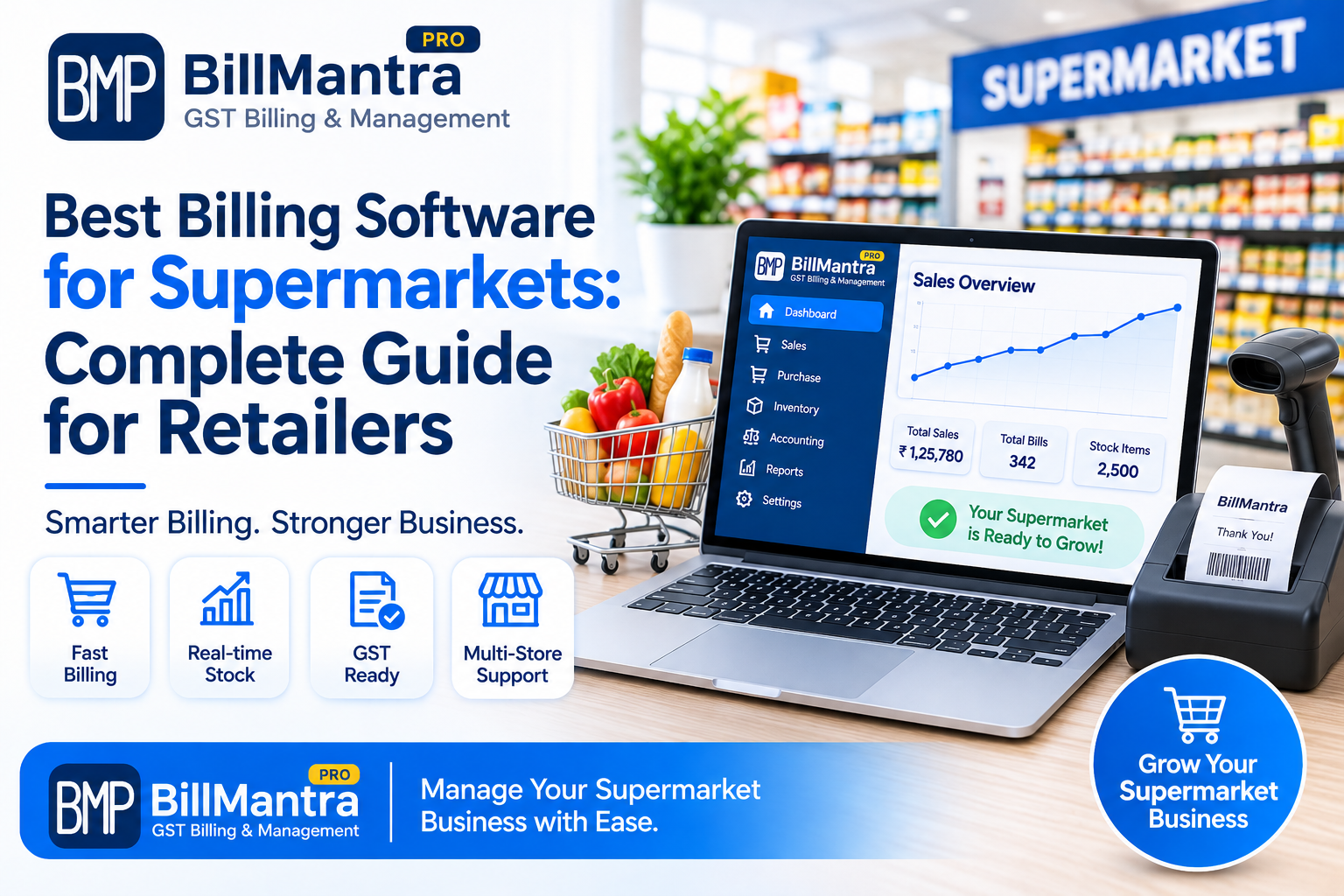
Running a supermarket involves much more than selling groceries. Retailers need to manage hundreds or thousands of products, process customer bills quickly, monitor inventory, track purchases, manage suppliers, handle GST invoices, and review daily sales. As the business grows, managing these activities manually can become time-consuming and difficult.
This is why choosing the best billing software for supermarkets is an important decision for modern retailers. A suitable billing system can help organize daily transactions, connect sales with inventory, maintain product records, and provide useful business reports.
Whether you operate a neighborhood supermarket, a grocery store, a mini-mart, or a large retail outlet, the right supermarket billing software can make everyday operations more structured and manageable.
However, not every billing solution offers the same features. Some systems focus mainly on invoice generation, while others provide additional capabilities such as inventory management, barcode scanning, purchase tracking, customer management, and multi-store operations.
In this complete guide, we will explain what supermarket billing software is, which features retailers should look for, how it helps with inventory and sales management, and how to choose a solution that fits your business requirements.
What Is Supermarket Billing Software?
Supermarket billing software is a digital solution designed to help supermarkets and grocery retailers manage customer billing and related retail operations.
Instead of creating bills manually or maintaining separate spreadsheets for sales and stock, retailers can use a centralized system to record transactions and organize business information.
Depending on the software, its features may include:
- Fast billing and invoice generation
- Barcode scanning
- Product and category management
- Inventory and stock tracking
- Purchase and supplier management
- GST invoice generation
- Discount and pricing management
- Customer records
- Sales and inventory reports
- Payment tracking
- Sales return management
- Multi-user access
- Multi-store management
A connected billing workflow can help retailers maintain a better relationship between product sales and inventory records.
For example, when a cashier records a sale, the software may automatically adjust the stock of the products sold. When a purchase is entered, the inventory may increase according to the configured workflow.
The exact functionality depends on the software and its settings.
Why Do Supermarkets Need Billing Software?
Supermarkets generally manage a wide variety of products, from packaged foods and beverages to personal care items and household supplies. Each product may have a different price, barcode, category, tax treatment, and stock level.
Managing these details manually can create operational challenges, particularly during busy hours.
1. Faster Customer Billing
Long queues can affect the customer experience. A dedicated billing interface and barcode scanning can help cashiers identify products and process transactions more efficiently.
2. Better Inventory Management
Supermarkets need accurate information about available stock, fast-moving products, and items that require replenishment. Connected inventory features can help retailers monitor stock more systematically.
3. Organized Purchase Records
Retailers purchase products from different suppliers. Maintaining purchase quantities, costs, invoice details, and supplier records helps organize stock replenishment.
4. Accurate Sales Records
A billing system can maintain transaction records that retailers can use to review daily sales, payment collections, returns, and product performance.
5. Easier Business Reporting
Instead of compiling several spreadsheets, retailers may be able to access predefined sales, purchase, and inventory reports.
6. Support for Business Growth
As a supermarket adds more products, employees, counters, or branches, a suitable retail management system can help maintain more structured processes.
Essential Features of the Best Billing Software for Supermarkets
Before choosing a solution, retailers should identify the features required for their supermarket's daily operations.
1. Fast Billing and Invoice Generation
Billing speed is especially important in supermarkets where several customers may arrive at the checkout counter at the same time.
A suitable supermarket billing system should provide a clear billing interface that helps cashiers add products, enter quantities, apply eligible discounts, and complete transactions.
Useful capabilities may include:
- Product search
- Barcode-based product selection
- Quantity entry
- Price and discount calculation
- Invoice generation
- Payment recording
- Bill printing
- Invoice history
A well-organized billing process can reduce repetitive data entry and help employees serve customers more efficiently.
2. Barcode Scanning
Supermarkets often sell many packaged products with individual barcodes. Searching for each item manually can slow down checkout operations.
Barcode billing software for supermarkets can allow cashiers to scan a product's barcode and retrieve the corresponding product record when the barcode has been configured in the system.
Before selecting software, retailers should check:
- Barcode scanner compatibility
- Product barcode registration
- Support for multiple product codes where required
- Handling of products without barcodes
- Compatibility with the intended billing hardware
Retailers selling loose goods or products weighed at the counter should also verify whether the software supports their specific weighing and labeling workflow.
3. Inventory and Stock Management
Inventory management is one of the most important features for supermarket retailers.
A supermarket may carry hundreds or thousands of SKUs. Without organized stock records, it can become difficult to know which products are available and which need to be reordered.
A suitable supermarket inventory management software solution may offer:
- Current stock records
- Purchase entries
- Sales-based stock adjustments
- Stock correction entries
- Product-wise inventory reports
- Low-stock indicators
- Stock movement history
- Return-related stock adjustments
For example, if a supermarket sells 15 units of a packaged product, its stock record should reflect the transaction according to the software's inventory workflow.
Retailers should also perform physical stock checks because recorded quantities may differ from actual inventory due to damage, expiry, theft, incorrect entries, or unrecorded movements.
4. Product and Category Management
A supermarket typically organizes products into categories such as:
- Grocery
- Dairy products
- Snacks
- Beverages
- Packaged foods
- Personal care
- Household cleaning products
- Stationery
- Frozen foods
- Fresh produce
A billing system should make it easy to add, edit, search, and organize products.
Product records may contain:
- Product name
- SKU or product code
- Barcode
- Category
- Brand
- Purchase price
- Selling price
- Applicable tax information
- Unit of measurement
- Available stock
For supermarkets with a large product catalog, organized product management can simplify billing, stock monitoring, and sales analysis.
5. GST Billing and Invoicing
Indian supermarkets may need GST invoicing functionality depending on their registration status, transaction type, and applicable requirements.
A suitable GST billing software for supermarkets should support the invoice information and tax configuration relevant to the business.
Depending on the solution, features may include:
- Business details
- GSTIN
- Invoice numbering
- Customer details where applicable
- Product descriptions
- HSN/SAC information where applicable
- Taxable values
- Applicable tax calculations
- Invoice records
- Sales reports
Retailers should verify the software's GST capabilities and configure the system according to their business circumstances and current requirements. Software availability alone does not guarantee compliance.
6. Purchase and Supplier Management
Supermarkets regularly purchase products from distributors, wholesalers, manufacturers, and other suppliers.
Purchase management helps retailers record incoming goods and maintain supplier information.
Useful features may include:
- Supplier database
- Purchase invoice entries
- Product-wise purchase quantities
- Purchase prices
- Purchase dates
- Supplier payment records
- Purchase history
- Purchase return records
When purchase entries are connected with inventory, retailers can maintain more consistent stock records.
7. Expiry Date and Batch Tracking
Expiry management can be particularly important for supermarkets selling dairy products, packaged foods, beverages, medicines where applicable, and other products with limited shelf lives.
Not all billing software includes advanced expiry tracking, so retailers should confirm this feature before purchasing a plan.
Where supported, useful capabilities may include:
- Batch number records
- Manufacturing dates
- Expiry dates
- Expiry-related reports
- Near-expiry product identification
- Batch-wise stock information
Retailers should also establish regular physical checks and stock rotation procedures. Software records support these processes but cannot replace proper handling and inspection.
8. Discount and Promotional Pricing
Supermarkets frequently run promotions, seasonal offers, product discounts, and special pricing campaigns.
A suitable billing solution may support:
- Product-level discounts
- Bill-level discounts
- Promotional prices
- Offer-based pricing
- Discount reports
- Price updates
Retailers should verify how the software handles combined offers, discount limits, and tax calculations to ensure the billing workflow matches their business policies.
9. Multiple Payment Methods
Customers may pay through cash, UPI, cards, or other supported payment methods.
A supermarket billing system should allow the retailer to record the payment methods used in a transaction.
Depending on the software, payment-related features may include:
- Cash payment recording
- UPI payment recording
- Card payment recording
- Split-payment handling
- Payment summaries
- Transaction history
Retailers should confirm whether payment recording is integrated with payment devices or requires manual entry.
10. Sales and Inventory Reports
Business reports help supermarket owners understand how their operations are performing.
A suitable solution may provide reports such as:
- Daily sales
- Monthly sales
- Product-wise sales
- Category-wise sales
- Purchase reports
- Stock reports
- Low-stock reports
- Payment summaries
- Sales return reports
- Profit-related reports where supported
Retailers should check how each report is calculated and whether the information can be exported for further analysis.
Best Billing Software for Different Types of Supermarkets
The right solution depends on the size and operating model of the supermarket.
Small Supermarkets and Neighborhood Grocery Stores
Small supermarkets may need a straightforward system that supports fast billing, product management, inventory records, and basic reporting.
Important considerations include ease of use, affordable pricing, simple setup, and reliable support.
Medium-Sized Supermarkets
Medium-sized stores may have larger product catalogs, multiple employees, frequent supplier purchases, and more demanding reporting requirements.
They may benefit from barcode billing, purchase management, stock monitoring, user permissions, and more detailed reports.
Large Supermarkets
Large supermarkets may operate several checkout counters and manage a substantial number of products and daily transactions.
They should evaluate transaction performance, hardware compatibility, employee access controls, inventory workflows, reporting capabilities, and integration requirements.
Supermarket Chains and Multi-Store Retailers
Businesses operating multiple branches need to understand whether the software supports centralized product management, branch-wise stock records, consolidated reporting, and transfers between locations.
Multi-store capabilities vary considerably between providers, so retailers should confirm the available functionality before making a decision.
Supermarket Billing Software vs Excel
Some retailers initially manage product lists, sales, and inventory in Excel. Although spreadsheets are useful for calculations and analysis, they may become difficult to maintain as retail operations expand.
| Feature | Excel | Supermarket Billing Software |
|---|---|---|
| Basic product records | Supported | Supported |
| Invoice generation | Requires a template | Dedicated billing workflow |
| Barcode billing | Requires additional setup | Available in compatible systems |
| Inventory tracking | Formula-based or manual | Often integrated |
| Stock updates | Require maintained formulas or entries | Often linked to transactions |
| GST invoicing | Requires configuration | Available in many systems |
| Supplier records | Spreadsheet-based | Often integrated |
| Purchase management | Manual or customized | Available in many systems |
| Sales reports | Created or customized | Predefined reports often available |
| Expiry tracking | Requires a custom setup | Available in selected systems |
| Multi-user access | Depends on file setup | Available in many systems |
| Multi-store management | Requires a customized approach | Available in selected systems |
Excel may remain practical for basic records and custom analysis. Dedicated supermarket billing software becomes more attractive when the business needs connected billing, stock management, and reporting workflows.
How Supermarket Billing Software Improves Inventory Management
Inventory problems can affect sales, purchasing decisions, and customer satisfaction.
A supermarket may have products that sell quickly, products that move slowly, and items that require careful expiry monitoring. A connected system can help retailers maintain more organized inventory records.
Track Stock After Sales
When sales are recorded, compatible software can update the related inventory records automatically.
Record Incoming Purchases
Purchase entries can increase the recorded stock of the products received, depending on the configured workflow.
Identify Products That Need Reordering
Low-stock information can help retailers identify products that may require replenishment.
Monitor Product Movement
Sales and stock reports can help owners review which products are moving quickly and which remain in inventory for longer periods.
Support Expiry Management
Where batch and expiry features are available, retailers can use reports to identify products that need attention before their expiry dates.
These capabilities can support better stock control, but retailers should still verify inventory through physical counts and appropriate store procedures.
How to Choose the Best Billing Software for Your Supermarket
Choosing software should begin with the actual needs of your business rather than the number of features advertised.
Step 1: Identify Your Business Requirements
List the operations you need to manage, such as billing, inventory, supplier purchases, GST invoicing, expiry tracking, and reporting.
Step 2: Estimate Your Product Catalog and Transaction Volume
Consider the approximate number of products, daily invoices, checkout counters, employees, and branches.
This helps you evaluate whether a basic billing system is sufficient or whether a more comprehensive retail platform is needed.
Step 3: Check Hardware Compatibility
If you plan to use barcode scanners, receipt printers, weighing scales, cash drawers, or other devices, confirm that the software supports your intended equipment.
Step 4: Evaluate Inventory Features
Check whether the software supports the stock workflows your supermarket needs, including purchases, returns, stock adjustments, and expiry tracking where applicable.
Step 5: Review GST and Invoice Requirements
Confirm the invoice formats and tax-related functions relevant to your business. Seek appropriate professional advice if you are uncertain about compliance requirements.
Step 6: Compare Pricing
Check the full pricing structure, including subscriptions, setup, additional users, support, hardware, and optional modules.
Step 7: Test the Software
Request a demonstration or trial where available. Test routine tasks such as scanning products, creating invoices, recording purchases, checking stock, and generating reports.
Step 8: Evaluate Support and Data Access
Understand how customer support works, how backups are handled, and whether you can export your business records when required.
Common Mistakes to Avoid When Selecting Supermarket Billing Software
Choosing Only on Price
A low-cost plan may not include features your supermarket needs. Compare the total cost with the functionality and support provided.
Ignoring Barcode Compatibility
Confirm that the software works with your intended scanner and product barcode workflow.
Overlooking Expiry Management
If your supermarket sells perishable products, verify whether batch and expiry tracking are available.
Not Checking Multi-Store Capabilities
If you plan to open additional branches, understand the available multi-store features before committing.
Ignoring Staff Training
Even user-friendly software requires employees to understand the billing and inventory process.
Failing to Check Data Backup and Export
Understand how your records are protected and how you can retrieve them if you change providers.
Assuming Every Feature Is Included
Features such as advanced analytics, integrations, loyalty programs, or expiry tracking may depend on the provider or subscription plan. Confirm availability in writing where necessary.
How to Implement Billing Software in a Supermarket
A planned implementation can help reduce disruption to daily operations.
Step 1: Organize Product Information
Prepare a clean product list with product names, codes, barcodes, categories, prices, tax details, and opening stock where relevant.
Step 2: Review Supplier Records
Organize supplier names, contact details, purchase records, and other information required for the new system.
Step 3: Configure Billing and Tax Settings
Set up business information, invoice preferences, applicable tax settings, payment options, and user permissions.
Step 4: Connect Compatible Hardware
Configure supported barcode scanners, receipt printers, and other required equipment.
Step 5: Train Employees
Train cashiers and store staff to search products, generate bills, record payments, handle returns, and check stock.
Step 6: Test Realistic Transactions
Before full deployment, test common scenarios such as multiple products in one bill, discounts, different payment methods, returns, and stock adjustments.
Step 7: Verify Inventory
Compare recorded stock against physical stock and correct discrepancies using an appropriate documented process.
Step 8: Monitor the Initial Results
Review billing workflows, stock records, reports, and employee feedback after implementation. Address issues early to establish consistent processes.
Why Retailers Should Consider BillMantra
Retailers looking to organize their billing and business records can explore digital solutions such as BillMantra.
BillMantra focuses on billing and business management. Retailers can evaluate whether its available features and plan options match their supermarket's requirements.
Before choosing BillMantra or any other platform, confirm the specific features you need, including barcode scanning, supermarket inventory workflows, expiry tracking, multi-counter operations, and multi-store management. Availability should be verified directly rather than assumed.
A careful evaluation helps ensure that the selected solution fits your current operations and future plans.
Frequently Asked Questions About Supermarket Billing Software
What is the best billing software for supermarkets?
The best solution depends on the supermarket's size, product catalog, daily transaction volume, inventory requirements, hardware, budget, and reporting needs. Retailers should compare billing, barcode, stock, purchase, GST, and support features before making a decision.
Which features should supermarket billing software have?
Important features may include fast billing, barcode scanning, product management, inventory tracking, GST invoicing, purchase management, supplier records, payment tracking, sales reports, and stock monitoring. Supermarkets selling perishable products should also consider expiry and batch tracking.
Is supermarket billing software suitable for small grocery stores?
Yes. Small grocery stores can benefit from organized billing and stock records. However, the retailer should choose a solution that matches the store's requirements and budget rather than paying for unnecessary features.
Can supermarket billing software manage inventory?
Many supermarket billing systems connect sales and purchase transactions with inventory records. The exact capabilities depend on the software, so retailers should verify how stock adjustments and reports work.
Does supermarket billing software support barcode scanners?
Many systems support barcode scanning, but compatibility varies. Confirm that the software supports your scanner, product barcode setup, and intended billing hardware.
Can billing software track product expiry dates?
Some systems offer batch and expiry tracking, while others may not. Supermarkets that sell perishable products should confirm this feature before purchasing a subscription.
Can supermarket billing software generate GST invoices?
Many retail billing solutions provide GST invoice functionality. Retailers should verify the available features and configure the software according to the requirements applicable to their business.
Can billing software manage multiple supermarket branches?
Some retail management platforms support multiple branches, centralized product information, branch-wise inventory, and consolidated reports. These capabilities are not universal and should be checked with the provider.
Is Excel enough for supermarket billing?
Excel may be sufficient for basic record keeping in a small operation. However, supermarkets with high transaction volumes, large product catalogs, and connected inventory requirements may find dedicated billing software more practical.
How much does supermarket billing software cost?
Pricing varies by provider, subscription plan, number of users, features, hardware, and support. Request current pricing and compare the total cost of ownership before selecting a system.
Can supermarket billing software reduce manual errors?
Structured product selection and automated calculations can reduce some manual errors. However, accurate product information, tax settings, employee training, and regular stock verification remain essential.
Is cloud-based supermarket billing software better than offline software?
The right option depends on internet availability, data access requirements, backup arrangements, business continuity needs, and the provider's features. Retailers should compare the actual capabilities and limitations of both options before deciding.
How long does it take to implement supermarket billing software?
Implementation time depends on the number of products, quality of existing records, hardware requirements, employee training, and system complexity. A small store may require less setup than a large supermarket or multi-branch operation.
Conclusion: Choose the Right Billing Software for Your Supermarket
Managing a supermarket requires accurate billing, organized inventory, reliable purchase records, and useful sales information. As product catalogs and transaction volumes increase, manual processes can become harder to maintain.
The best billing software for supermarkets should match the retailer's actual needs. Fast billing, barcode compatibility, inventory management, GST invoicing, purchase records, expiry tracking, reporting, and dependable support are important factors to evaluate.
Small grocery stores may need a straightforward billing solution, while larger supermarkets may require multi-counter workflows, advanced inventory capabilities, and multi-store reporting.
Before selecting a platform, compare its features, test the important workflows, review the pricing, and confirm that your business data can be backed up and exported.
With the right system and well-defined processes, retailers can organize everyday operations and make better use of their sales and inventory information.
Explore BillMantra for Retail Billing and Business Management
Looking for a more organized way to manage your retail billing and business records?
BillMantra is an option retailers can explore when evaluating digital billing and business management solutions.
Review its available features and plans to determine whether they fit your supermarket's billing, inventory, and reporting requirements.
Explore BillMantra and find a billing workflow that fits your retail business.
Try BillMantra free
GST invoices, inventory, payments, reports — all in one app. No credit card.
Get started →