

Best Billing Software for Grocery Stores in India: Features to Look For
Running a grocery store in India involves much more than selling daily essentials. From managing hundreds of products and tracking stock to generating bills, handling supplier purchases, and…
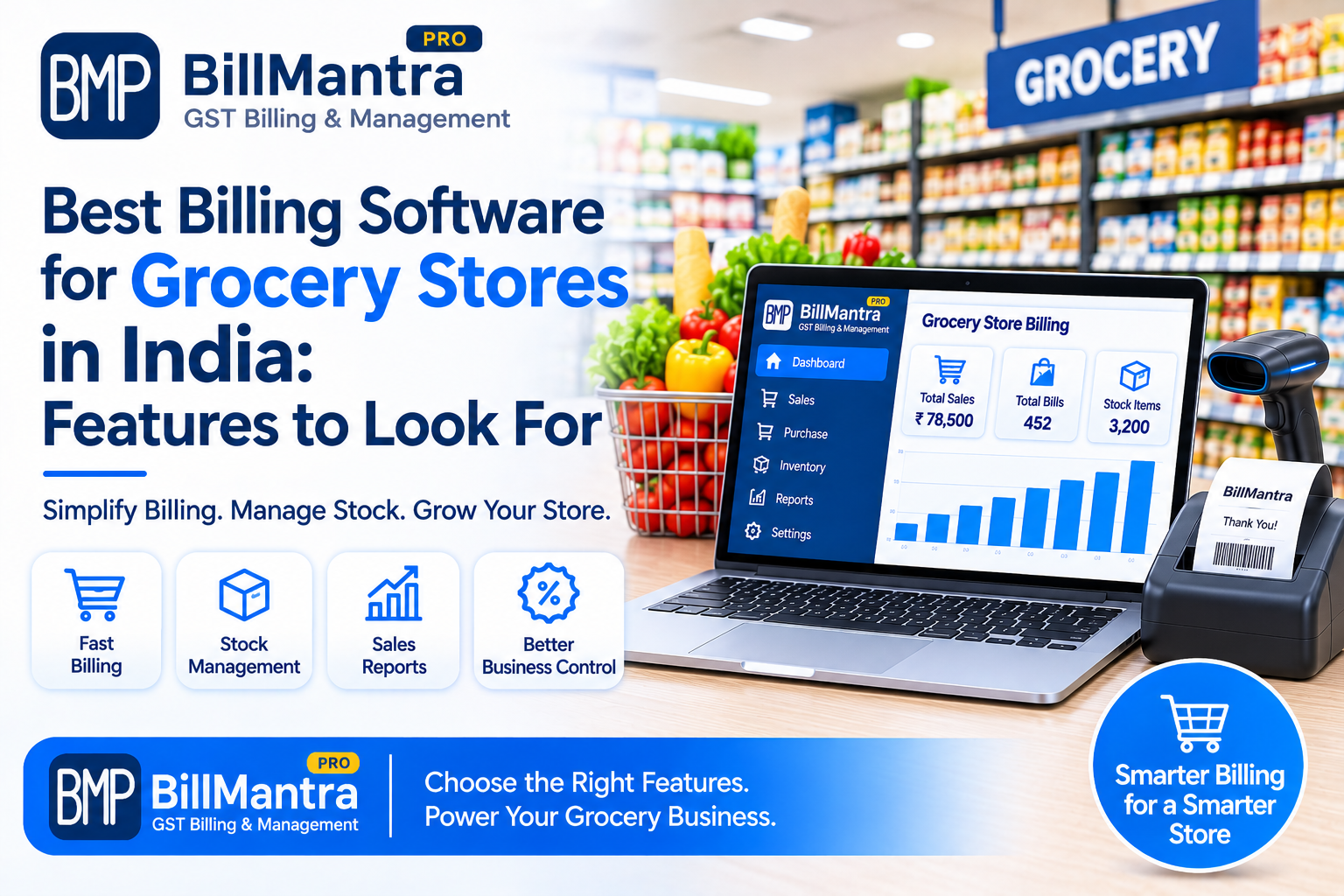
Running a grocery store in India involves much more than selling daily essentials. From managing hundreds of products and tracking stock to generating bills, handling supplier purchases, and monitoring daily sales, grocery retailers need an organized system to manage their operations efficiently.
Many small grocery shops still depend on manual registers, calculators, or spreadsheets for billing and inventory management. While these methods may work for a small number of transactions, they can become difficult to maintain as the number of customers, products, and daily sales increases.
This is where grocery billing software becomes useful.
The right billing software for grocery stores in India can help retailers generate invoices, maintain product records, manage inventory, track purchases, and review sales information through a more organized digital workflow. Depending on its features, it may also support GST billing, barcode scanning, low-stock monitoring, and customer management.
However, not every billing solution offers the same capabilities. Some tools focus primarily on invoice generation, while others combine billing with inventory management and additional retail functions.
Choosing the right software requires understanding your store's daily requirements, product range, transaction volume, budget, and future business plans.
In this guide, we will explore the most important features to look for in the best billing software for grocery stores in India, explain how these features support everyday retail operations, and help you identify a suitable solution for your business.
What Is Grocery Billing Software?
Grocery billing software is a digital solution designed to help grocery stores manage sales transactions, create bills, maintain product information, and organize other retail activities.
Unlike a basic calculator or manual register, billing software can store product details and calculate invoice totals through a structured billing process.
Depending on the software, grocery retailers may be able to manage:
- Daily sales and billing
- Product names and prices
- GST invoices
- Barcode-based billing
- Inventory and stock levels
- Purchase records
- Supplier information
- Customer details
- Sales returns
- Purchase returns
- Discounts and applicable taxes
- Payment records
- Daily and monthly sales reports
- Low-stock information
For example, when a customer purchases rice, cooking oil, biscuits, detergent, and other household essentials, the cashier can select the products, enter their quantities, calculate the bill, and record the transaction.
If the selected software supports integrated inventory management, the sale can also update the corresponding stock records.
This connection between billing and inventory can help reduce repetitive data entry and make daily operations easier to manage.
Why Do Grocery Stores Need Billing Software?
Grocery stores often handle a wide range of products and frequent customer transactions. Even a neighborhood shop may sell packaged food, dairy products, beverages, personal care items, cleaning products, snacks, and household essentials.
Managing all these products manually can become time-consuming.
1. Faster Checkout
During busy hours, customers expect quick and accurate billing. A dedicated billing interface can help cashiers select products and generate invoices without calculating every item manually.
2. Better Inventory Management
Retailers need to know how much stock is available and which products need replenishment. A connected inventory system can make stock monitoring more organized.
3. Improved Record Keeping
Digital billing helps maintain transaction records that can be reviewed later for business analysis, customer queries, or accounting purposes.
4. Easier Sales Monitoring
Daily and monthly sales reports can help grocery store owners understand transaction patterns and identify popular products.
5. More Organized Purchasing
Purchase records help retailers review supplier transactions, quantities purchased, and product costs.
6. Support for Business Growth
As a grocery store expands its product range or transaction volume, a structured billing system can help manage increasing operational complexity.
The objective is not simply to replace a calculator. It is to create a more organized process for managing everyday grocery store activities.
Best Billing Software for Grocery Stores in India: Essential Features to Look For
When comparing different billing solutions, grocery retailers should focus on the features they actually need.
The following capabilities are particularly important when selecting retail billing software for grocery stores.
1. Fast and Easy Billing
Billing speed is one of the most important requirements for a grocery shop.
Customers may purchase several products in a single transaction, especially during morning and evening shopping hours. If billing takes too long, queues can form at the counter.
A good grocery billing system should provide a simple interface that allows employees to select products, enter quantities, calculate totals, and generate invoices efficiently.
Important capabilities to check include:
- Quick product search
- Easy quantity entry
- Automatic total calculation
- Discount handling
- Applicable tax calculation
- Clear invoice generation
- Payment recording
- Easy access to previous transactions
Why Is Fast Billing Important?
Suppose your grocery store handles 100 customer transactions every day. If the billing process requires unnecessary manual steps for each customer, employees may spend additional time completing routine tasks.
A streamlined billing workflow can help reduce repetitive work and improve the checkout experience.
When evaluating grocery shop billing software, test how easily a cashier can create a bill containing multiple products.
2. Inventory and Stock Management
Inventory management is essential for grocery retailers because products are purchased, sold, replenished, and sometimes returned every day.
A store owner needs accurate information about the products available for sale.
The right grocery inventory management software should help maintain stock records and connect them with purchases and sales wherever supported.
Important inventory features include:
- Product-wise stock tracking
- Purchase entry
- Sales-related stock updates
- Stock adjustments
- Current stock reports
- Low-stock monitoring
- Product categories
- Stock movement records
- Inventory valuation, where supported
Example of Grocery Inventory Management
Consider a grocery store that stocks cooking oil.
The retailer purchases 50 units and already has 20 units in stock. After selling 25 units, the expected stock becomes:
Opening Stock + Purchases - Sales = Closing Stock
20 + 50 - 25 = 45 units
With a properly configured inventory system, these transactions can be recorded in a structured manner.
The retailer can then review the stock position before placing another order.
Why Is Stock Management Important?
Poor inventory management can create two common problems.
Stock shortages: Popular products become unavailable because replenishment was delayed.
Excess inventory: Products are purchased in quantities that exceed actual demand, potentially increasing storage costs or expiry-related losses.
A suitable inventory system helps retailers maintain better visibility into their stock position.
3. Barcode Scanning Support
Barcode scanning can make billing more convenient for grocery stores that sell products with printed barcodes.
Instead of searching for every product manually, a cashier can scan its barcode if the software and hardware support the required workflow.
The software identifies the associated product record and adds the item to the bill.
Important barcode-related capabilities to check include:
- Product barcode registration
- Barcode scanner compatibility
- Quick product identification
- Support for applicable product codes
- Stock updates after sales
- Barcode label printing, if required
Is Barcode Billing Necessary for Every Grocery Shop?
Not necessarily.
A small neighborhood grocery shop selling loose grains, vegetables, or products without barcodes may benefit more from quick product search and manual quantity entry.
A supermarket or larger grocery store with many packaged products may find barcode scanning more useful.
Before purchasing software, confirm that it supports your existing barcode scanner and the product types sold in your store.
4. GST Billing and Invoice Management
GST billing is an important consideration for grocery businesses that need to issue GST invoices and maintain tax-related records.
The requirements can vary depending on the business's registration status, transaction type, and applicable tax rules.
A suitable GST billing software for grocery stores should support the invoice and tax functions relevant to the business.
Features to evaluate include:
- Business details on invoices
- GSTIN fields, where applicable
- Invoice numbering
- Invoice date
- Product details
- HSN/SAC fields, where applicable
- Taxable value
- Applicable tax calculations
- Customer GST details, where required
- Invoice history
- Sales reports
Why Does GST Billing Software Matter?
Manually calculating taxes and maintaining invoice records can increase administrative work.
A properly configured billing system can help organize these tasks and reduce certain calculation errors.
However, retailers should verify product tax classifications, applicable rates, invoice requirements, and other compliance matters according to current GST rules.
Software does not replace the need for correct tax configuration or professional tax advice when required.
5. Product and Category Management
Grocery stores sell products across multiple categories.
Examples include:
- Rice and grains
- Pulses and lentils
- Cooking oils
- Packaged foods
- Biscuits and snacks
- Beverages
- Dairy products
- Personal care products
- Cleaning supplies
- Household essentials
Without proper categorization, finding and updating products can become difficult as the inventory grows.
A good retail billing software solution should make it easy to create, organize, search, and update product records.
Product Details to Maintain
Depending on the product and software, records may include:
- Product name
- SKU or product code
- Barcode
- Category
- Brand
- Unit of measurement
- Purchase price
- Selling price
- Applicable tax information
- Available quantity
- Supplier details
Why Is Product Categorization Useful?
Organized categories make it easier to search for products, review stock levels, and analyze sales.
For example, a retailer can examine the performance of snacks separately from household cleaning products if the software provides category-wise reporting.
This can support better purchasing and stock planning.
6. Support for Different Units of Measurement
Grocery stores often sell products using different units.
Some products are sold by weight, while others are sold by volume or individual quantity.
Examples include:
- Rice by kilogram
- Sugar by kilogram
- Milk by litre
- Cooking oil by litre
- Biscuits by packet
- Eggs by piece
- Packaged beverages by bottle
A grocery billing system should support the units and quantity formats required by your store.
Before selecting software, check whether it can handle the way you actually sell your products.
For example, a shop selling loose rice may need a different quantity-entry workflow from a shop selling sealed one-kilogram packets.
The software should support your business process without forcing employees to maintain unnecessary manual calculations.
7. Expiry Date and Batch Tracking
Expiry management is particularly important for grocery stores selling products with limited shelf lives.
Examples include dairy products, packaged food, beverages, and certain other consumables.
A suitable inventory system may provide batch tracking, manufacturing date fields, expiry dates, or expiry alerts.
The exact capabilities vary between software providers.
Features to Check
- Batch number management
- Expiry date recording
- Expiry-related reports
- Alerts for products approaching expiry
- Purchase batch records
- Stock adjustment workflows
Why Is Expiry Tracking Important?
Without proper monitoring, products may remain on shelves beyond their suitable selling period.
A structured expiry management process can help staff identify products that require attention and follow appropriate stock rotation procedures.
If expiry tracking is essential for your store, verify that the software provides the specific functionality you need rather than assuming every billing system includes it.
8. Purchase and Supplier Management
Grocery stores depend on regular purchases from wholesalers, distributors, manufacturers, and other suppliers.
Maintaining organized purchase records helps retailers understand what they bought, when they bought it, and how much they paid.
A good grocery store management software solution should make purchase records easy to maintain.
Useful features include:
- Supplier records
- Purchase invoice entry
- Product-wise purchase quantities
- Purchase prices
- Purchase dates
- Supplier transaction history
- Purchase returns
- Stock updates after purchases
- Outstanding payment records, where supported
How Does Purchase Management Help?
Suppose a retailer purchases cooking oil, flour, rice, and packaged snacks from different suppliers.
If these purchases are recorded systematically, the retailer can review supplier transactions and compare purchasing requirements.
Connected purchase and inventory records can also help keep stock information up to date.
9. Sales Reports and Business Analytics
Sales reports help grocery store owners understand how their business is performing.
Instead of relying only on memory or manual calculations, retailers can use recorded transactions to review sales patterns.
A suitable billing solution may provide reports such as:
- Daily sales
- Weekly sales
- Monthly sales
- Product-wise sales
- Category-wise sales
- Purchase reports
- Payment reports
- Sales return reports
- Inventory reports
- Stock movement reports
How Can Sales Reports Help Grocery Retailers?
Sales reports can help answer questions such as:
- Which products sell frequently?
- Which categories contribute more to sales?
- What are the sales totals for a particular period?
- Which products may need replenishment?
- How do sales compare across different periods?
The usefulness of these reports depends on the quality of recorded data and the reporting capabilities of the selected software.
Retailers should check whether reports can be filtered by date, product, category, or other relevant criteria.
10. Customer Management
Although grocery stores often serve walk-in customers, customer records can still be useful.
Some stores maintain regular customer accounts, provide credit to approved customers, or offer loyalty benefits.
A billing system may support customer details such as:
- Customer name
- Mobile number
- Address
- Purchase history
- Previous invoices
- Outstanding balances
- Loyalty information, where supported
Why Is Customer Management Useful?
Organized customer records can help retailers find previous transactions and answer customer queries.
For stores that provide credit, the ability to review outstanding balances can also be important.
Not every grocery store needs advanced customer relationship management. Choose a system that matches your actual customer management requirements.
11. Discounts and Offers Management
Discounts and promotional offers are common in grocery retail.
A retailer may offer discounts on selected products, run seasonal promotions, or provide special prices to certain customers.
Billing software can simplify these activities if it supports the required discount features.
Features to check include:
- Percentage discounts
- Fixed-amount discounts
- Product-level discounts
- Bill-level discounts
- Promotional pricing
- Discount reporting
- Authorized discount controls
Why Does Discount Management Matter?
Manually calculating discounts can increase the chance of mistakes.
A suitable system can apply supported discounts according to the configured rules and record the resulting transaction.
Retailers should verify how the software handles discounts, taxes, and invoice totals before using it for live transactions.
12. Multiple Payment Methods
Customers may pay using cash, UPI, debit cards, credit cards, or other supported payment methods.
A grocery billing system should help the cashier record the payment method accurately.
Depending on the software, it may support:
- Cash payments
- UPI payment recording
- Card payment recording
- Other payment methods
- Split payments
- Payment summaries
- Outstanding payment records
Why Is Payment Tracking Important?
Accurate payment records help retailers reconcile daily sales with the money received through different channels.
If the store accepts several payment methods, clear payment tracking can simplify end-of-day checks.
Before selecting software, confirm which payment methods are supported and whether integrations are required for any payment-related functionality.
13. Sales Returns and Stock Adjustments
Retail stores sometimes need to process returns or correct stock records.
A customer may return an eligible product, or a retailer may discover damaged goods during a stock check.
The system should provide a clear method for recording these events.
Useful capabilities include:
- Sales return entries
- Purchase return entries
- Return reason recording
- Stock adjustments
- Damaged stock records
- Transaction history
A structured process helps maintain more consistent records.
However, returned products should only be added back to sellable inventory when appropriate. The handling of damaged, expired, or unsuitable products should follow the store's procedures.
14. Ease of Use and Employee Training
Even feature-rich software may not be suitable if employees find it difficult to use.
Grocery stores often need cashiers and other staff to learn billing quickly.
Look for software with:
- A clear billing screen
- Simple product search
- Easy quantity entry
- Understandable menus
- Clear invoice information
- Straightforward stock management
- Useful help documentation
- Accessible customer support
Why Is Ease of Use Important?
A complicated interface can slow down billing and increase training requirements.
Before choosing software, test the most common tasks your employees perform.
For example, ask a cashier to create a bill containing multiple products, apply a discount, record payment, and check the transaction history.
This practical test can reveal more than a long list of advertised features.
15. Data Backup and Security
Grocery billing systems store important business information.
This may include sales transactions, customer details, inventory, supplier records, and purchase history.
Retailers should understand how the software protects and stores this data.
Important questions include:
- Where is the data stored?
- Are backups available?
- How frequently are backups performed?
- Who can access the information?
- Can different users have different permissions?
- Can business records be exported?
- What happens if the subscription ends?
- What support is available if data needs to be recovered?
The answers may differ between desktop-based, cloud-based, and hybrid systems.
Choose a solution with data management practices that suit your business requirements.
16. Offline and Internet Requirements
Internet connectivity can vary across locations.
Some grocery stores have reliable broadband, while others may experience occasional connectivity problems.
Before selecting software, understand whether it requires a continuous internet connection.
Questions to ask include:
- Does billing work without internet access?
- Is there an offline mode?
- Can data synchronize after connectivity returns?
- Are all features available offline?
- Does the software require cloud access for inventory updates?
Offline functionality can be important for some retailers, but it should never be assumed.
Check the provider's documentation and test the workflow before making a decision.
17. Multi-User and Multi-Store Support
A single grocery shop may have several employees working at the billing counter, inventory area, and management desk.
Larger retailers may also operate multiple locations.
A billing system should match the store's operational structure.
Features worth checking include:
- Multiple employee accounts
- User permissions
- Cashier-specific access
- Manager access
- Activity records
- Branch-wise inventory
- Branch-wise sales reports
- Centralized reporting
Not every small grocery store needs multi-branch management.
However, businesses planning to expand should check whether the software can support their future requirements and whether additional charges apply.
18. Barcode Printer and Hardware Compatibility
Some grocery stores use barcode scanners, receipt printers, label printers, cash drawers, or other retail equipment.
Software compatibility should be checked before purchasing new hardware.
Ask the provider:
- Which barcode scanners are supported?
- Which receipt printers are compatible?
- Can product labels be printed?
- Is a cash drawer supported?
- Are additional drivers or integrations required?
- Does the hardware work with the operating system used in the store?
This can help avoid unexpected setup problems.
19. Pricing and Total Cost of Ownership
The price of billing software is an important factor, particularly for small grocery shops.
However, retailers should compare more than the advertised subscription fee.
Possible costs include:
- Monthly or annual subscription
- Initial setup
- Additional users
- Hardware
- Barcode equipment
- Training
- Technical support
- Integrations
- Data migration
A low-priced plan may not include every feature a store needs.
Similarly, a more expensive plan may include functions that a small shop will never use.
The best approach is to compare the total cost against the actual operational requirements of your grocery store.
20. Customer Support and Software Updates
Billing is a core daily activity for grocery retailers. If the software stops working or an important feature creates a problem, the business may need assistance quickly.
Before choosing a provider, review:
- Support availability
- Contact options
- Response times
- Training resources
- Product documentation
- Software updates
- Troubleshooting procedures
Also check whether support is included in the plan or charged separately.
Reliable support can be particularly important when moving from manual billing to a digital system.
How to Choose the Best Billing Software for Your Grocery Store
The best billing software for grocery stores in India is not necessarily the one with the largest number of features.
It is the solution that fits your store's actual requirements.
Use the following steps to make a more informed decision.
Step 1: Identify Your Store's Requirements
Write down the functions you need every day.
For example:
- Fast billing
- Inventory tracking
- GST invoicing
- Barcode scanning
- Purchase management
- Expiry tracking
- Sales reports
Separate essential features from optional features.
Step 2: Estimate Your Transaction Volume
Consider how many bills your store generates daily and how many products are usually included in each transaction.
A store with a high number of transactions may benefit more from a streamlined billing interface.
Step 3: Review Your Product Range
Check whether your products are sold individually, by weight, by volume, or in different package sizes.
Your billing system should support these requirements.
Step 4: Check Inventory Requirements
Determine whether you need basic stock tracking or more advanced features such as batch management, expiry monitoring, barcode scanning, or branch-wise inventory.
Step 5: Compare Pricing
Review the complete pricing structure, including users, support, integrations, hardware, and optional modules.
Step 6: Request a Demo
A product demonstration helps you understand how the software performs during real grocery store tasks.
Test product search, billing, payment recording, stock updates, and reports.
Step 7: Verify Data Security and Export Options
Make sure you understand how your business information is stored and whether you can export important records when needed.
Step 8: Evaluate Customer Support
Check whether assistance is available when you need help with setup, billing, or troubleshooting.
Grocery Billing Software vs Manual Billing
Manual billing can work for stores with very simple requirements. However, the process becomes more demanding as transaction volume increases.
| Business Requirement | Manual Billing | Grocery Billing Software |
|---|---|---|
| Calculate bill totals | Calculator or manual calculation | Automated calculations |
| Maintain sales records | Register or spreadsheet | Digital transaction records |
| Track inventory | Manual stock updates | Integrated tracking where supported |
| Create invoices | Handwritten or manual | Digital invoice generation |
| Search products | Manual checking | Product search |
| Generate sales reports | Manual calculation | Predefined reports where available |
| Record purchases | Register or spreadsheet | Purchase management where supported |
| Track customer transactions | Manual records | Customer history where supported |
| Monitor stock levels | Physical checking and records | Inventory reports and alerts where available |
The exact benefits depend on the software selected and how consistently the store records its transactions.
Grocery Billing Software vs Excel
Excel is useful for calculations, data analysis, and basic business record keeping. However, a dedicated billing system may be more convenient when a grocery store needs connected billing and inventory workflows.
| Feature | Excel | Grocery Billing Software |
|---|---|---|
| Basic sales records | Yes | Yes |
| Invoice generation | Requires a template | Dedicated billing workflow |
| Product search during billing | Depends on setup | Usually available |
| Stock tracking | Formula-based | Often integrated |
| GST invoice creation | Requires configuration | Usually supported |
| Barcode billing | Requires additional setup | Available in compatible systems |
| Sales reports | Custom reports | Predefined reports may be available |
| Purchase records | Spreadsheet-based | Purchase module may be available |
| Expiry tracking | Requires custom setup | Available in selected systems |
| Multiple users | Depends on sharing setup | Commonly supported |
| Retail automation | Limited | More retail-specific functionality |
Excel remains valuable for custom analysis. Retail billing software is worth considering when the business needs a more connected system for daily operations.
Common Mistakes to Avoid When Choosing Grocery Billing Software
Choosing the wrong software can create unnecessary costs and operational difficulties.
Avoid these common mistakes.
Choosing Only on Price
A low price does not guarantee that the software includes all the features your store needs.
Compare the complete cost and functionality.
Ignoring Inventory Requirements
Billing alone may not be sufficient if your store also needs stock tracking, purchase management, or expiry monitoring.
Assuming Barcode Support Is Universal
Different software platforms and devices may have different compatibility requirements.
Verify support before purchasing hardware.
Overlooking Data Backup
Understand how your records are stored, backed up, and exported.
Ignoring Employee Training
Employees need to understand the billing workflow before using the software during busy hours.
Selecting Unnecessary Features
Choose software according to your store's current requirements and realistic growth plans.
Failing to Test the Software
A demonstration can help reveal usability problems before you commit to a purchase.
Why Consider BillMantra for Grocery Billing?
BillMantra is a billing and retail management solution that grocery retailers can consider when evaluating digital billing options.
For a grocery store moving away from manual records or spreadsheets, the main goal should be to organize daily transactions and make important business information easier to manage.
When evaluating BillMantra, consider the features that matter most to your store, such as:
- Billing and invoice management
- Product records
- Inventory management
- Purchase tracking
- Customer records
- Sales reports
- GST-related billing requirements
Confirm the current availability of individual features, integrations, pricing, and hardware compatibility before selecting a plan.
How BillMantra Can Fit into Your Retail Workflow
A well-organized billing process can connect several daily activities.
Product Setup → Billing → Sales Records → Inventory Updates → Business Reports
When these activities are supported by the selected system, retailers can spend less time maintaining separate records and more time focusing on customers, stock availability, and store operations.
The right choice should always be based on your actual requirements rather than marketing claims alone.
Frequently Asked Questions About Grocery Billing Software
1. Which billing software is best for grocery stores in India?
The best option depends on the store's product range, daily transaction volume, inventory requirements, GST needs, budget, and number of users. Compare the available features, ease of use, support, and total cost before selecting a solution.
2. What features should grocery billing software have?
Important features may include fast billing, inventory management, GST invoicing, product categorization, purchase management, sales reports, customer records, and payment tracking. Barcode scanning and expiry management can be useful for stores that need them.
3. Is grocery billing software suitable for small shops?
Yes. Small grocery shops can benefit from digital billing and organized sales records. However, the choice should depend on transaction volume, budget, inventory complexity, and the amount of manual work the store wants to reduce.
4. Can grocery billing software manage inventory?
Many grocery billing systems include inventory management. Depending on the software, stock can be updated when purchases and sales are recorded. Retailers should verify the exact inventory features before purchasing.
5. Does grocery billing software support GST invoices?
Many billing solutions support GST-related invoicing. Retailers should verify the required invoice fields, tax calculations, and compliance-related functionality for their business.
6. Is barcode scanning necessary for grocery stores?
Barcode scanning can be useful for stores that sell many packaged products with barcodes. Smaller shops selling loose products may prefer software that also provides quick product search and easy quantity entry.
7. Can billing software track product expiry dates?
Some inventory and retail management systems support batch and expiry tracking. This feature is not universal, so retailers should confirm its availability if expiry monitoring is important to their business.
8. Can I use Excel instead of grocery billing software?
Yes. Excel can handle basic sales and inventory records. However, dedicated billing software may be more convenient when the store needs faster checkout, integrated inventory, digital invoices, and predefined reports.
9. Does grocery billing software work without the internet?
Some solutions offer offline functionality, while others require an internet connection for certain or all operations. Check the provider's documentation to understand what continues to work during an internet outage.
10. Can grocery billing software manage multiple employees?
Many solutions support multiple users and permissions. Available roles and access controls vary, so confirm whether the software can accommodate your staff structure.
11. How much does grocery billing software cost in India?
Pricing varies according to the provider, subscription plan, number of users, features, support, and integrations. Ask for the current pricing details and compare the complete cost before choosing a plan.
12. Can grocery billing software manage purchases and suppliers?
Many retail systems include purchase and supplier management features. These can help maintain purchase records, supplier details, and related inventory information.
13. Can billing software help reduce errors?
Automated calculations and structured workflows can reduce certain manual errors. However, accurate product information, pricing, tax settings, and transaction entries are still essential.
14. Is grocery billing software useful for supermarkets?
Yes. Supermarkets may benefit from features such as barcode scanning, large product catalogs, inventory reports, multiple users, and branch management. The required features depend on the size and complexity of the operation.
15. Why should I consider BillMantra for my grocery store?
BillMantra is an option to evaluate if you want a digital approach to billing and retail management. Review its current features, pricing, support, and compatibility with your store's requirements before making a decision.
Final Thoughts
Choosing the best billing software for grocery stores in India requires more than comparing prices or counting features.
Grocery retailers should consider how the software handles daily billing, inventory management, purchases, GST invoices, product information, customer records, and business reporting.
A small neighborhood shop may need a simple billing workflow, while a larger supermarket may require barcode scanning, expiry tracking, multiple users, and more advanced inventory controls.
Before making a decision, identify your most important requirements, test the software with realistic transactions, review its pricing, and confirm the availability of essential features.
The goal is to choose a system that fits your business, simplifies routine tasks, and supports your store as its requirements change.
Simplify Grocery Billing with BillMantra
Managing a grocery store becomes more organized when billing, product records, inventory, and sales information follow a clear process.
BillMantra is worth considering as part of your search for a digital billing and retail management solution.
Explore its available features and determine whether they match your store's billing, inventory, and reporting requirements.
Choose a billing workflow that works for your grocery store, keeps your records organized, and helps you focus on serving customers and growing your business.
Try BillMantra free
GST invoices, inventory, payments, reports — all in one app. No credit card.
Get started →