

Barcode Billing Software for Retail Shops: Complete Guide for Beginners
Running a retail shop involves much more than simply selling products. A retailer needs to manage product information, prices, inventory, billing, purchases, customers, returns, and daily sales…
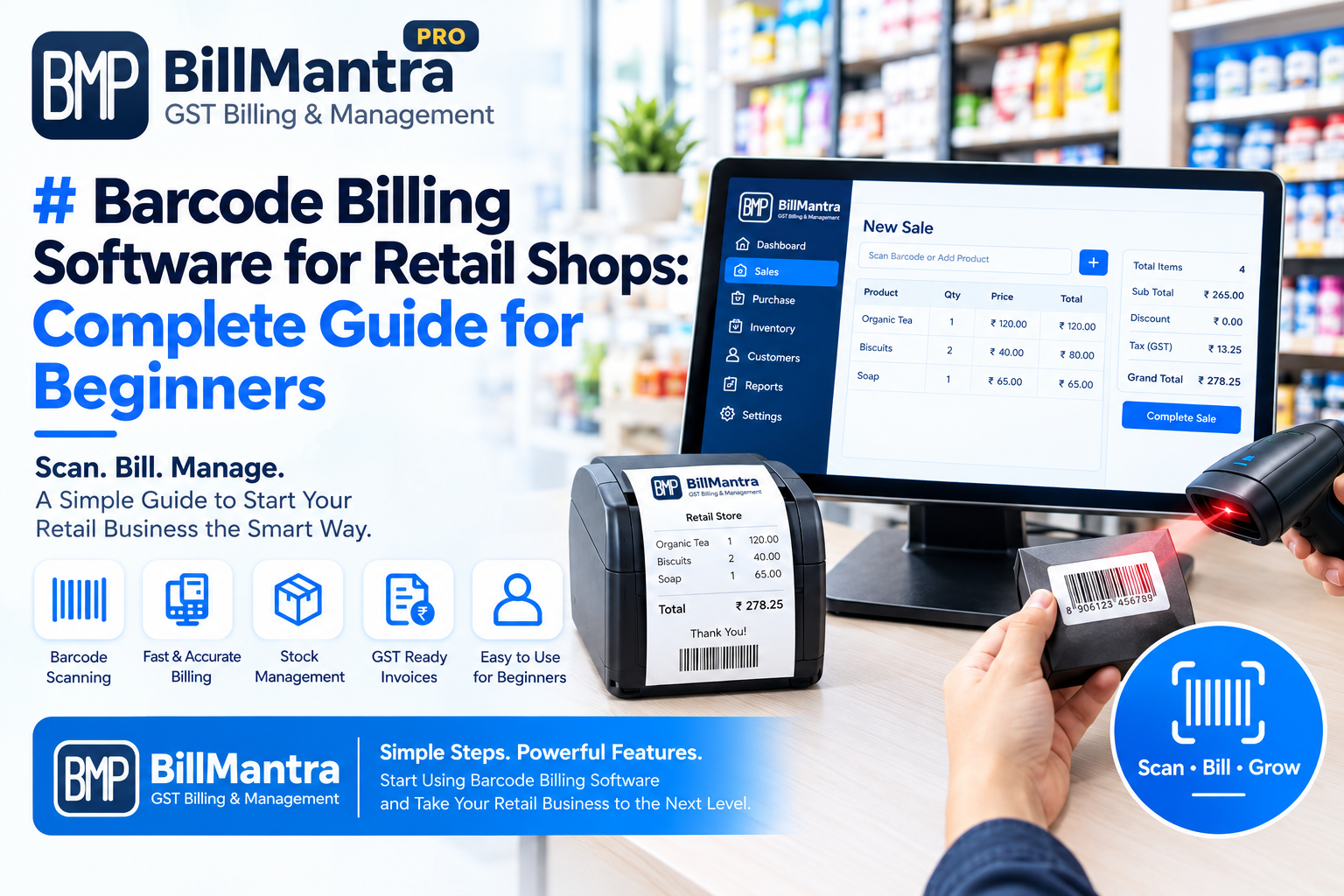
Running a retail shop involves much more than simply selling products. A retailer needs to manage product information, prices, inventory, billing, purchases, customers, returns, and daily sales records. As the number of products and customers increases, manually entering product details during every transaction can take more time and may increase the possibility of data-entry mistakes.
This is where barcode billing software for retail shops can become useful.
Barcode-based billing allows retailers to identify products quickly using a barcode scanner or compatible device. Instead of manually searching for a product and entering its price every time, the retailer can scan the barcode and retrieve the product information stored in the billing system.
For beginners, barcode billing may initially seem complicated because it involves products, barcode numbers, scanners, billing software, inventory, and invoice generation. However, once the basic process is understood, it becomes much easier to see how these components work together.
In this complete guide, we will explain barcode billing software, how barcode billing works, the benefits of barcode-based billing, barcode scanners, inventory management, GST billing, product management, common mistakes, setup steps, and how retailers can choose the right solution for their business.
What Is Barcode Billing Software?
Barcode billing software is a retail billing system that allows businesses to use product barcodes while creating sales invoices.
A barcode is a machine-readable representation of product information. It is usually printed on a product label or packaging.
When a barcode is scanned, the billing system can identify the corresponding product based on the barcode stored in its product database.
For example:
Barcode → Product → Price → Quantity → Invoice → Inventory Update
A typical barcode billing system may allow retailers to manage:
- Product information
- Product barcodes
- Product prices
- Stock quantities
- Sales billing
- GST invoices
- Customer information
- Purchase records
- Sales returns
- Inventory reports
- Sales reports
- Stock movement
- Supplier information
The exact features depend on the software selected.
How Does Barcode Billing Work?
The basic barcode billing process is relatively simple.
A retailer first adds products to the billing software and assigns or records the relevant barcode for each product.
When a customer purchases a product, the cashier scans its barcode.
The software identifies the product and displays the stored information.
The cashier then enters the required quantity and completes the billing process.
A simple workflow looks like this:
Product Barcode → Barcode Scanner → Billing Software → Product Information → Price → Invoice → Inventory Update
For example, suppose a retail store sells a packaged product.
The product database may contain:
| Product | Barcode | Price | Stock |
|---|---|---|---|
| Product A | 890XXXXXXX | ₹100 | 50 |
| Product B | 890XXXXXXX | ₹150 | 35 |
| Product C | 890XXXXXXX | ₹250 | 20 |
When Product A is scanned, the billing software can identify the product and display its configured details.
The cashier can then add the product to the customer's invoice.
What Is a Barcode?
A barcode is a machine-readable code used to identify products or other items.
Many retail products already have barcodes printed on their packaging.
A barcode normally represents a specific number or identifier. The billing software uses this identifier to find the corresponding product record in its database.
A barcode does not necessarily contain every piece of product information.
Instead, the barcode can act as an identifier that connects the physical product to the information stored in the billing system.
For example:
Barcode Number → Product Database Record
The database record may contain:
- Product name
- Product category
- Brand
- Selling price
- Purchase price
- Tax information
- Current stock
- Supplier
- Unit
This is why the barcode and product database need to be configured correctly.
Types of Barcodes Used in Retail
Different types of barcodes are used for different purposes.
1. EAN Barcode
EAN barcodes are commonly associated with retail products and are widely used internationally.
Retail products may have EAN-based codes printed on their packaging.
2. UPC Barcode
UPC barcodes are widely used for retail products, particularly in markets such as the United States and Canada.
3. Code 128
Code 128 is a high-density barcode format that can represent different types of data.
Businesses may use it for internal product identification, inventory, logistics, and other applications.
4. QR Codes
QR codes are two-dimensional codes that can store more information than traditional one-dimensional barcodes.
They can be used for various business and customer-facing purposes, although their use is different from standard product barcode scanning.
5. Internal Barcodes
Retailers can also create internal barcodes for products that do not already have a suitable barcode.
For example, a retailer selling loose products, locally sourced items, or products without printed barcodes may create an internal product code.
What Is a Barcode Scanner?
A barcode scanner is a device that reads the barcode printed on a product.
The scanner captures the barcode and sends the corresponding code to the billing system.
There are different types of barcode scanners.
Wired Barcode Scanner
A wired scanner connects to the billing computer or POS system using a cable.
It is commonly used at fixed billing counters.
Wireless Barcode Scanner
A wireless scanner communicates with the billing system without requiring a permanent cable connection.
This can be useful when employees need to scan products away from the main billing counter.
Handheld Barcode Scanner
A handheld scanner is designed to be held by the cashier or employee while scanning products.
Fixed Barcode Scanner
A fixed scanner can be installed at a specific location, allowing products to be passed across the scanning area.
The right scanner depends on the store layout, billing volume, budget, and operational requirements.
Why Do Retail Shops Use Barcode Billing?
Traditional billing may require employees to search for products manually or enter product codes.
This can take additional time, especially when the product catalog is large.
With barcode billing, the cashier can scan the product instead.
This can make the billing workflow more structured.
Some common reasons retailers use barcode billing include:
- Faster product identification
- Reduced manual product entry
- Easier inventory management
- Better product organization
- Faster invoice creation
- Easier stock updates
- Product-wise sales tracking
- Better transaction records
Barcode billing is particularly useful when a store handles a large number of products or frequent customer transactions.
Benefits of Barcode Billing Software for Retail Shops
Barcode billing can provide several operational benefits.
1. Faster Billing
One of the most visible benefits is faster product identification.
Instead of manually searching for a product in a list, the cashier can scan its barcode.
This can be particularly useful during busy hours.
A typical process can be:
- Customer brings products to the counter.
- Cashier scans each barcode.
- Product information appears in the billing system.
- Quantity is entered where required.
- Invoice total is calculated.
- Bill is generated.
The exact workflow depends on the software.
2. Reduced Manual Data Entry
Manual product entry can increase repetitive work.
A cashier may need to enter:
- Product name
- Product code
- Price
- Quantity
With barcode scanning, the product code can be captured automatically.
This can reduce repetitive typing during billing.
3. Better Inventory Management
Barcode billing and inventory management can work together.
When a product is sold, the billing system can record the transaction and update inventory according to its configured workflow.
For example:
Opening Stock: 100
Sales: 20
Remaining Stock: 80
This connection can make inventory tracking more organized.
4. Easier Product Identification
A large retail store may have products with similar names.
Barcode identification provides a unique code that can help distinguish products.
For example:
- Product A – Size Small
- Product A – Size Medium
- Product A – Size Large
Each product variant can be assigned an appropriate product code or barcode according to the store's system.
5. Better Sales Tracking
Barcode billing software can connect each sale with a specific product.
This can help retailers analyze:
- Product-wise sales
- Category-wise sales
- Daily sales
- Monthly sales
- Quantity sold
- Sales trends
The available reports depend on the billing software.
Barcode Billing and Inventory Management
Inventory is one of the most important areas where barcode billing can provide value.
A retailer needs to know:
- What products are available?
- How much stock is available?
- Which products are selling?
- Which products need to be reordered?
- Which products are low in stock?
- Which products have been returned?
Barcode billing can connect physical products with digital inventory records.
Example of Barcode-Based Inventory
Suppose a retailer has 100 units of a product.
The retailer receives 50 additional units.
The total stock becomes:
100 + 50 = 150 units
If 20 units are sold through barcode billing:
150 - 20 = 130 units
The billing and inventory system can maintain this transaction history according to its configured workflow.
This can be easier than manually updating multiple Excel sheets.
Barcode Billing vs Manual Billing
Manual billing and barcode billing follow different workflows.
| Feature | Manual Billing | Barcode Billing |
|---|---|---|
| Product identification | Manual | Barcode scan |
| Product search | Manual | Scanner-based |
| Data entry | Higher | Lower |
| Billing speed | Depends on entry | Generally faster |
| Product tracking | Manual | Barcode-based |
| Inventory connection | May require manual updates | Can be integrated |
| Product-wise sales | Requires records | Easier to track |
| Human typing | Higher | Reduced |
| Large product catalog | More difficult | More structured |
Barcode billing does not automatically solve every retail management problem, but it can simplify product identification and connect physical products with digital records.
Barcode Billing Software vs Excel
Excel can be used to maintain barcode numbers and product information.
For example:
| Product | Barcode | Price | Stock |
|---|---|---|---|
| Product A | 890123456 | ₹100 | 50 |
| Product B | 890123457 | ₹150 | 35 |
| Product C | 890123458 | ₹200 | 20 |
A retailer can maintain this database manually.
However, creating a complete barcode-based billing system in Excel may require:
- Barcode data
- Product database
- Lookup formulas
- Invoice templates
- Stock formulas
- Sales sheets
- Purchase sheets
- Return records
As the business grows, maintaining all these components can become more complicated.
Dedicated barcode billing software for retail shops is designed to connect these functions through a retail-focused workflow.
Barcode Billing for Grocery Stores
Grocery stores can have hundreds or thousands of products.
Examples include:
- Packaged foods
- Beverages
- Snacks
- Household products
- Personal care products
- Cleaning products
- Daily-use items
Barcode billing can help grocery stores identify packaged products quickly.
During checkout, the cashier can scan each item and add it to the customer's invoice.
This can help reduce the need for manually searching product names.
For stores with frequent transactions, barcode billing can also connect sales with inventory management.
Barcode Billing for Clothing Stores
Clothing stores often manage product variations such as:
- Size
- Color
- Brand
- Style
- Category
- Product type
A retailer can assign product codes or barcodes to individual products or variants.
For example:
| Product | Size | Color | Barcode |
|---|---|---|---|
| Shirt A | S | Blue | 890000001 |
| Shirt A | M | Blue | 890000002 |
| Shirt A | L | Blue | 890000003 |
This can help the retailer distinguish between different product variations.
Barcode Billing for Electronics Stores
Electronics stores often manage products with specific models, brands, and product codes.
Examples include:
- Mobile accessories
- Headphones
- Chargers
- Speakers
- Computer accessories
- Small electronic devices
Barcode-based product identification can make it easier to connect products with their stored information.
Retailers may also maintain purchase details, supplier information, selling prices, and inventory records.
Barcode Billing for Cosmetics Stores
Cosmetics retailers may have a large range of products from different brands.
Product records can include:
- Brand
- Product name
- Category
- Shade
- Size
- Price
- Barcode
- Stock quantity
Barcode scanning can make product identification easier at the billing counter.
How to Set Up Barcode Billing Software
Setting up a barcode billing system involves several steps.
Step 1: Select Billing Software
Choose a retail billing software that supports barcode-based billing and the features your business requires.
Consider:
- Billing
- Inventory
- Barcode scanning
- GST invoices
- Product management
- Customer management
- Purchase management
- Reports
- User access
- Data security
- Customer support
Step 2: Add Business Information
Enter the required business details.
Depending on the software, this may include:
- Business name
- Address
- Contact information
- GSTIN
- Invoice details
- Tax settings
Make sure the information is accurate.
Step 3: Create Product Records
Add products to the billing system.
Product information may include:
- Product name
- Product code
- Barcode
- Category
- Brand
- Purchase price
- Selling price
- Tax information
- Opening stock
This is one of the most important setup steps.
Step 4: Add Barcode Information
Enter or generate the appropriate barcode information for each product.
If products already have manufacturer barcodes, the retailer can record those codes in the system where appropriate.
For products without suitable barcodes, internal codes may be created depending on the business requirements and software capabilities.
Step 5: Connect the Barcode Scanner
Connect the barcode scanner to the billing computer or compatible device.
Many common scanners are designed to work as input devices.
The exact connection method depends on the scanner model and billing setup.
Step 6: Test Product Scanning
Before starting regular billing, test several products.
Scan each product and check:
- Correct product name
- Correct price
- Correct tax information
- Correct barcode
- Correct stock
- Correct product variant
Testing can help identify setup problems before daily operations begin.
Step 7: Start Barcode Billing
Once products and scanner settings have been verified, the retailer can begin using barcode scanning during regular billing.
The cashier can scan products, check the invoice, collect payment, and complete the transaction.
How to Create Barcodes for Retail Products
Not every product will necessarily have a barcode that suits the retailer's internal system.
For products that require internal identification, retailers may use barcode-generation functionality provided by their billing software or another appropriate system.
A basic process may involve:
- Create the product.
- Assign a unique product code.
- Generate or assign a barcode.
- Print the barcode label if required.
- Attach the label to the product.
- Test the barcode.
- Start using it for billing.
The barcode should correspond correctly to the product record in the billing database.
Barcode Labels for Retail Shops
Barcode labels can be used for products that do not already have suitable printed barcodes.
A label may contain:
- Product name
- Product code
- Barcode
- Price
- Other required information
The exact label format depends on the retailer's requirements.
For stores with many products, consistent labeling can make inventory and billing easier to manage.
Barcode Billing and GST Invoices
Barcode scanning and GST billing serve different purposes but can work together.
The barcode identifies the product.
The billing software uses the stored product information to create the invoice.
A GST invoice may contain:
- Seller information
- GSTIN
- Invoice number
- Invoice date
- Customer details
- Product details
- Taxable value
- Applicable GST
- Total amount
The exact GST information required depends on the transaction and applicable tax rules.
Retailers should configure their billing software correctly and verify GST requirements for their business.
Barcode Billing and Customer Management
Barcode billing mainly focuses on product identification, but it can also be connected with customer management.
A retailer can maintain customer information such as:
- Name
- Mobile number
- Address
- Purchase history
- Invoice history
When a sale is completed, the transaction can be linked with the customer record where the software supports this feature.
This can help businesses maintain organized customer transaction records.
Barcode Billing and Purchase Management
Barcode billing software can also connect with purchase management.
When new products arrive from suppliers, the retailer can record:
- Supplier
- Purchase invoice
- Product
- Quantity
- Purchase price
- Tax
- Date
The inventory can then be updated according to the software's purchase workflow.
This creates a connection between:
Purchase → Stock → Barcode → Sale → Inventory
Such a connected workflow can make retail record keeping easier.
Barcode Billing and Sales Returns
Returns are an important part of retail management.
If a customer returns a product, the retailer may need to:
- Identify the product
- Find the original transaction
- Record the return
- Adjust inventory
- Adjust the transaction according to the applicable process
If the product has a barcode, the barcode can help identify the product quickly.
The exact return workflow depends on the billing software.
Barcode Billing and Low Stock Alerts
Retailers need to know when products are running low.
A billing system with inventory features may allow retailers to define minimum stock levels.
For example:
Product Stock = 8
Minimum Stock Level = 10
The product may be treated as low stock according to the configured threshold.
This can help retailers review products that may need to be reordered.
The exact alert functionality depends on the software.
Barcode Billing Reports
A good retail billing system can provide reports that help retailers understand business activity.
Possible reports include:
Sales Reports
- Daily sales
- Weekly sales
- Monthly sales
- Product-wise sales
- Category-wise sales
Inventory Reports
- Current stock
- Low stock
- Stock movement
- Product-wise inventory
Purchase Reports
- Supplier purchases
- Purchase history
- Product purchases
- Purchase totals
Customer Reports
- Customer transactions
- Purchase history
- Customer invoices
The available reports vary by software.
Advantages of Barcode Billing Software
Barcode billing can provide several practical advantages.
Faster Product Identification
Scanning can be faster than manually searching for product information.
Reduced Typing
The cashier does not need to manually type the product code every time.
Better Product Tracking
Each barcode can be linked with a product record.
Connected Inventory
Sales can be connected with stock records.
Easier Product Management
Large product catalogs can be easier to organize.
Better Sales Records
Product-wise sales information can be maintained systematically.
More Structured Billing
The billing process can follow a consistent workflow.
Limitations of Barcode Billing
Barcode billing also has some limitations.
Initial Setup
Products need to be added to the billing system before barcode billing can work properly.
Barcode Data Accuracy
Incorrect barcode information can result in the wrong product being selected.
Scanner Dependency
If the scanner stops working, the retailer may need an alternative billing method.
Product Label Issues
Damaged or poorly printed barcodes may not scan properly.
Staff Training
Employees need to understand how to use the scanner and billing system.
Software Selection
Different billing software solutions provide different barcode and inventory features.
Retailers should evaluate their requirements before selecting a solution.
Common Barcode Billing Problems and Solutions
Barcode Is Not Scanning
Possible causes include:
- Damaged barcode
- Poor print quality
- Incorrect scanner configuration
- Scanner connection issue
- Incorrect barcode stored in the software
Check the barcode and scanner configuration.
Wrong Product Appears
This may happen when the barcode is incorrectly assigned to another product.
Check the product database and correct the barcode mapping.
Price Is Incorrect
Check the product's stored selling price and applicable pricing settings.
Stock Is Not Updating
Check whether the product is correctly linked with inventory and whether the sale was completed successfully.
Scanner Is Not Working
Check:
- Cable connection
- USB connection
- Power
- Scanner configuration
- Compatibility with the billing device
If necessary, refer to the scanner manufacturer's instructions.
Common Mistakes Retailers Should Avoid
1. Duplicate Barcodes
Avoid assigning the same internal barcode to multiple unrelated products.
2. Incorrect Product Mapping
Make sure each barcode is connected to the correct product.
3. Ignoring Product Variants
Different sizes, colors, or models may require separate product records or appropriate variant handling.
4. Not Testing Barcodes
Always test newly added products before using them during busy billing hours.
5. Incorrect Prices
Keep product pricing information updated.
6. Ignoring Inventory Adjustments
Stock adjustments should be recorded properly when products are damaged, lost, returned, or otherwise changed.
7. Not Training Employees
Cashiers and inventory staff should understand the billing workflow.
How to Choose Barcode Billing Software for Retail Shops
Choosing software requires more than checking whether it supports barcode scanning.
Consider the complete retail workflow.
Barcode Compatibility
Check whether the software supports the barcode formats and scanners required by your business.
Billing Features
Look for:
- Fast billing
- Invoice generation
- Discounts
- Tax calculations
- Payment recording
Inventory Management
Check whether the software provides:
- Stock tracking
- Stock adjustments
- Low-stock monitoring
- Product-wise inventory
- Purchase integration
GST Billing
If GST billing is required for your business, check whether the software supports the relevant GST invoice features.
Product Management
The software should allow you to maintain:
- Product names
- Product codes
- Barcodes
- Prices
- Categories
- Stock
Reporting
Check the availability of:
- Sales reports
- Purchase reports
- Inventory reports
- Customer reports
- Product reports
User Management
If multiple employees use the system, check whether user roles and permissions are available.
Customer Support
Consider the quality and availability of customer support.
Pricing
Compare pricing based on the actual features your business needs.
Barcode Billing Software for Small Retail Shops
Small retailers often start with notebooks or Excel.
As the number of products and transactions increases, manual systems can become difficult to maintain.
Barcode billing can help small retailers organize product information and speed up product identification.
A small shop may benefit from barcode billing if it has:
- Many products
- Frequent transactions
- Multiple employees
- Regular stock movement
- Product variations
- Increasing customer volume
However, the decision should be based on actual business requirements.
Barcode Billing Software for Growing Retail Businesses
As a business grows, the need for organized data also increases.
A growing retailer may need to manage:
- More products
- More customers
- More suppliers
- More invoices
- More employees
- More inventory
- More transactions
A centralized retail management software can provide a structured platform for managing these activities.
Barcode scanning can become one part of this larger retail management system.
Barcode Billing Checklist for Beginners
Before starting barcode billing, make sure you have:
- A suitable billing software
- Product database
- Correct product codes
- Barcode information
- Barcode scanner
- Compatible computer or device
- Printer if invoices or labels need to be printed
- Correct pricing information
- Inventory information
- GST configuration where applicable
- Trained employees
- Backup and data management process
Once these elements are properly configured, barcode billing can become part of the daily retail workflow.
Barcode Billing Software vs Traditional Billing
| Factor | Traditional Billing | Barcode Billing |
|---|---|---|
| Product identification | Manual | Scan-based |
| Product search | Manual | Barcode-based |
| Typing | More | Less |
| Billing workflow | Manual | Structured |
| Inventory connection | May be separate | Can be integrated |
| Product tracking | Manual | Barcode-based |
| Large catalog | More difficult | Easier to organize |
| Transaction speed | Depends on process | Can be faster |
| Data entry | Higher | Reduced |
Barcode billing is not simply about using a scanner.
It works best when the scanner, product database, billing software, inventory, and invoice process are connected properly.
Frequently Asked Questions
What is barcode billing software?
Barcode billing software is a retail billing system that allows businesses to scan product barcodes and use the stored product information to create invoices and manage sales.
Is barcode billing useful for small retail shops?
Yes. Small retailers can use barcode billing when they have many products, frequent transactions, or a need for organized inventory management.
Do I need a barcode scanner for barcode billing?
A physical barcode scanner is commonly used, although some software may support other scanning methods. The exact requirement depends on the billing setup.
Can barcode billing software manage inventory?
Many barcode billing systems include inventory management features. They can connect product sales with stock records according to the software's workflow.
Can barcode billing software create GST invoices?
Many retail billing systems support GST invoice generation. Retailers should check the specific GST features offered by the software and configure them correctly.
Can I use barcode billing with Excel?
Excel can store barcode numbers and product information, but creating a complete barcode billing and inventory system may require additional formulas, templates, and setup. Dedicated retail software generally provides a more structured workflow.
Can I create my own barcode for a retail product?
Retailers can create internal product barcodes for products that need internal identification, depending on their business requirements and software capabilities. Product identification should be managed consistently.
What happens when a barcode does not scan?
Check the barcode print quality, scanner connection, scanner configuration, and barcode mapping in the billing software.
Can barcode billing update stock automatically?
Many retail billing systems can update inventory when a sale is recorded. The exact functionality depends on the software.
Can barcode billing manage product variants?
Many systems can manage product variations through separate product records or variant functionality. The exact approach depends on the software.
Is barcode billing faster than manual billing?
Barcode scanning can reduce manual product entry and make product identification faster, particularly when a store handles many transactions.
Can barcode billing software manage purchases?
Many retail billing solutions include purchase management features. These can connect supplier purchases with inventory records.
Can barcode billing software manage sales returns?
Many systems provide sales return functionality. The exact return process depends on the software.
Is barcode billing expensive?
The cost varies depending on the software, features, number of users, support, and hardware requirements. Retailers should compare the complete setup rather than only the software price.
Does every retail product need a barcode?
Not necessarily. Many packaged products already have barcodes, while retailers may use internal product codes or labels for products that do not have suitable barcodes.
Final Thoughts on Barcode Billing Software for Retail Shops
Barcode billing can simplify the way retail shops identify products and process sales.
Instead of manually searching for products and entering product information during every transaction, retailers can scan the barcode and retrieve the corresponding product record from the billing system.
When barcode scanning is connected with retail billing software, it can become part of a larger workflow that includes:
Products → Barcode → Billing → Sales → Inventory → Reports
For beginners, the most important thing is to understand that barcode billing is not only about purchasing a barcode scanner.
A complete barcode billing setup includes:
- Billing software
- Product database
- Barcode information
- Scanner
- Pricing
- Inventory
- Tax configuration
- Invoice settings
- Employee training
The right setup can help retailers create a more organized billing process and reduce repetitive manual data entry.
Before selecting a solution, retailers should compare barcode compatibility, billing features, inventory management, GST functionality, reporting, customer management, user access, support, security, and pricing.
Manage Barcode Billing with BillMantra
If you are looking for a structured way to manage retail billing, inventory, products, sales, purchases, and customer records, barcode billing can be an important part of your retail management workflow.
BillMantra provides a digital solution for businesses that want to organize their retail billing and business management processes.
With a centralized approach to product and billing information, retailers can work toward a more organized system for managing daily transactions and inventory.
Whether you run a grocery store, clothing shop, electronics store, cosmetics store, footwear shop, or another retail business, the right barcode billing software for retail shops can help simplify product identification and daily billing operations.
Start by understanding your business requirements, organize your product data, configure your barcode system correctly, and choose a billing solution that fits your retail workflow.
Explore BillMantra and take your retail billing and inventory management toward a more organized digital workflow.
Try BillMantra free
GST invoices, inventory, payments, reports — all in one app. No credit card.
Get started →